
Segment Triggered Flows are one of the main Flow types available in Agentforce Marketing. Probably the most used one, as it is the one used to send a one-time message for example. From a Campaign, the Single Email option creates a Segment Triggered Flow. But they can also be used in a recurring mode, which unlocks true Automations. For example, you can use them for birthday emails or contract renewals. In this article, we’ll dive into the starting options.
Let’s Create a recurring Segment Triggered Flow
A empty Segment Triggered Flow can be create directly from the Flow list. Use the predefined Flow templates directly from a Campaign (Single Email, Message Series, Single SMS Message, Blank Email and Blank WhatsApp) to create a Flow and its assets. Agentforce can also be used, with the Campaign Creation Agent.
In the first element (Start), choose Recurring as the schedule type. Despite the name “Segment-Triggered”, this flow is fundamentally a scheduled flow that executes at regular time intervals.
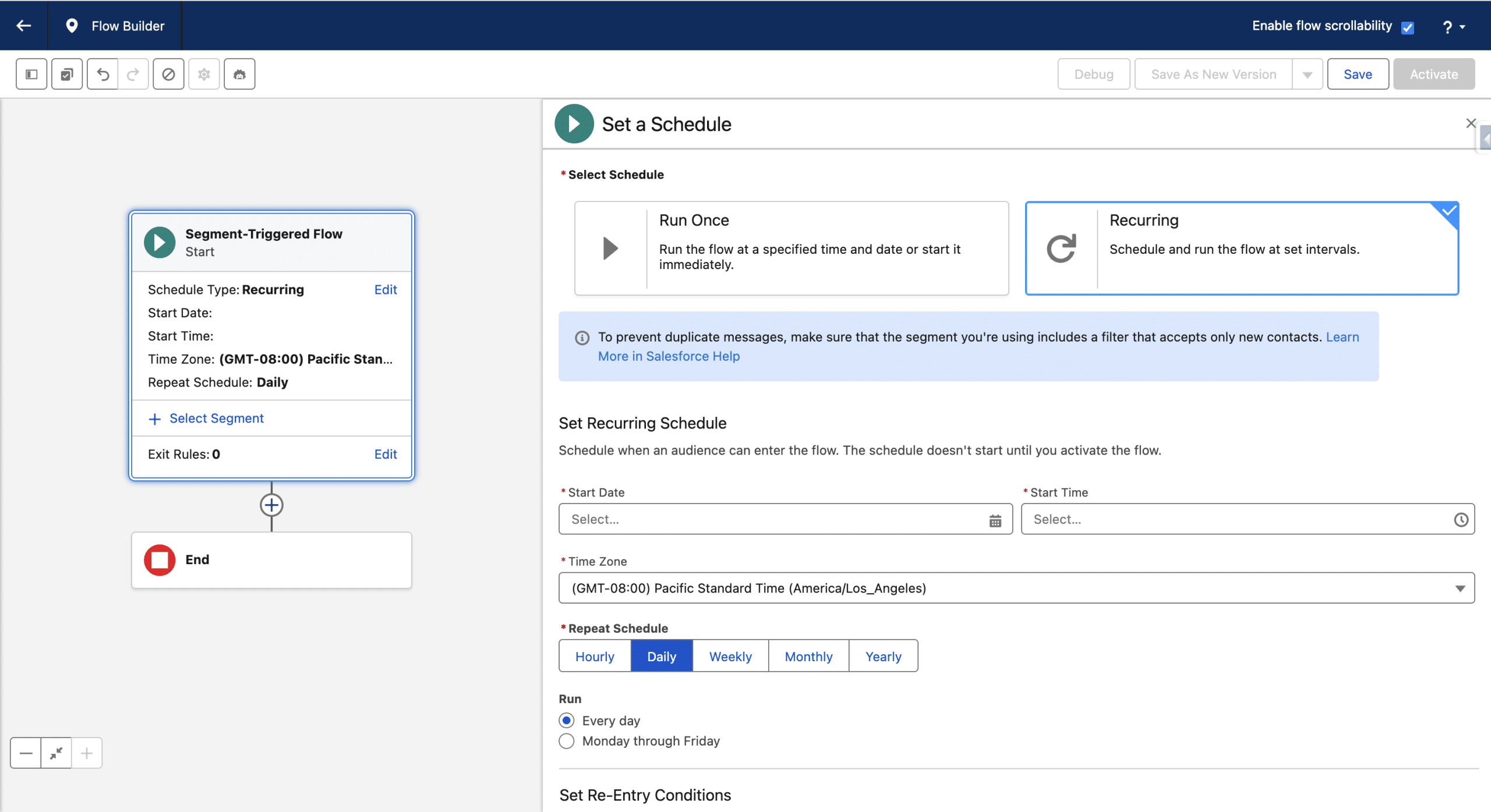
You then need to select when the Flow should run for the first time (in the time-zone of your choice), and how often it repeats then. The Repeat Schedule option ranges from once an hour (new in Spring ’26) to once a year. Your use-case guides this choice.
Defining the “Triggering” Segment
In the Start Element, we now select +Segment to define our Segment.
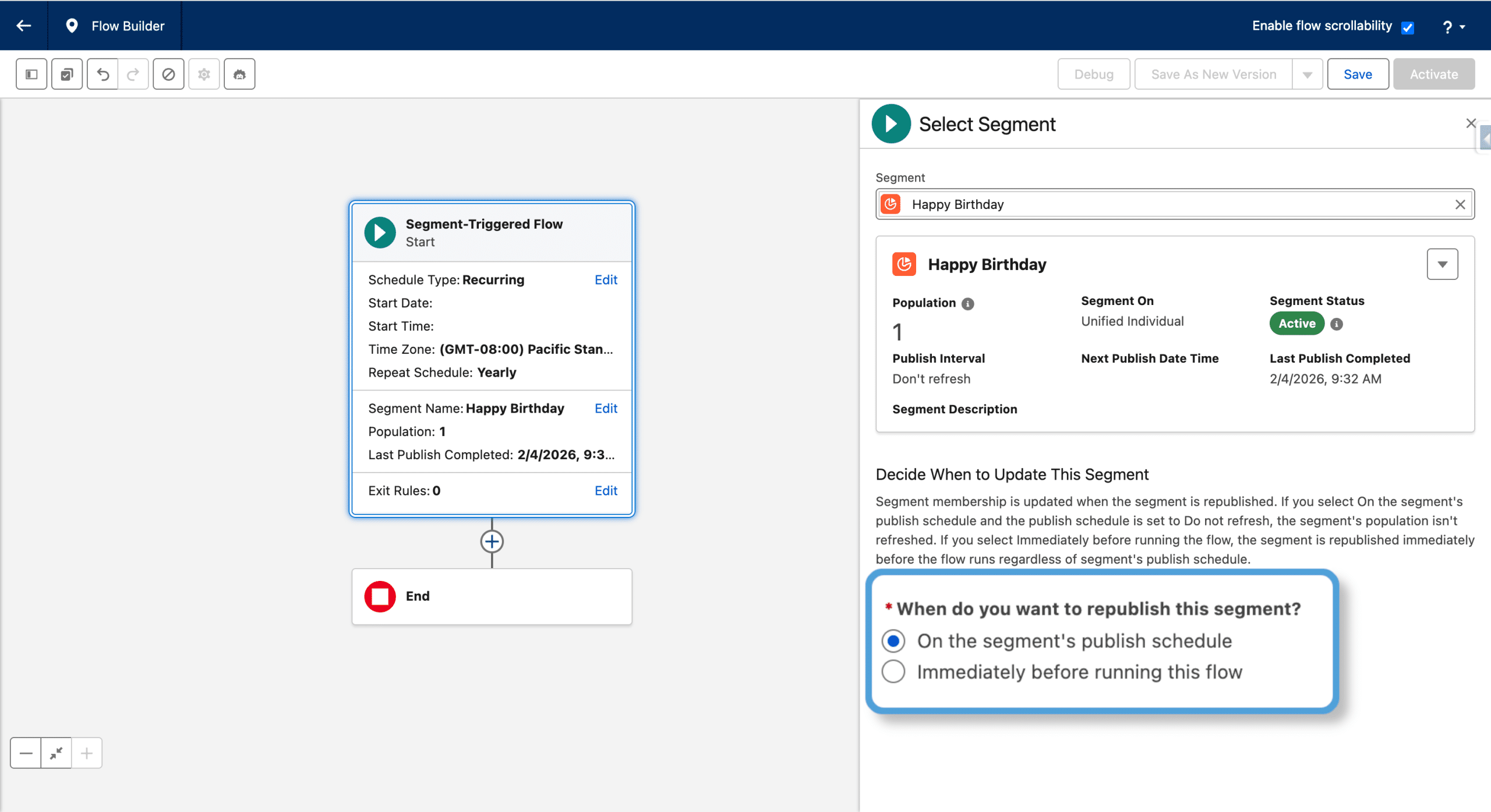
So far only Segments made of Unified Individual were allowed. Since Spring ’26 Segments can be made of Records from the Individual DMO or any Engagement-type DMO. In that case, you need to also define the Contact Point to use in Send Messages activities and as there is no related Data Graph, the Email personalization will need to be made via an Apex Personalization (see the principle here applied to another type of Flow).
The “When do you want to republish this segment?” option
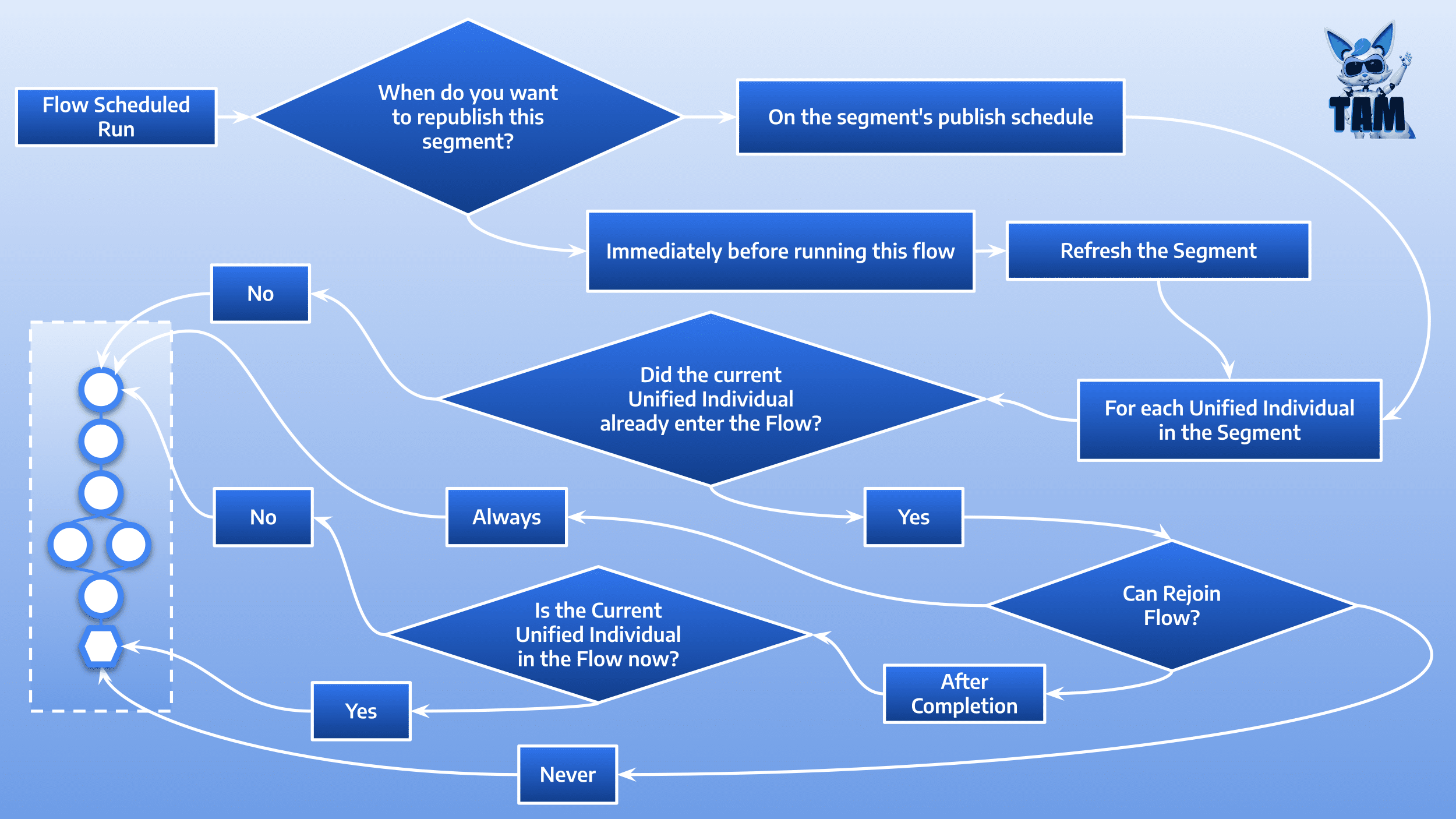
This option is critical, as it highlights the whole recurring concept: everytime the Flow runs (on its programmed schedule), each Segment Member is a candidate to enter the Flow. Wether it actually enters the Flow or not is determined by other options that we will detail in a moment.
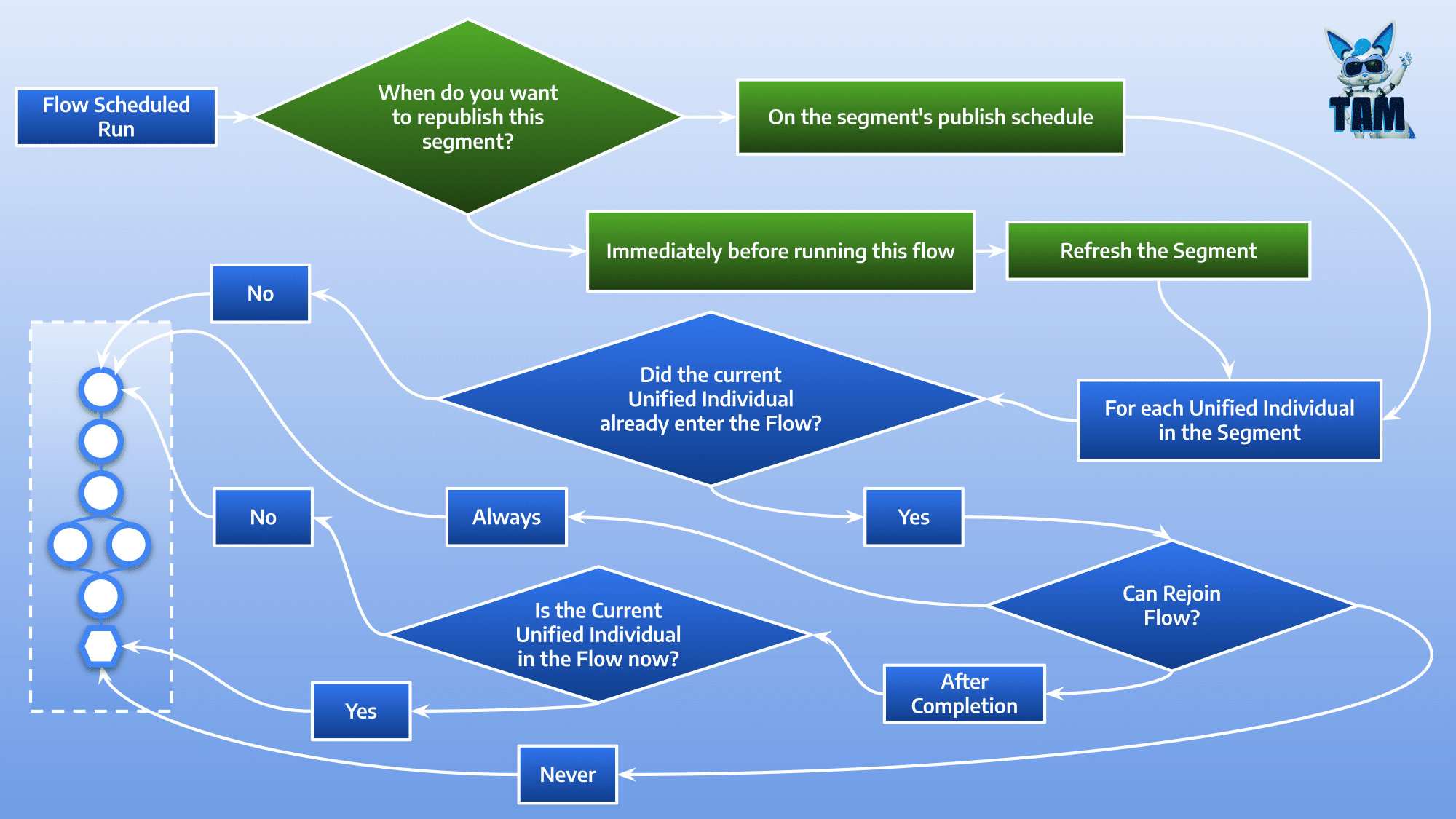
Thus, it is important that your Segment is refreshed before each Flow run, which is exactly what “Immediatly before running the Flow” does. If you do not use the Segment elsewhere, this is the safest option. The other choice “On the Segment’s Publish schedule” ensures the Flow runs with the Segment as-is at the time of the run. The Segment can be configured to no-refresh or to be refreshed every 12h or 24h. The most commonly used settings are:
- “Publish Schedule” set to “Do Not Schedule” on the Segment
- “When do you want to republish this segment?” set to “Immediatly before running the Flow” in the Flow
The “Can Rejoin Flow?” option
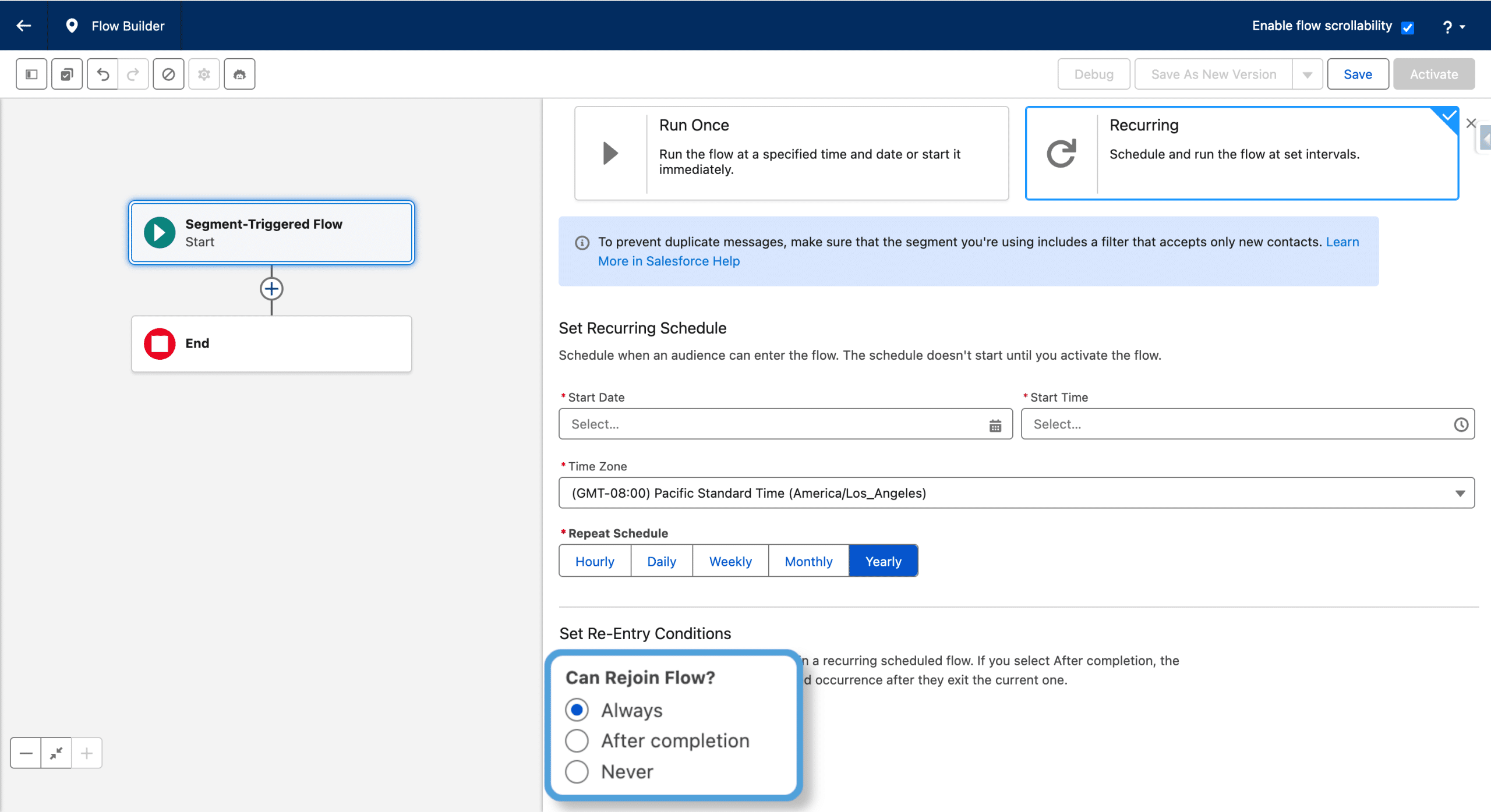
New Record in the Segment
Once a scheduled occurrence of the Flow happens, every record in the Segment is a candidate to join the Flow. If the current Segment Member was not already presented to the Flow (this is the case for a brand new Segment member or during the first occurence of the recurring Flow), it joins the Flow, whatever the value of the option.
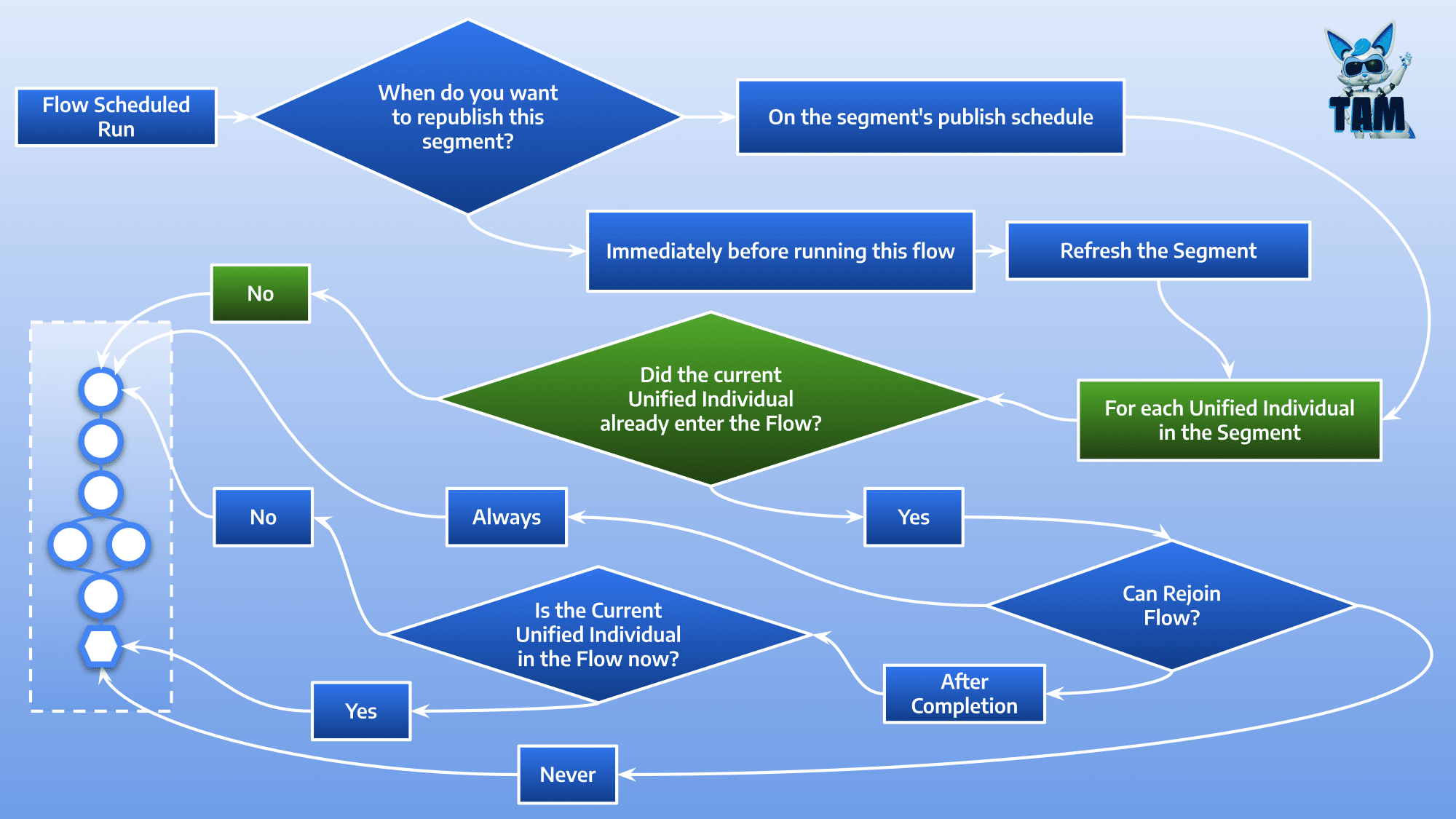
A Segment member currently or previously in the Flow
If the current record is currently in a previous Flow occurence or has already gone through it in a previous occurence, the value of the option “Can Rejoin Flow?” determines if the records joins the Flow again or not.
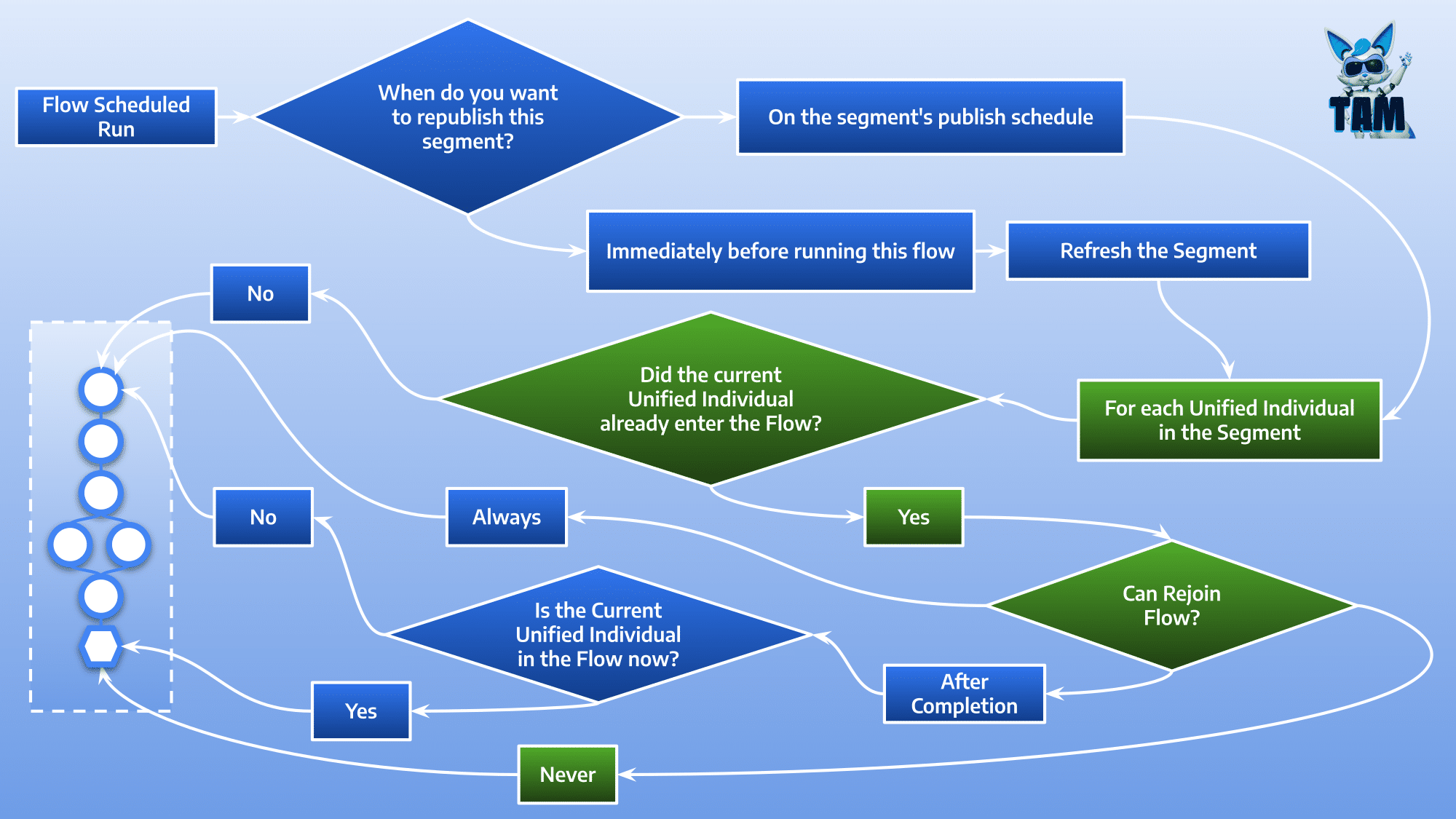
“Can Rejoin Flow?” is Never
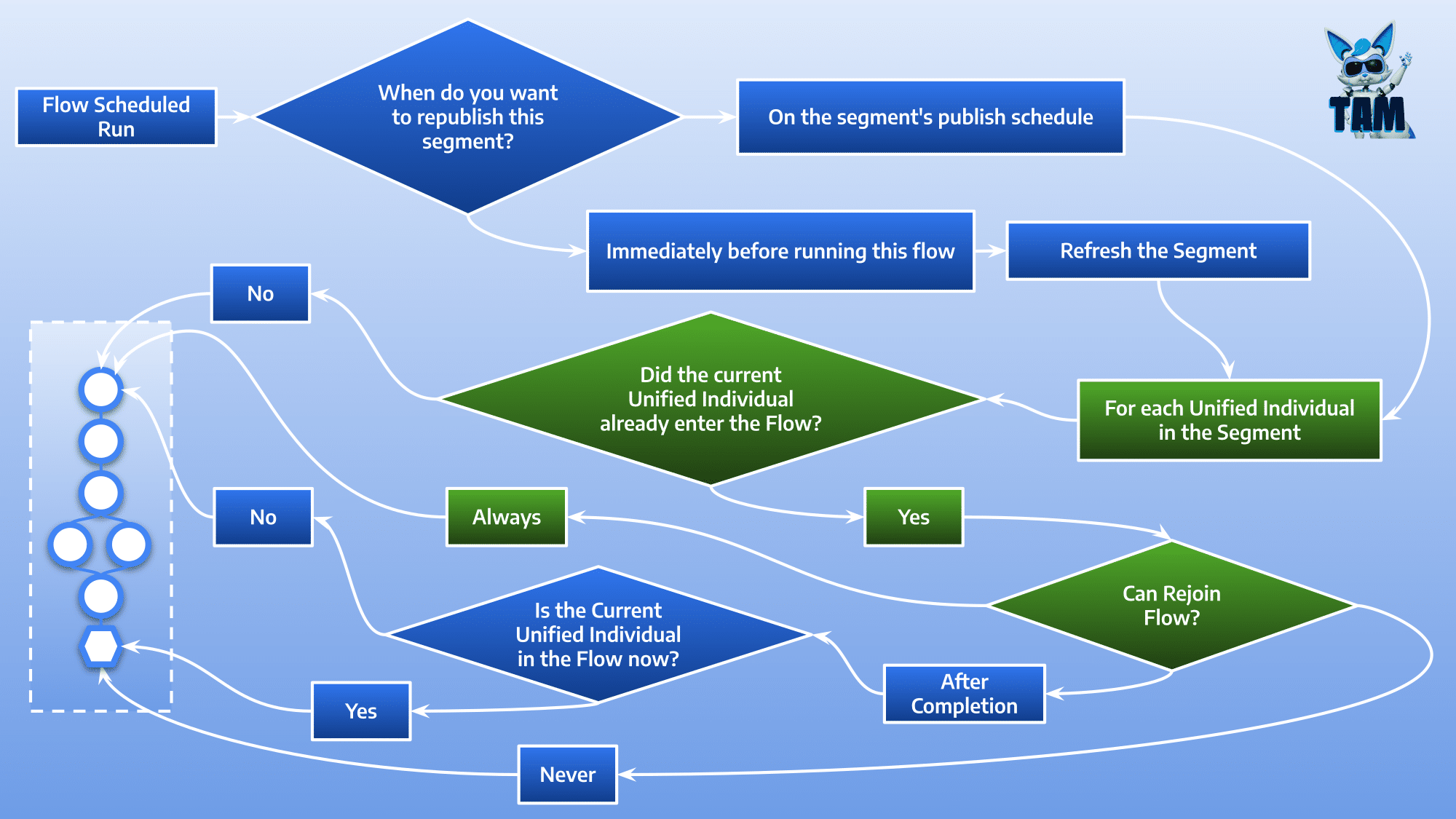
“Can Rejoin Flow?” is Always
Wether the Segment member already joined the Flow or is currently in one or more occurence of the it, it will be injected in the current occurence.
Most of the time, the multiple parallel occurences, is not what you want, and Marketing Cloud Next warns you about it in Schedule settings of the Flow: “To prevent duplicate messages, make sure that the segment you’re using includes a filter that accepts only new contacts“. Let’s see an example.
Say you want to send a birthday email with a coupon, and, 3 days later, either a reminder if the coupon was not used, or a thank you email if it was. You would create a Segment of every Unified Individual whose birthday is today, and set the recurring Flow to a daily schedule, along with “Can Rejoin Flow” to “Always” (unless you want to it only the first year), and have the Flow refresh the Segment. If a Segment member joined the Flow a given day, the next day is no longer her/his birthday, hence the record exits the Segment and thus is not injected again (until next year). Note: even though the record is no longer in the Segment, it is not removed from the recurring Flow (as opposed to MCAE/Pardot).
“Can Rejoin Flow?” is After Completion
This option works as the previous one, but also prevents a record to join a new Flow scheduled occurence if the record is already in a previous occurence. Simply put, the setting allows a record to be injected in the Flow mutilple times, but not at the same time.
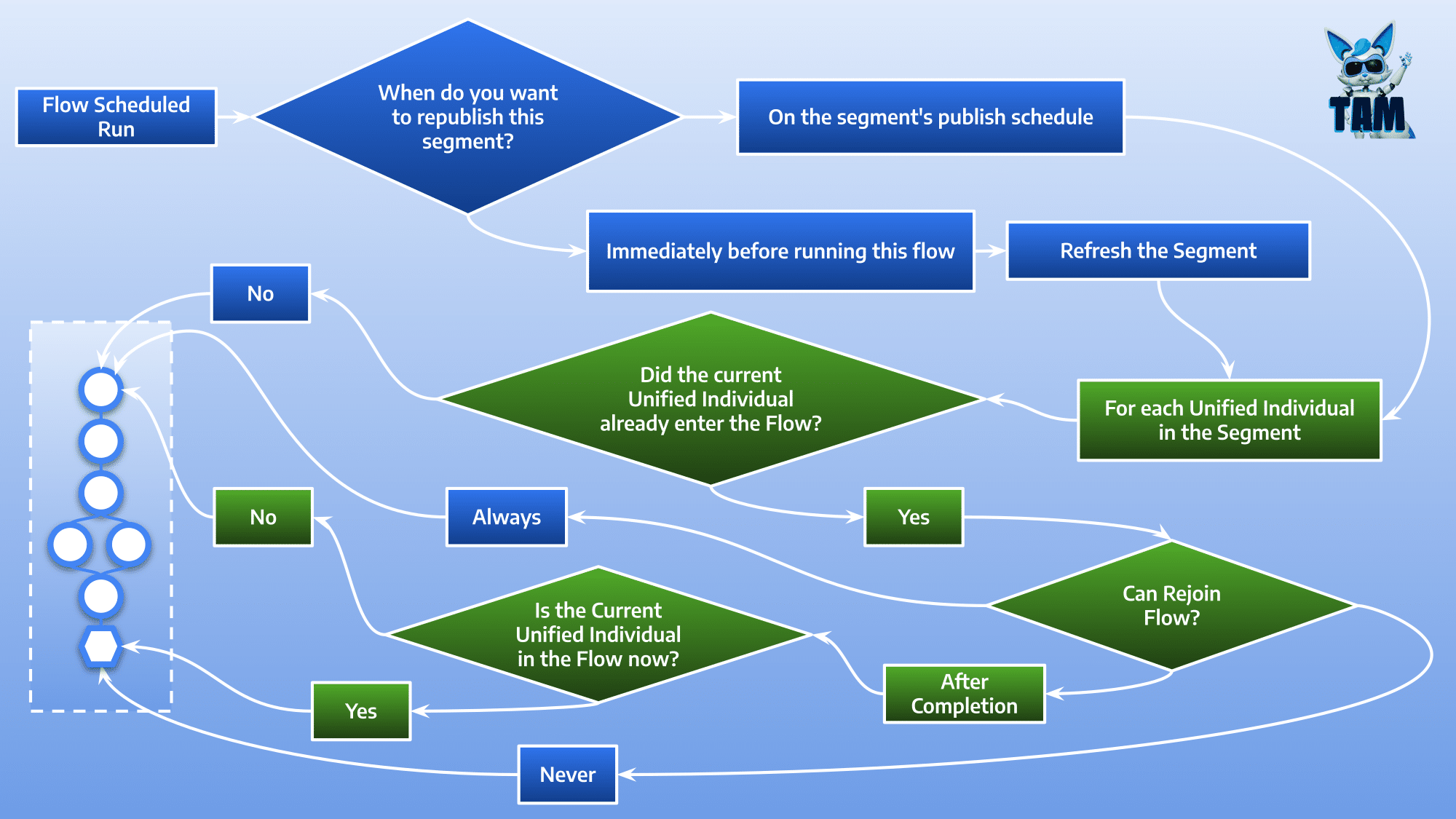
Operational Summary
- Let the Flow refresh your Segment: “Publish Schedule” set to “Do Not Schedule” on the Segment and “When do you want to republish this segment?” set to “Immediatly before running the Flow” in the Flow
- If the Flow should be run once in the Individual lifetime, set “Can rejoin the Flow?” to “Never”
- Else, if an Individual should join the Flow mutiple times, set “Can rejoin the Flow?” to “Always” or “After Completion” and design the Flow to add/remove the record as a Segment Member
Final Thoughts
Pausing a flow temporarily halts all processing and holds people and data at their current steps. When the flow is resumed, everything that was on hold is processed at once and the flow continues normally. Any wait time that elapsed during the pause is counted, so overdue wait steps execute immediately.
To change a running Flow, create a new Version, make your changes and Activate the New Version. The Segment members already in an occurence of the last version will end it. You can hot-edit an Email while the Flow is running, just by publishing it again, the Flow will then use the latest version of your email (if your Email embeds a reusable Content Block, publish it before publishing the Email)
A Segment member already in the Flow is removed from it:
- if it matches the Exit Rules of the Flow
- by calling using the API (since Spring ’26)
Being removed from the triggering segment during a refresh does not remove the individual from the flow.
Finally, if you use data from the Data Graph (Segment of Unified Individuals) for personalzing your emails, do not forget to schedule the Data Graph, so that it is up to date with your Segment.