
There has been some changes in Segment Triggered Flows, to streamline the access to a “Best Individual”.
Determine CRM Record for Individual Flow Element
First, there is a new Element you can insert in a Segment Triggered Flow.
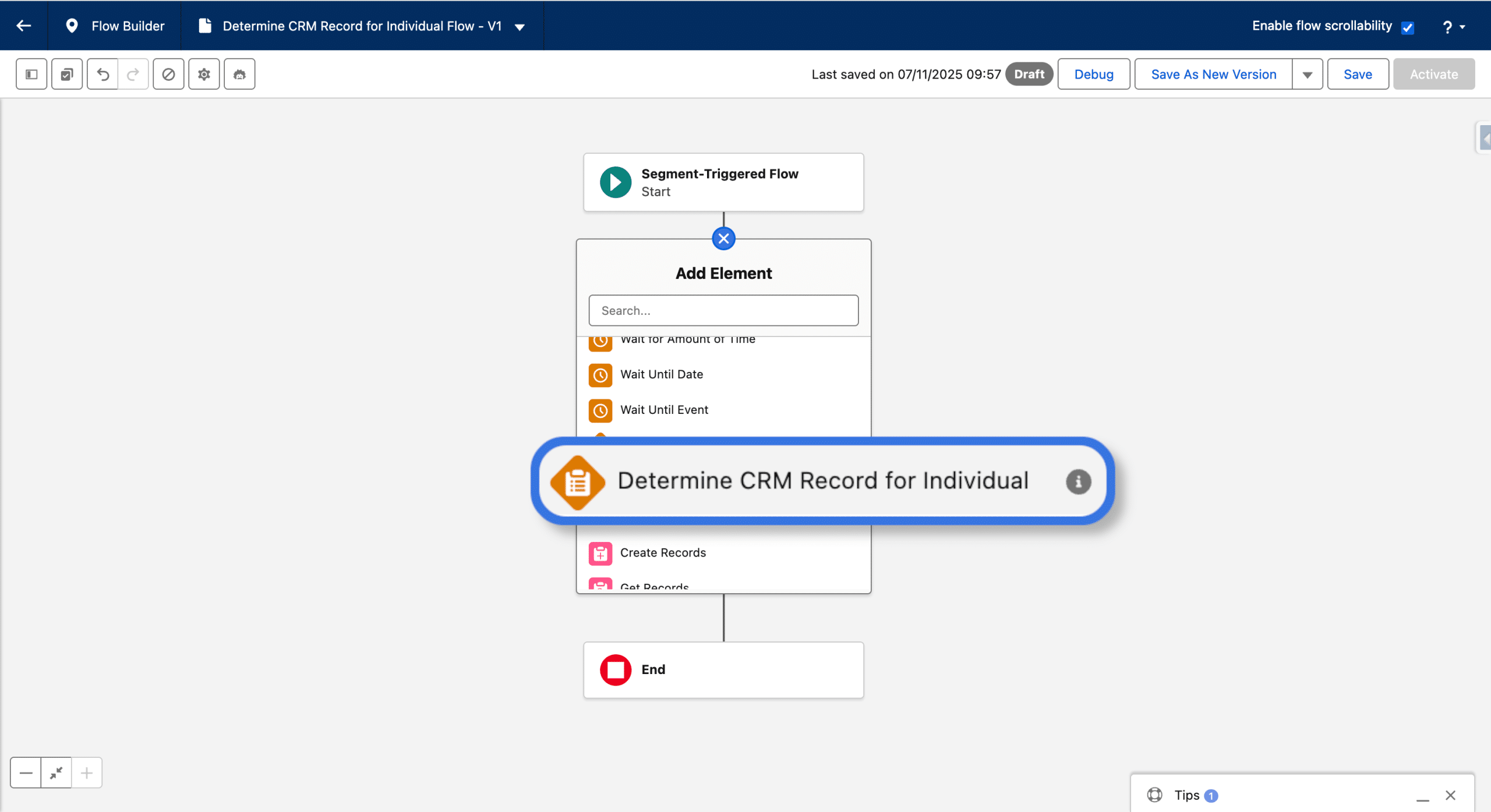
When inserting this new Element in a Flow, 4 branches are created:
- Contact
- Lead
- Prospect
- Default
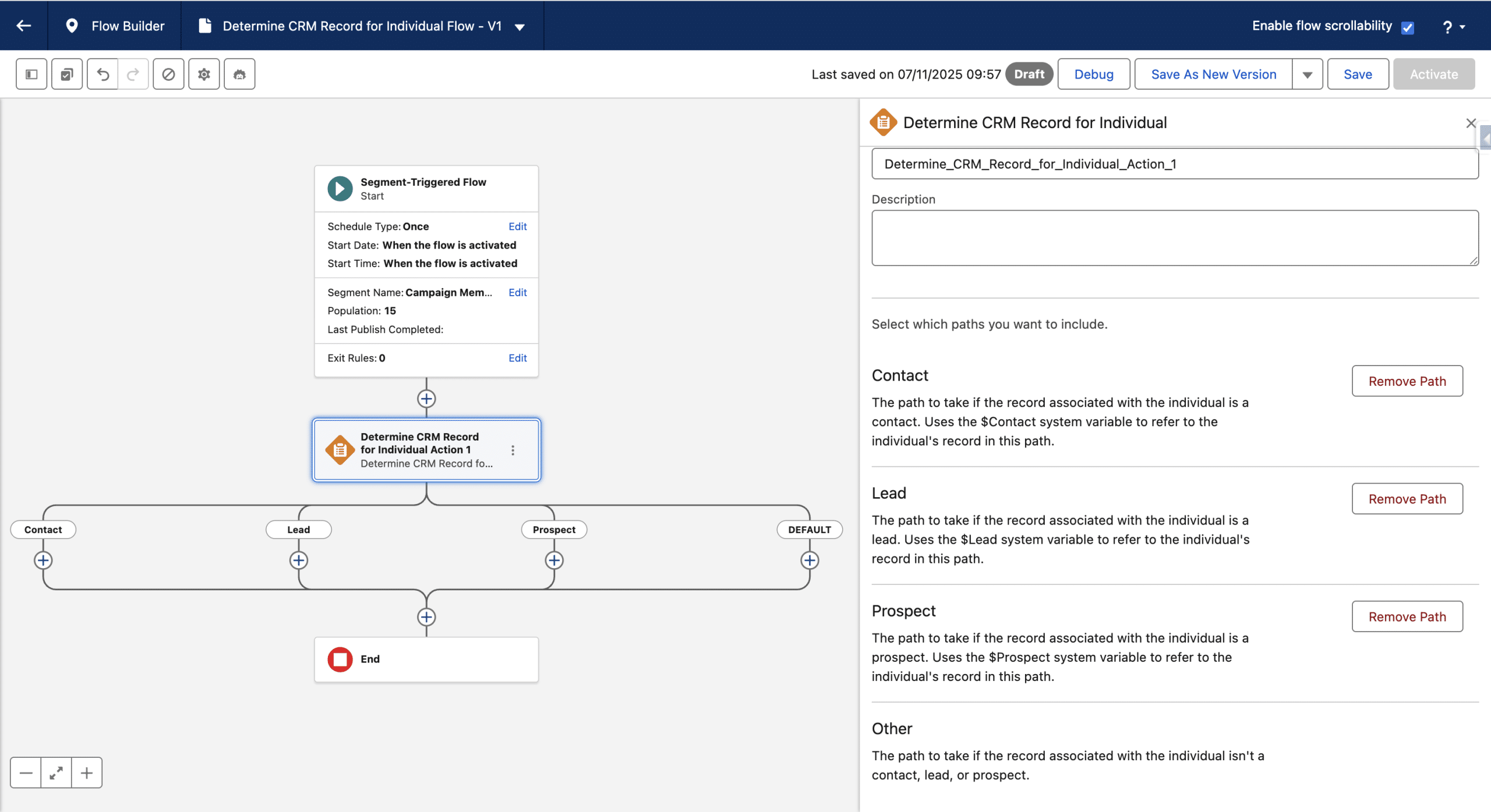
You can remove any of these Paths form the Element settings panel, but what are they exactly?
You know that Unified Individuals from the triggering Segment are injected in a Segment Triggered Flow. But, a Unified Individual may be tied to multiple Individuals, since Data Cloud’s Indentity Resolution gathers identical Individuals (Matching Rules) into one Unified Individual. See our Data Cloud Survival Guide to deep dive on this topic.
Think converted Lead for example: a single Unified Individual will be created, tied to the Individual created out of the Contact and also tied to the Individual created out of the Lead.
More often than not, you want to perform tasks at the Individual level, for example add someone to a Campaign (here is an elaborated way to manage Campain Members for Unified Individual)
And this is where Determine CRM Record for Individual Flow Element comes very handy: if the Unifed Individual is tied to at least one Contact, the Contact Path will be the one the current Unified Individual will be taken to. In that branch, you have access to the Contact CRM Record to perform all Logic or Data Flow Actions, like creating or updating a Campaign Member. In case multiple Contacts are found in the Unified Individual, the latest modified is presented.
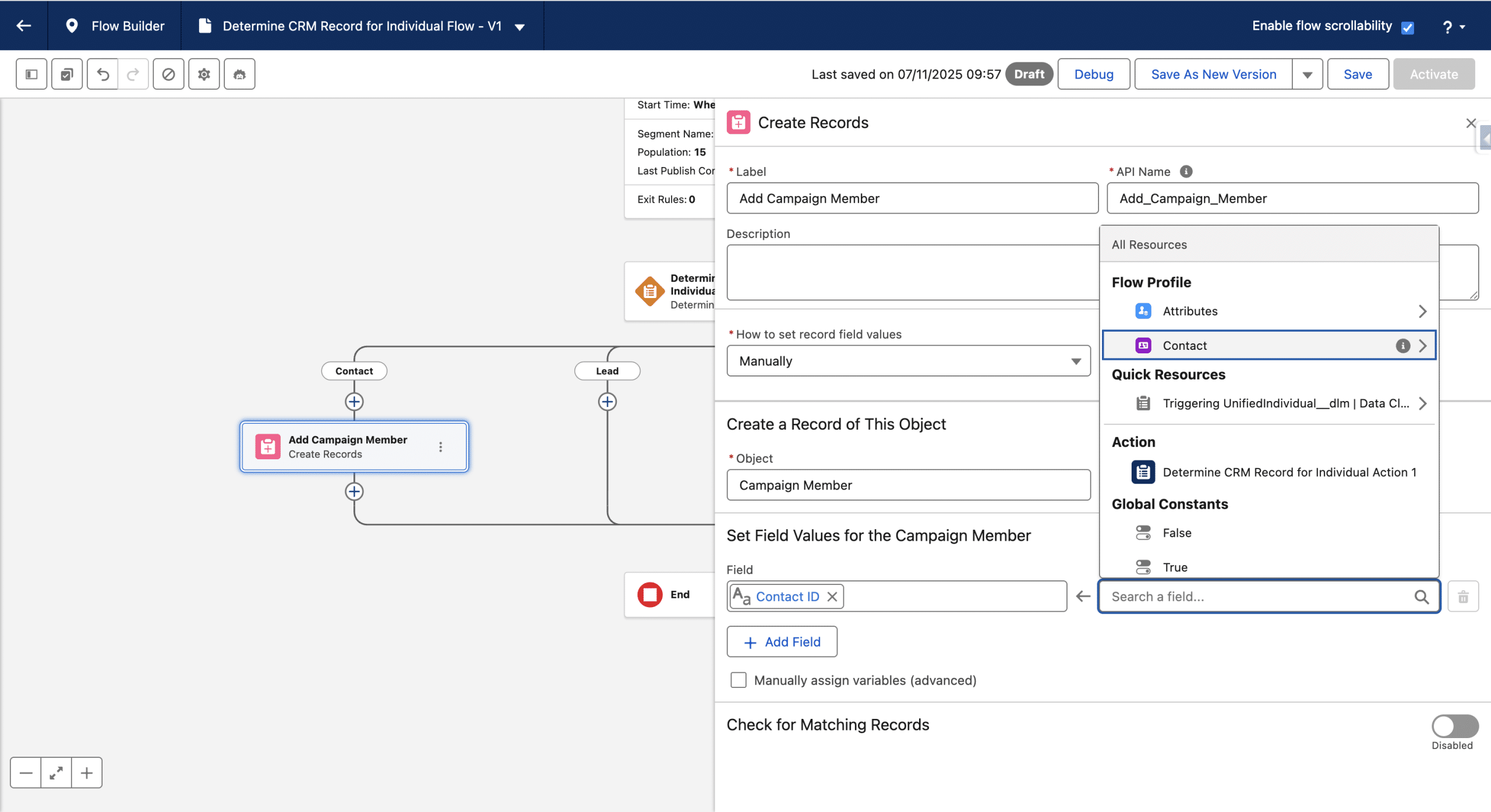
If no Contact is found in the current Unified Individual in the Flow, then the Determine CRM Record for Individual will search for a Lead. If one or more is found, the Lead Path is used, and in that branch the latest modified Lead CRM Record is available.
Same is true for Prospect. And the Default is used in case no Contact, Lead or Prospect is found, like in anonymous Unified Individual for example.
So a new logic was introduced there: Contact over Lead over Prospect and is used to determine a “Best Individual”.
Flow Profile: that “Best Individual” information is thoroughly available
Even if you don’t add the Determine CRM Record for Individual Flow Action in your Flow, that latter performs a very handy operation whenever a Unified Individual comes in. The exact same logic as above (Contact over Lead over Prospect) will be used to elect one Individual, and make it available everywhere in the Flow.
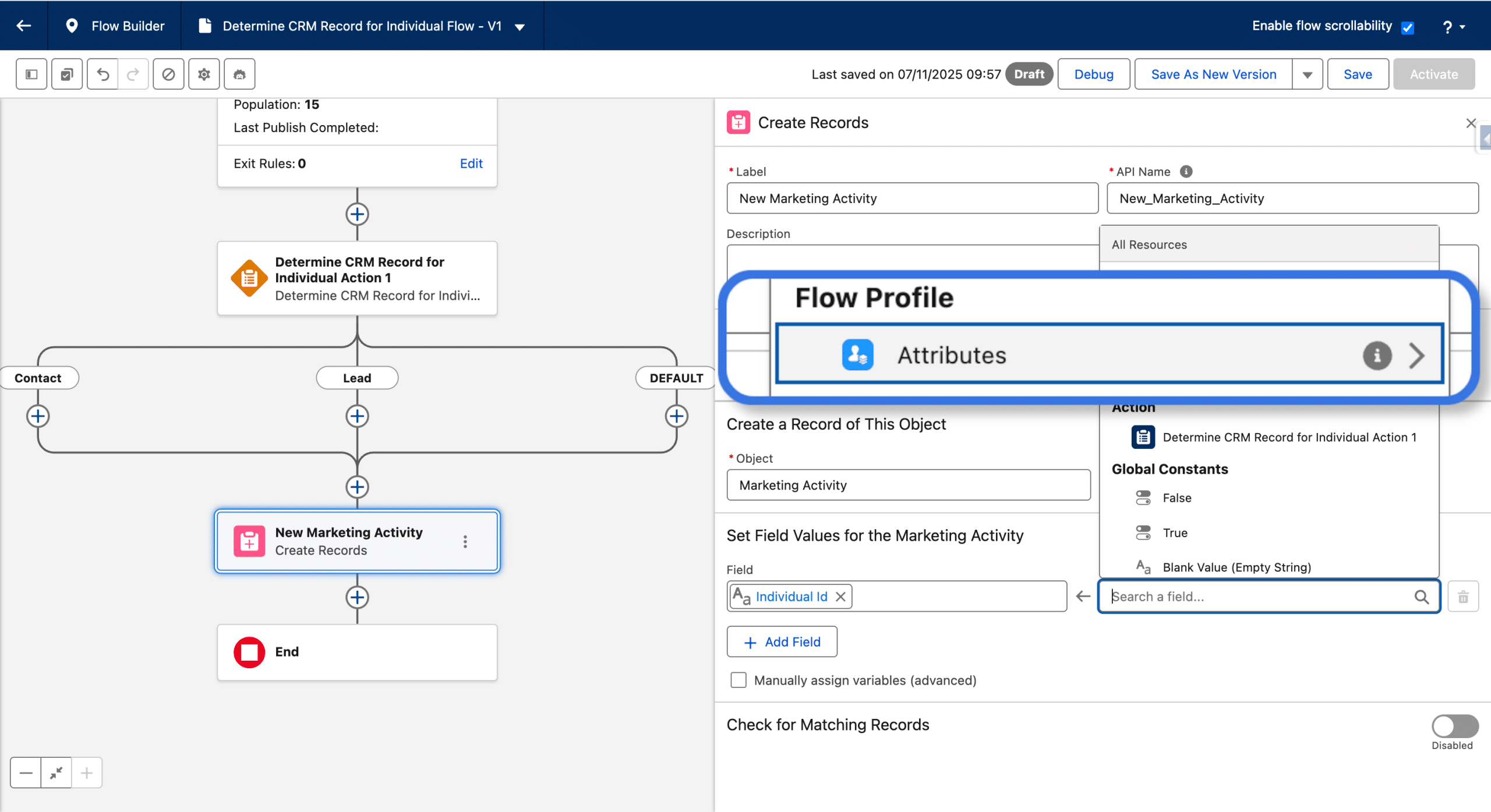
When performing an Assignement or a Data action (create, update, etc.) you can use the Fields from the Individual DMOs (those embedded in the Data Graph associated with the Flow) available in the Flow Profile > Attributes.
Final Thoughts
When using Determine CRM Record for Individual, you’ll have access to ActionCallPath, to identify which Path was actually taken.
A Lead may have entered the Flow, and during the Flow can be converted as a Contact. This is why the Best Individual logic is re-evaluated after each Wait activity.
The Contact over Lead over Prospect logic may be rigid at first, but it represents a standard funnel and highly adopted pattern (this is the same default as what we can find in the Upsert a Record for a Person flow template). I heard there are plans to make this more flexible.
Finally, this is a step forward to use both Unified Individuals and simple Individuals in Segment Trigerred Flows.