
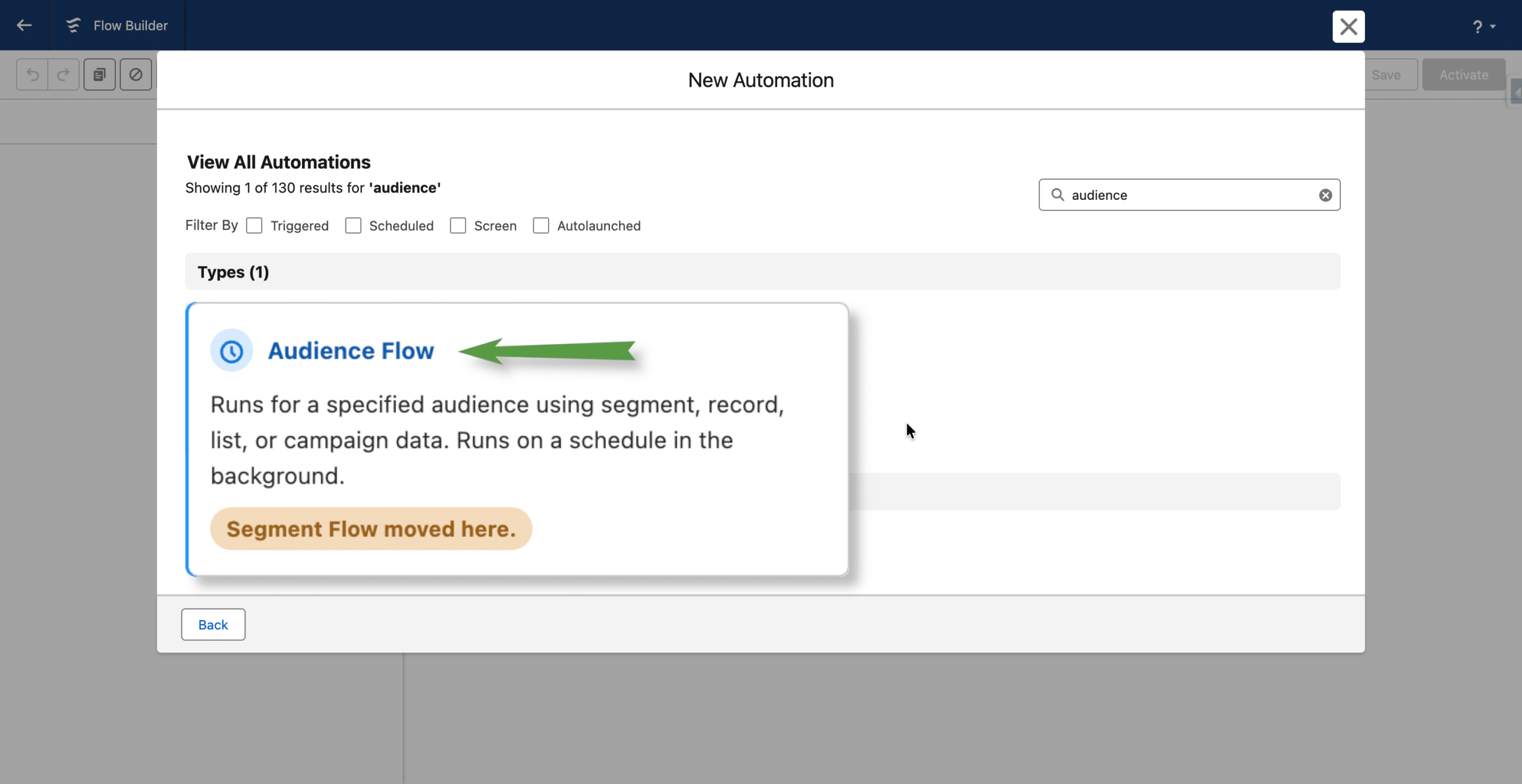
In Summer ’26, the Campaign creation experience and available Flow types in Agentforce Marketing were significantly revamped. Segment Triggered Flows are now part of a broader orchestration model called Audience Flows.
Audience Flows unify multiple audience entry models, including both Data Cloud audiences and CRM-based audiences, under a single orchestration framework.
Note: this article is based on current Summer ’26 release notes and Sandbox Preview environments. Features may still evolve before GA.
A new Campaign experience
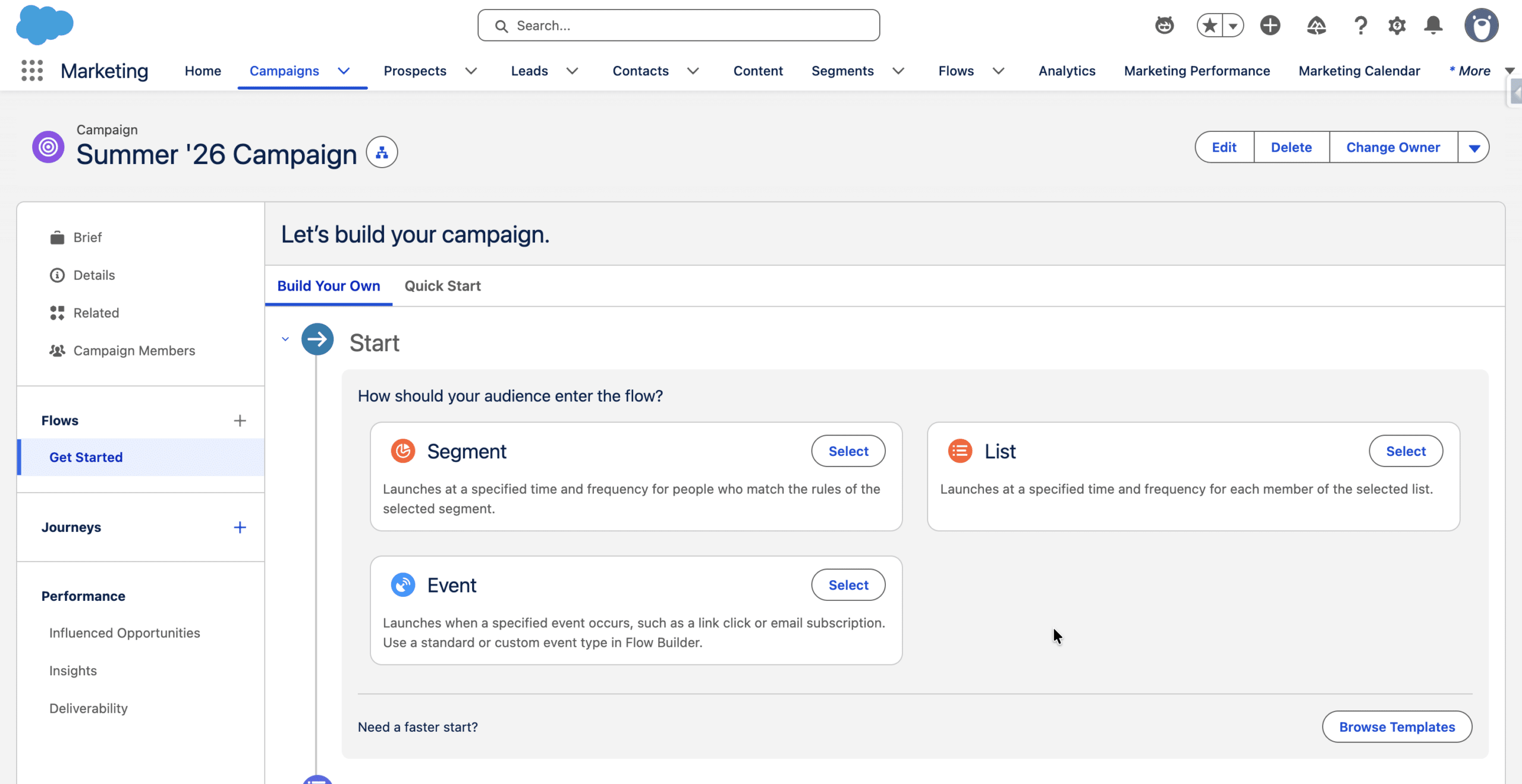
Segment, List or Event
When creating an Agentforce Marketing Campaign, users are now presented with streamlined audience orchestration choices directly from the Campaign interface: Segment, List, or Event.
Segment refers to the existing Segment Triggered Flow model based on Data Cloud audiences. List introduces a new CRM record-based orchestration model, while Event supports Automation Event Triggered Flows based on interactions such as email link clicks or Form submissions.
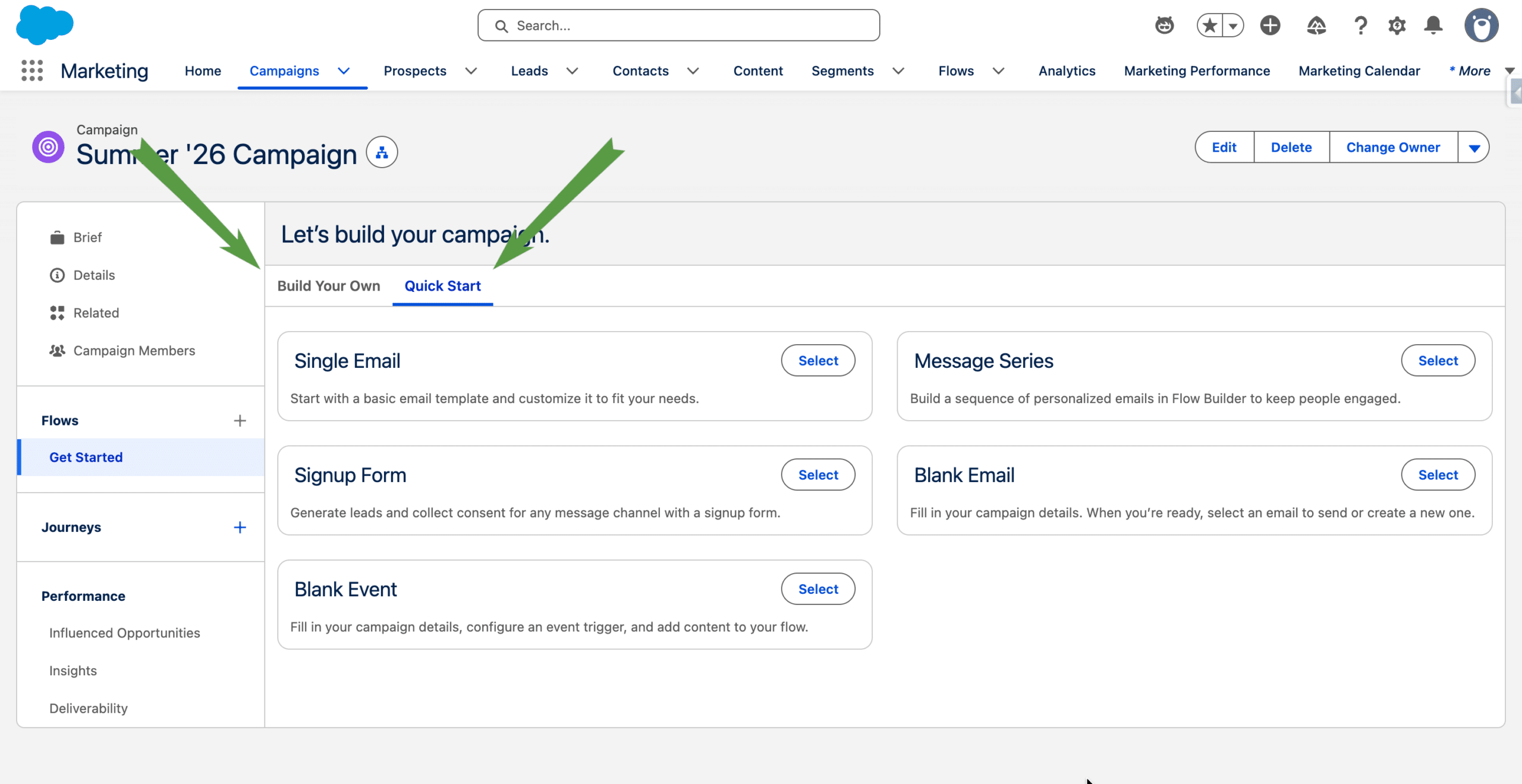
Previous Flow templates moved
Previously available Flow templates can now be found in the Quick Start tab, while Build Your Own is selected by default. The Signup Form experience has also been redesigned as a guided wizard.
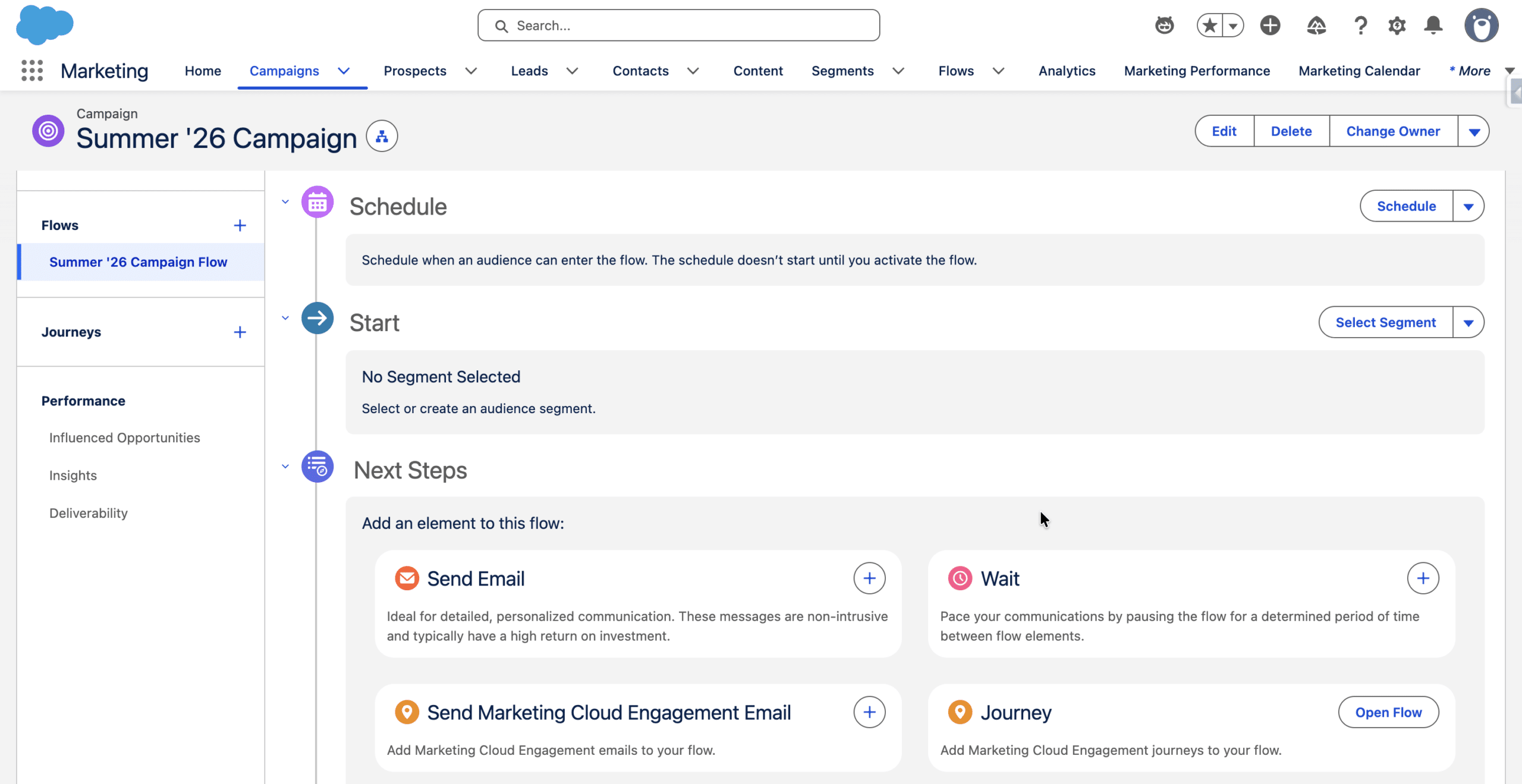
Creating an Audience Flow from a Campaign
If you select either Segment or List from the Build Your Own tab, an Audience Flow is created, so you can select the entry population, define when the Flow executes and open it directly in Flow Builder
Audience Flows can also be created directly from the Flow list and related to a Campaign (by simply setting the Associated Record field). We’ll present this method below.
Audience Flows: Two Audience Models, One Flow Framework
From the Flow list, click New. Search for Audience and select the Audience Flow type. Select the Data Space and a Data Graph (if you plan to use a Segment of Unified Individuals and want another Data Graph as the default one). Next.
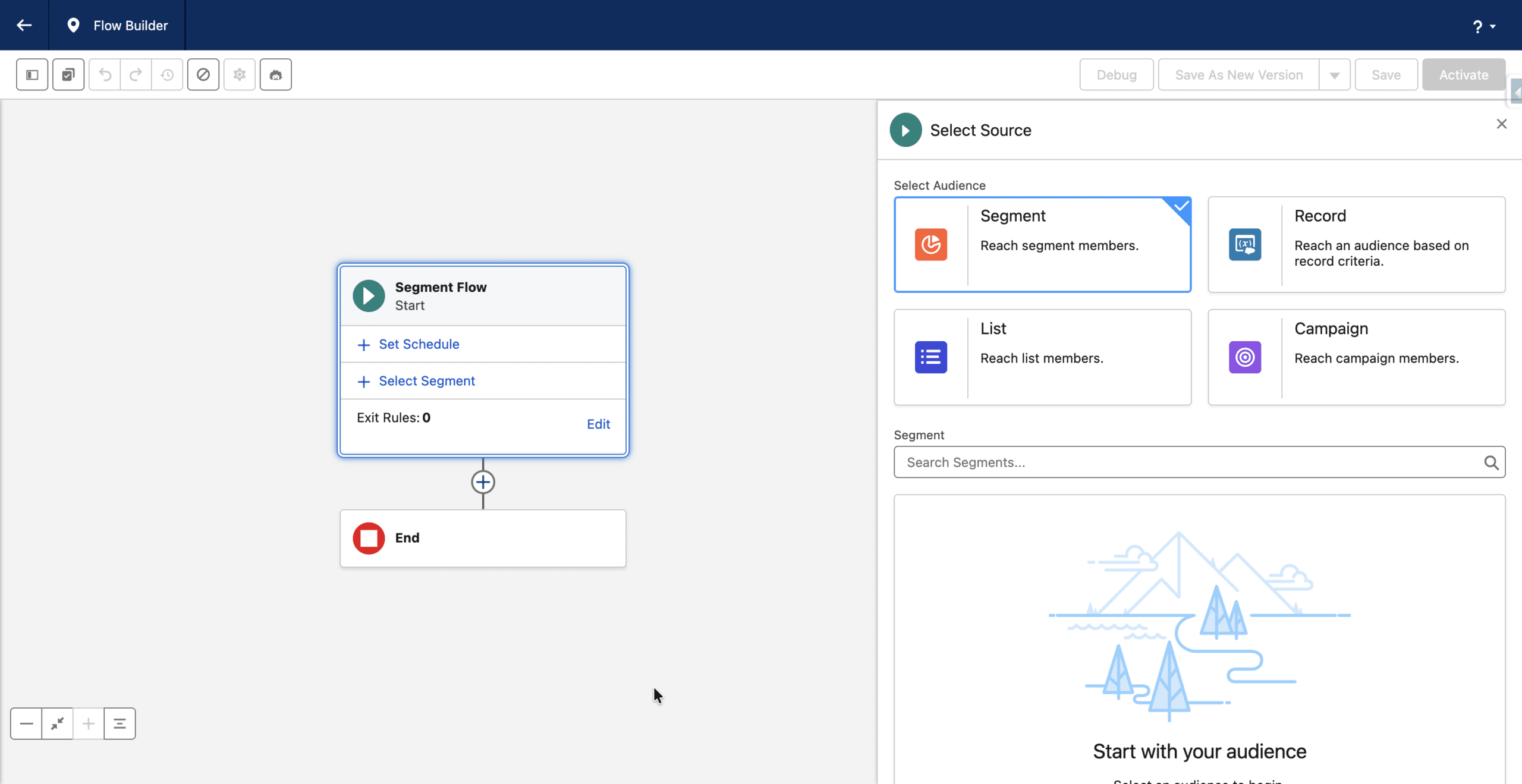
Before we describe each of these Flow types, let’s state that Segment is for Data Cloud audiences and the other three types are new and are used with CRM records.
All four Audience Flow types share the same scheduling and execution framework.
Unified Starting options
Audience Flows are time triggered, and when they run, the eligible records in the selected population type (Segment, Record, List or Campaign) join the Flow interview.
Audience Flows can be one shot flows, in that case you define when the Flow should be triggered: immediately upon activation or scheduled to a future time.
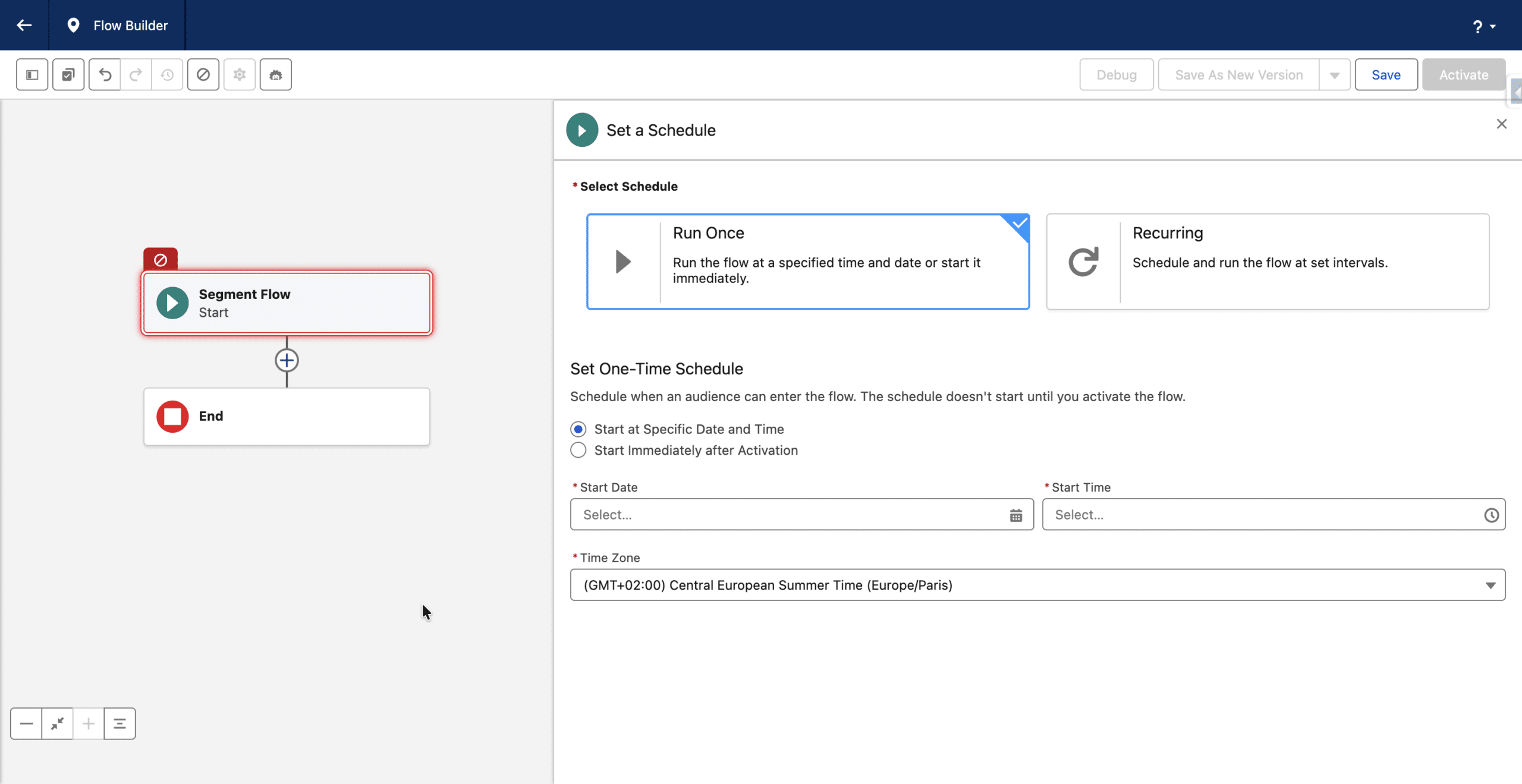
They can also be declared as Recurring. The frequency can be set from 1 hour to 1 year and week-end days can be excluded. How record re-entry should be handled is governed by the Can Rejoin Flow? parameter (Always, After Completion, Never). If needed, these settings are detailed in Start Option Decoded article (originally written for Segment Triggered Flows).
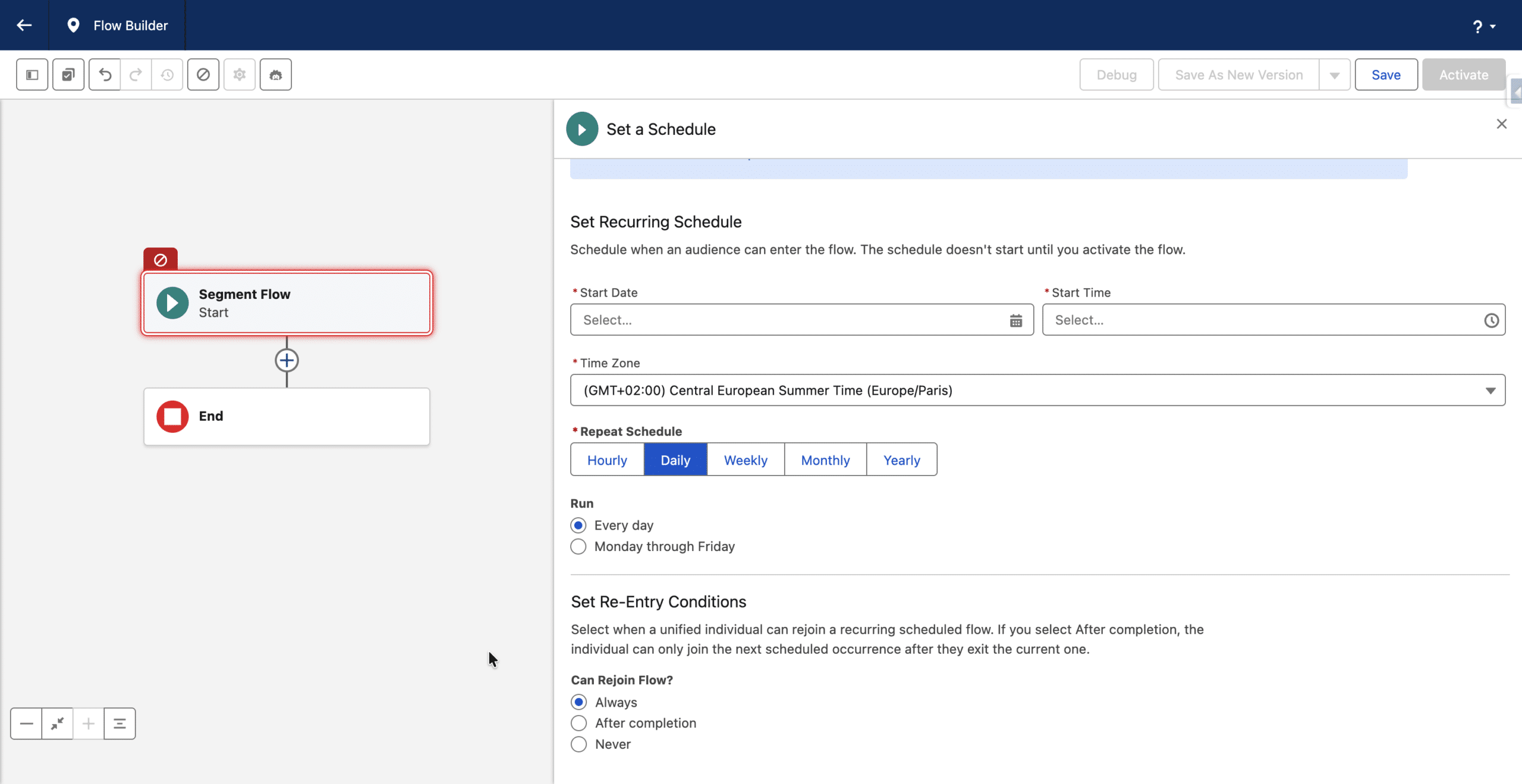
Audience Flow is a unified experience (Start options and Flow design). It can take 4 types of populations (corresponding to the Flow types), and they can be composed of records from either Data Cloud or CRM.
Audience Flows with a Data Cloud Records source
When you select Segment for the Audience Source, you can define which Data Cloud’s Segment records will be injected.
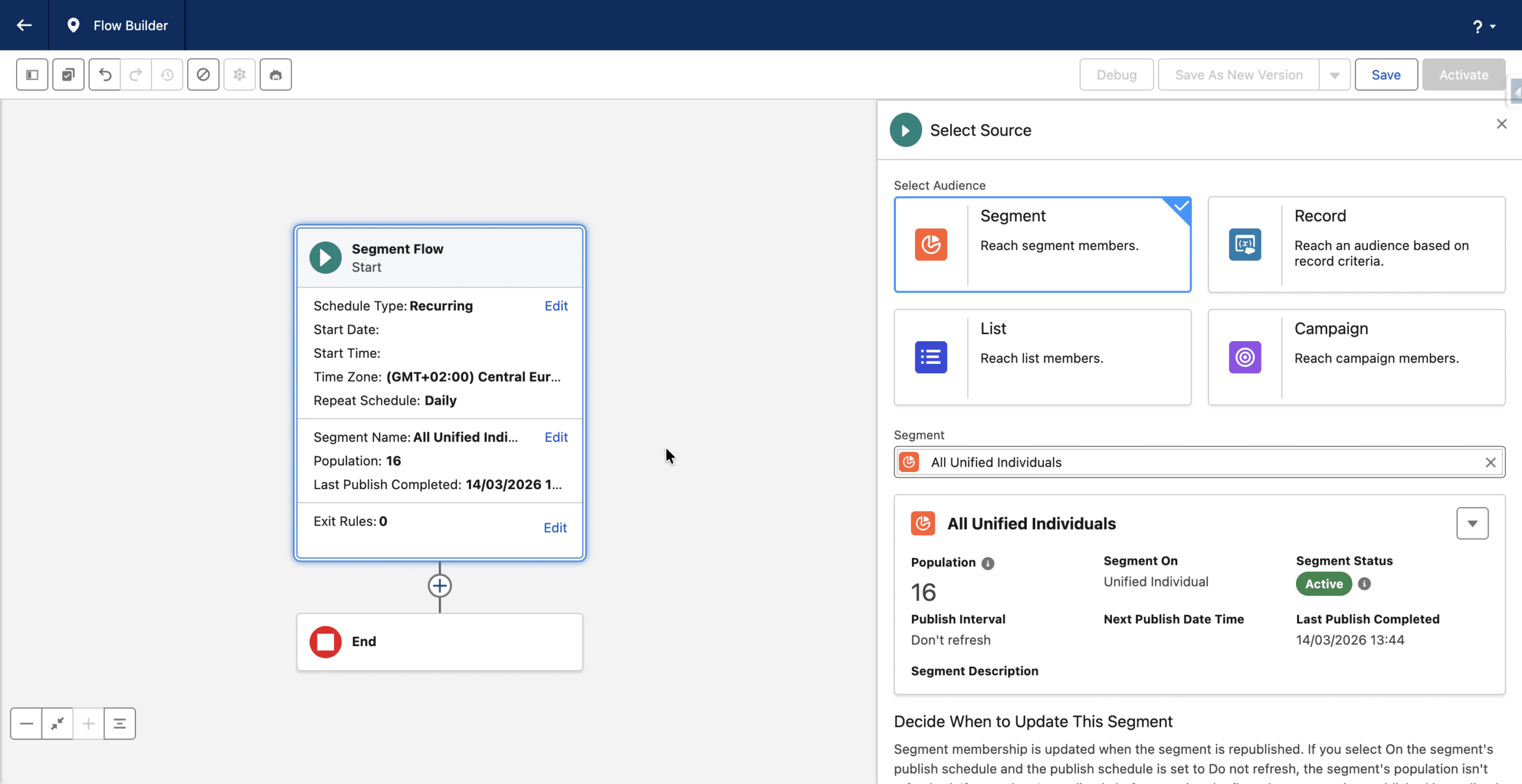
Segments of Individuals can be used here (you need an Activation Template to send messages in that case), but using Unified Individuals is what makes this Audience type really powerful. You then benefit from the Identity Resolution for population cleaning along with cross-channel behavior, and Data Graph for personalisation. You use this when audience intelligence lives in Data Cloud.
Audience Flows with a CRM Records source
The other 3 options are based on CRM records populations. You use these for CRM-native simplicity, operational orchestration, Salesforce object-centric activation or if you see no need for Data Cloud. Use them when the operational truth already lives in CRM.
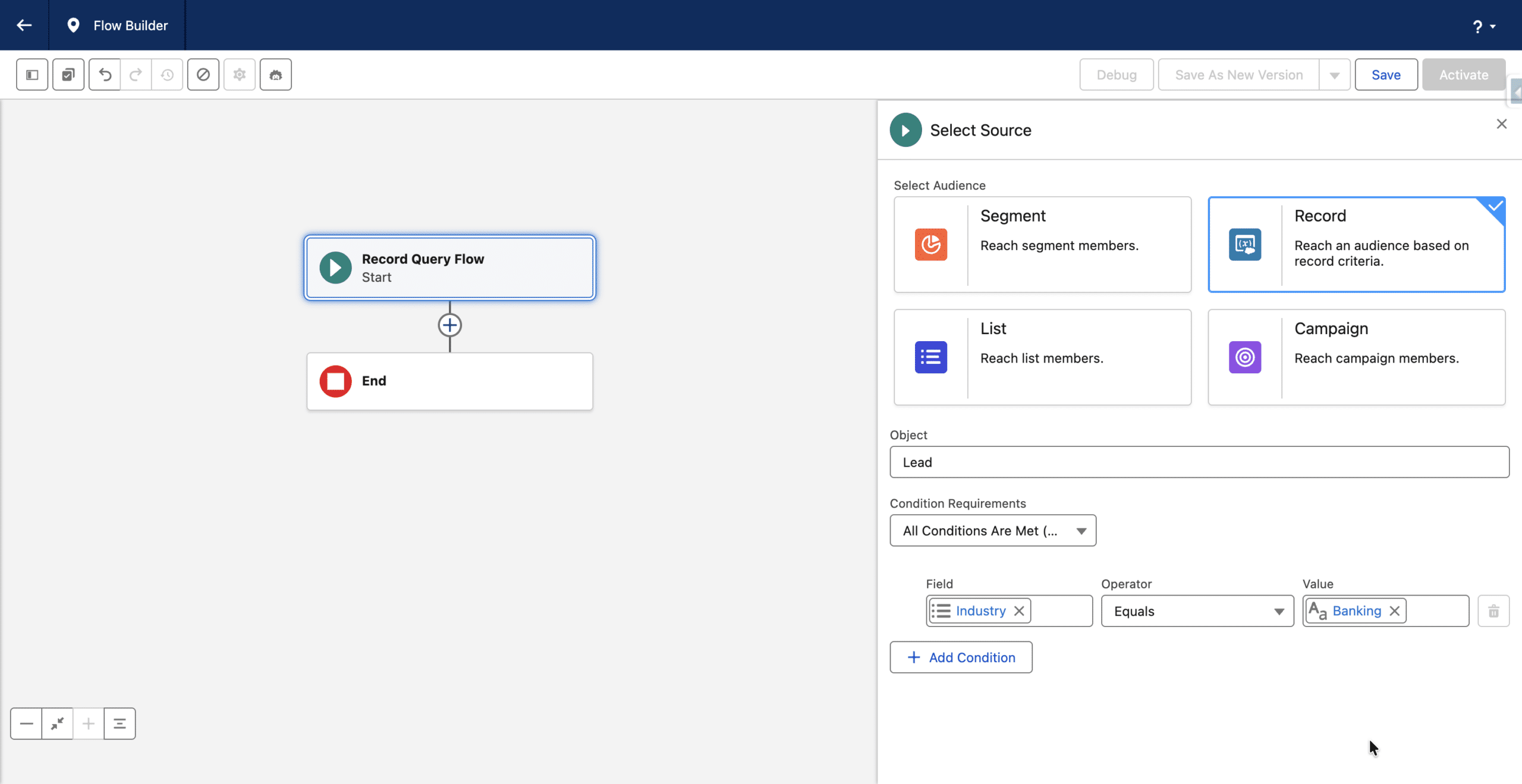
Record Query Flow
When you select the Record option, you actually define a new Record Query Flow. You then need to select the triggering object: either a Salesforce person object (Prospect, Lead, Contact, Person Account) or any Salesforce object with a relationship (lookup) to one or more person object (like Task or Case). You then define which criteria (field based) a record of the triggering Object need to match.
List Flow
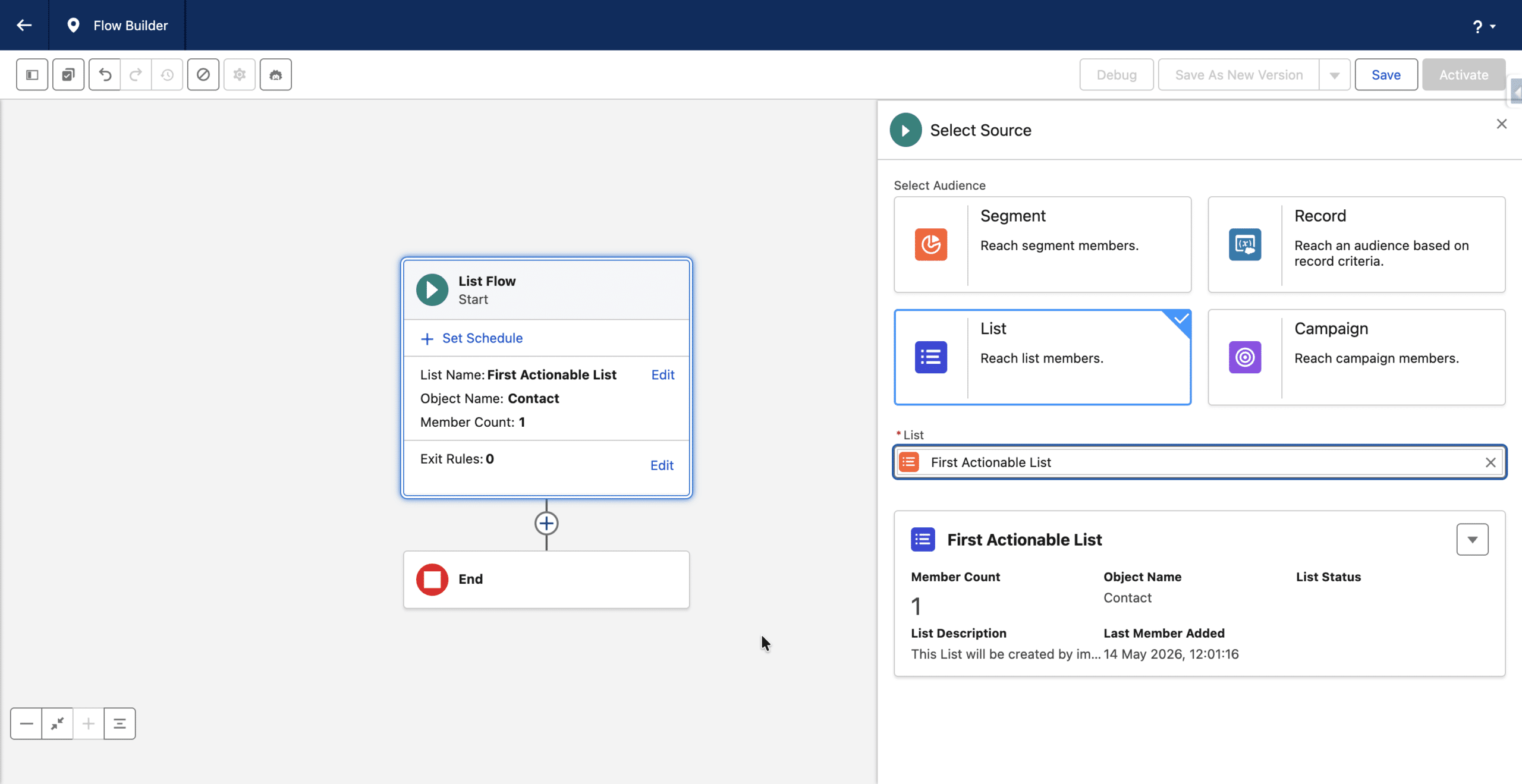
Summer ’26 also introduces Actionable Lists. Leads or Contacts can be added to these static Lists, either by importing a CSV file (ex. Tradeshow attendees), or from a Flow (new Add to Actionable List Flow action). Unlike Record Query Flows, the audience is pre-defined rather than dynamically computed from object criteria, and you just need to select an Actionable List to define a List Flow.
Campaign Flow
With a Campaign Flow, you select which Campaign Members (Leads and Contacts, Prospects cannot be Campaign Members) will be injected in the Flow, by simply choosing a Campaign
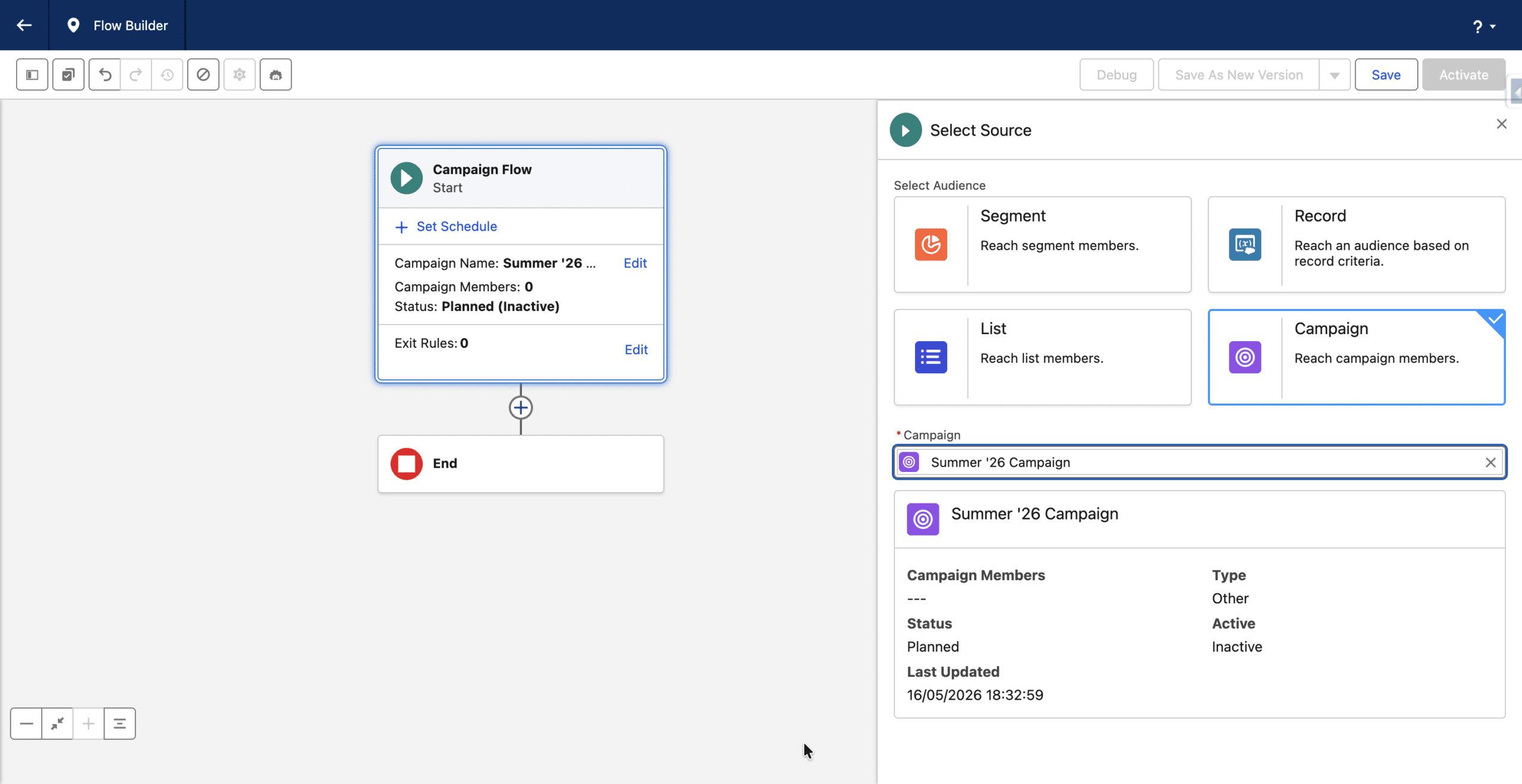
Note: in the previous Campaign experience, prior to Summer ’26, there is an option to select Campaign Members. This options is still available (Select Segment) along with Quick Filters. However, these two options are creating a Segment of Unified Individuals, and hence cannot be used in the Audience Flow of Campaign Flow type.
Key Takeaways
With Audience Flows, Salesforce is standardizing orchestration around a common execution framework. Start options, scheduling logic and Flow design are now unified, while only the source of injected records differs between Data Cloud audiences and CRM records.
Audience Flow is no longer defined by where the audience originates, but by how Salesforce orchestrates it.
However, if sending messages, Data Graph personalization can only be used in Segment Flows using Segments of Unified Individuals. For the other Flow types (or when using Segments of Individuals), you can instead use Apex Personalization or the no-code Content Variables introduced in Summer ’26. In that case, the Content Variable is defined in the Email Builder and its value is injected directly from the Flow through the Send Email Settings.
What makes this evolution particularly interesting is that Salesforce now gives marketers a real architectural choice between Data Cloud audiences and CRM-native audiences, while keeping the same orchestration experience.
Data Cloud audiences are especially powerful when:
- Identity Resolution matters
- audiences combine multiple data sources
- cross-channel behavior is important
- audience intelligence lives in Data Cloud
CRM audiences remain highly relevant when:
- the operational truth already lives in CRM
- simplicity matters
- the use case is object-centric
- orchestration is tightly coupled to Salesforce operational processes
Data Cloud audiences are about audience intelligence. CRM audiences are about operational truth.
The important shift is that marketers no longer need to adopt a single audience model for every use case. Both approaches can now coexist under the same Audience Flow framework depending on the business need.
This feels like another step toward Flow becoming the universal orchestration layer of Agentforce Marketing.