
If you are using Marketing Cloud Account Engagement (referred to as Pardot in this article), you have free access to Marketing Cloud Next (Growth & Advanced) (provided you have Data Cloud with some credits) thanks to Permission Set Licenses. In the following guide, let’s see if and how the Pardot’s main features and concepts apply in Marketing Cloud Next (Growth & Advanced) as of April ’25.
Sender Domains
Pardot’s Sender Domains need to be declared in the Domain settings so that you can send Emails using that domain in a sender address. In Marketing Cloud Next (Growth & Advanced), there is something similar called Authenticated Domains. In both cases, DNS records must be created (DKIM, etc.). In Marketing Cloud Next, you also need your sender addresses to be pre-created. In Pardot, you can opt for a dedicated sending IP address. In Marketing Cloud Next (Growth & Advanced), sending IPs are shared among all users (this feature may be added).
Tracker Domains
In Pardot, they are used to host your Landing Pages, as parameters of different asset types, and to generate the website Tracking Code (using third of first party cookies). In Marketing Marketing Cloud Next (Growth & Advanced), this concept applies to your Landing Pages, you define a Custom Domain (Salesforce CDN type) and a Custom URL (/lp). Your Landing Pages are then hosted under that domain, and Digital Experience generates the Consent Banner. You can also add a Tracking Code / Consent Banner to an external website and monitor visitor activity. Data Kits, Data Streams need to be deployed and a Sitemap to be added on your site using a provided Integration Code.
Business Units
In Pardot, Business Units are hard segmentations, you define which Lead or Contact fall in which Business Unit, thanks to Marketing Data Sharing Rules. Although Data Cloud has the Concept of Data Spaces, this Pardot’s feature has no equivalent in Marketing Cloud Next (Growth & Advanced), as of today (but may come later).
Campaigns
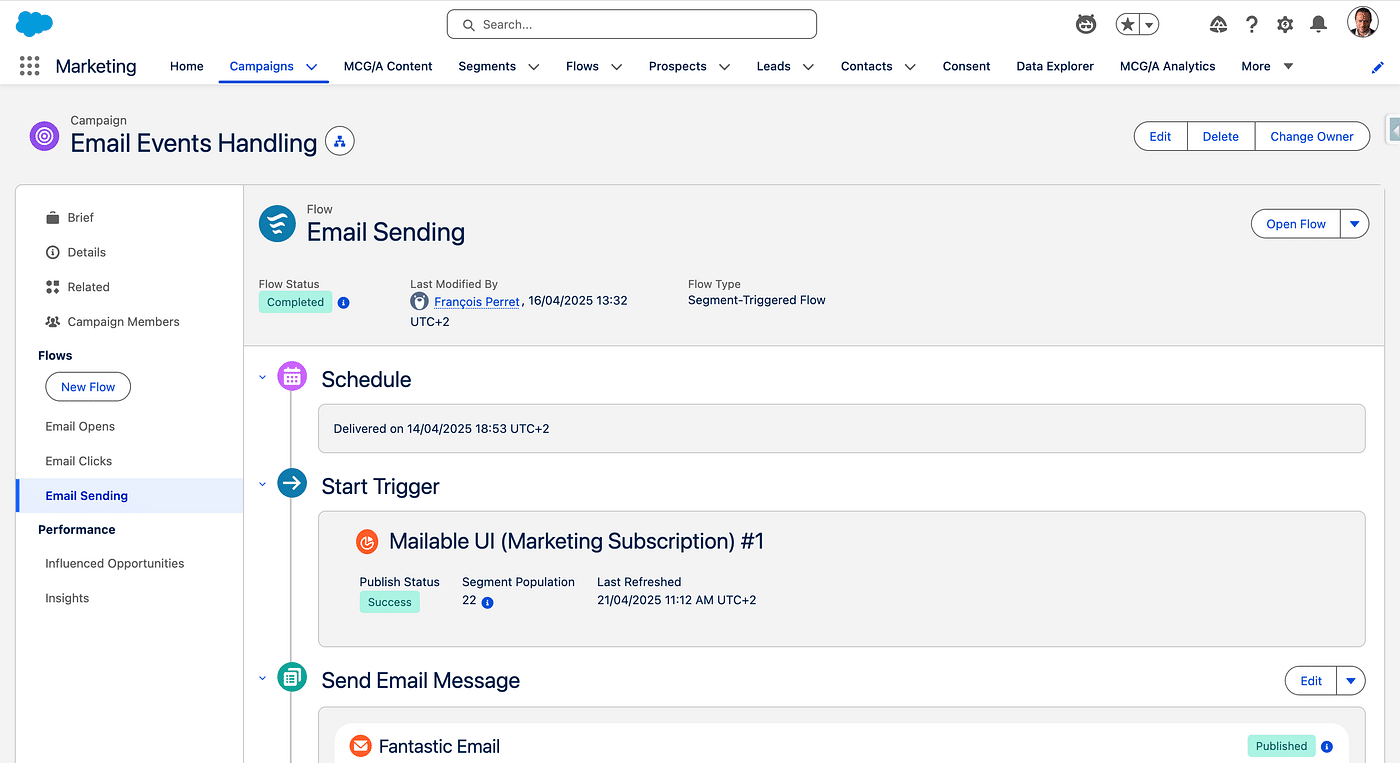
Pardot Campaigns are stored in Pardot, and connected to their Salesforce counterpart. They are used to record First Touch points automatically, as a group of Pardot Prospects and Pardot Assets (which they help store and display engagement). In Marketing Cloud Next (Growth & Advanced), they are a group of Prospects, Leads or Contacts, and a they gather related Flowstogether. They also host Marketing Performance a dashboard to monitor efficiency.
User handling
Pardot has the User Sync feature, with a Marketing and Sales group, plus a mapping of Pardot’s Role depending on Salesforce Profile. Pardot users can access Pardot with a Salesforce or Identity license. So far, Marketing Cloud Next (Growth & Advanced), are Salesforce users and they need either the Marketing Cloud Admin or Marketing Cloud Manager Permission Set. The Summer ’25 release notes states that Marketing Cloud Next (Growth & Advanced) now supports Identity Licences.
CMS
In Pardot, Images used in the Current email experience builder (no longer supported) are stored in a standard Digital Experience CMS. You can create an Enhanced CMS and copy some of your Pardot’s assets into it (sent Emails, From, Files, etc.). In Marketing Cloud Next (Growth & Advanced), most of your assets are stored in an Enhanced CMS (Forms, Emails, SMS, Whatsapp messages, Brand). Marketing Cloud Next can access the Enhanced CMS used by Pardot Copy to CMS feature, this is a way to transfer your work from Pardot to Marketing Cloud en Core (with some limits, like Dynamic Content, CSS, etc.).
Marketing App Extensions
This refers to External Activities or External Actions in Pardot. These Pardot’s features have no equivalent in Marketing Cloud Next (Growth & Advanced), as of today (but may come later). That being said, Marketing Cloud Next Flows can easily call Salesforce actions or external services and Salesforce API can handle the External Activity feature in a more powerful way.
Reporting
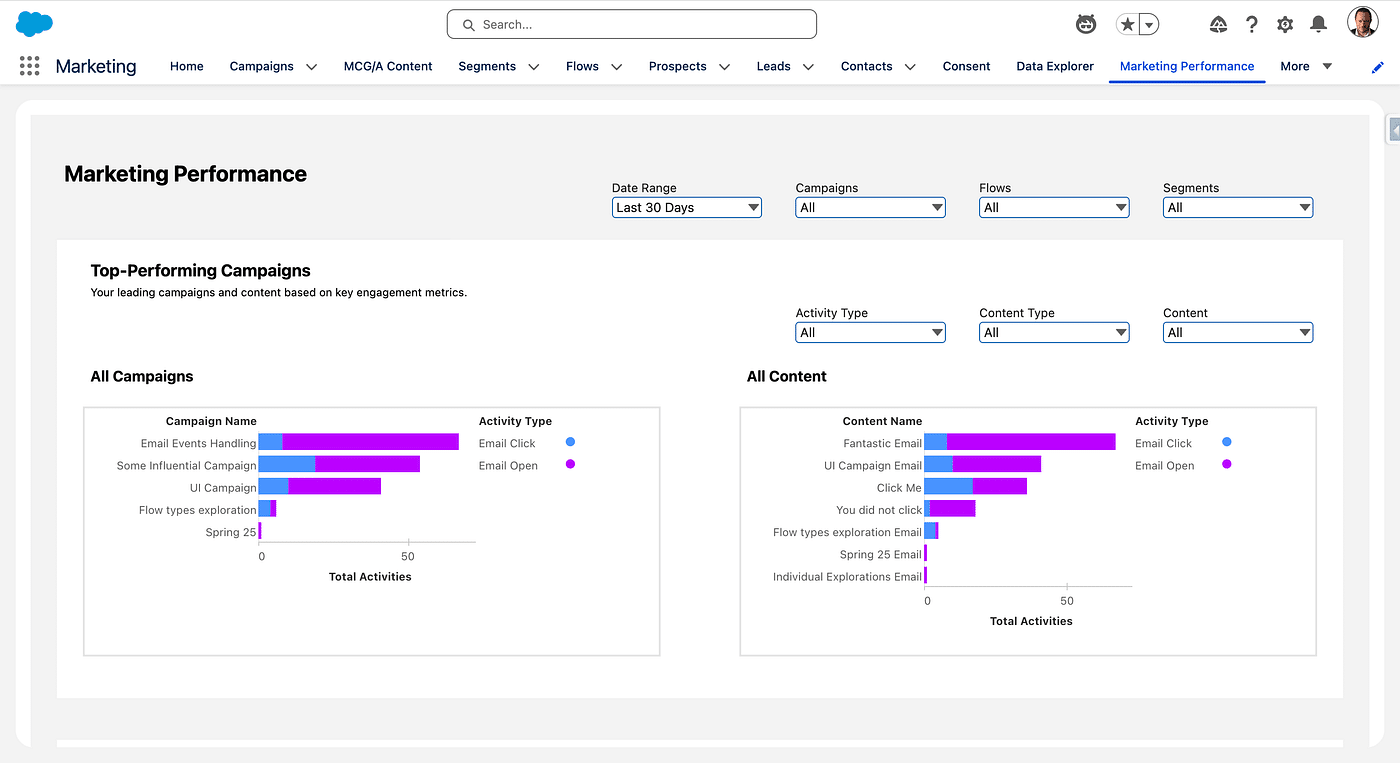
Pardot makes reporting data available in Pardot itself, in Salesforce and in B2B Marketing Analytics, pre-made dashboards based in CRM Analytics. Also, Engagement History is a set of Fields and Widgets that can be added on Campaigns Layout for instance to display the Engagement performance. In Marketing Cloud Next (Growth & Advanced), Marketing Performance gives access to Engagement metrics, at the Campaign level or overall. All Data Cloud DMOs (see Data Cloud survival guide for Marketers) can also be seen as Reports or as CRM Analytics lenses, which can then be embedded in Dashboards.
Prospects
In Pardot, there are anonymous Visitors and Prospects, those latter can be unassigned (Pardot only) or synced with a Lead or Contact in Salesforce (thanks to the Pardot-Salesforce Connector). In Marketing Cloud Next (Growth & Advanced), we have Visitors, Prospects, Leads and Contacts. They are stored as Salesforce Records and also in Data Cloud (thanks to the Data Cloud-Salesforce Connector), mapped with the standard Individual DMO (see Data Cloud survival guide for Marketers). Then the Identity Resolution creates Unified Individuals out of identical Individuals, and this is what you use for Segmentation (See Lifecycle walkthrough). You can enrich your Unified Individual, for example to add Fields or mimic Marketing Activities.
Segmentation Lists
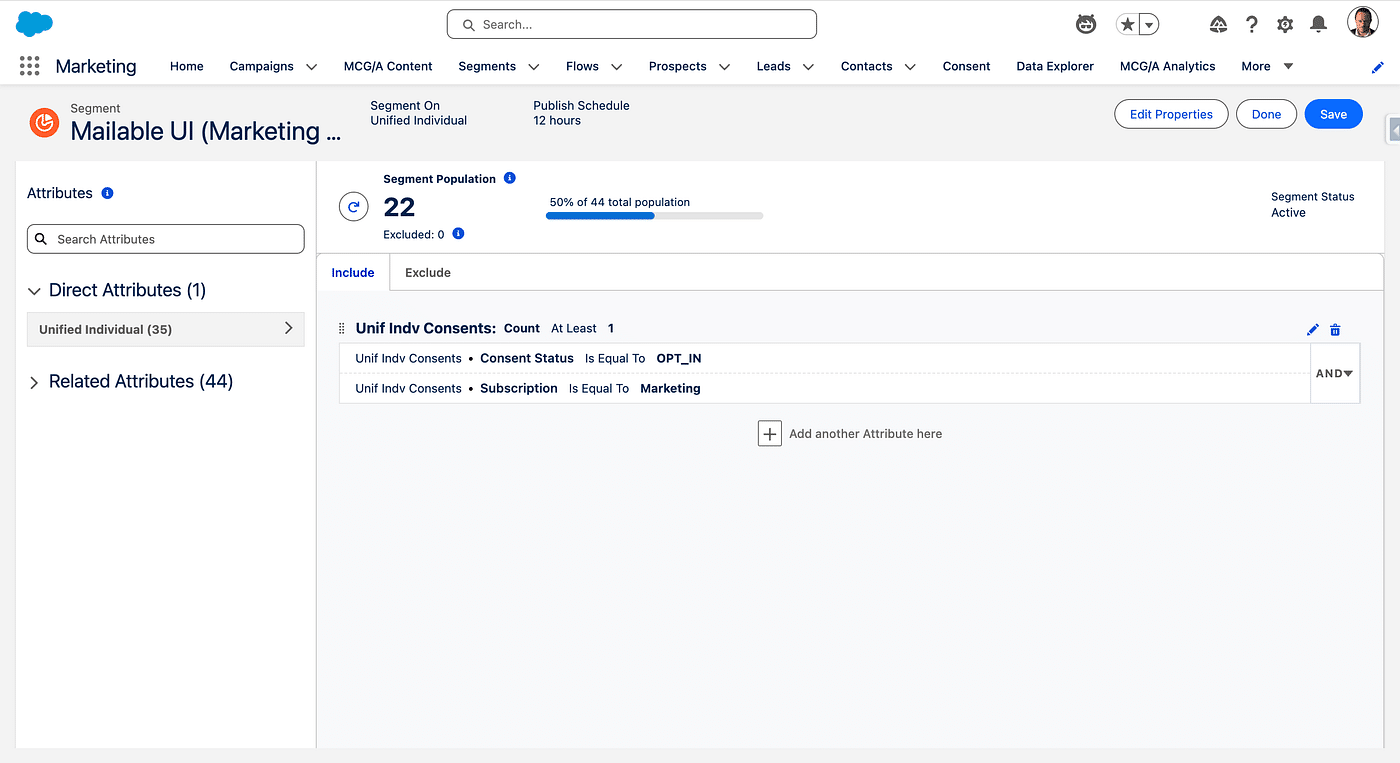
Whenever you want to send an Email to a Group of Prospects or send them to an Engagement program in Engagement Studio, you create a Segmentation List in Pardot, they come in two flavours, static or dynamic. In Marketing Cloud Next (Growth & Advanced), you create Segments of Unified Individuals in Data Cloud of at the Campaign level using a set of criteria. They are dynamic and refreshed at a pace you specify (every 12 or 24 hours).
Scoring / Grading
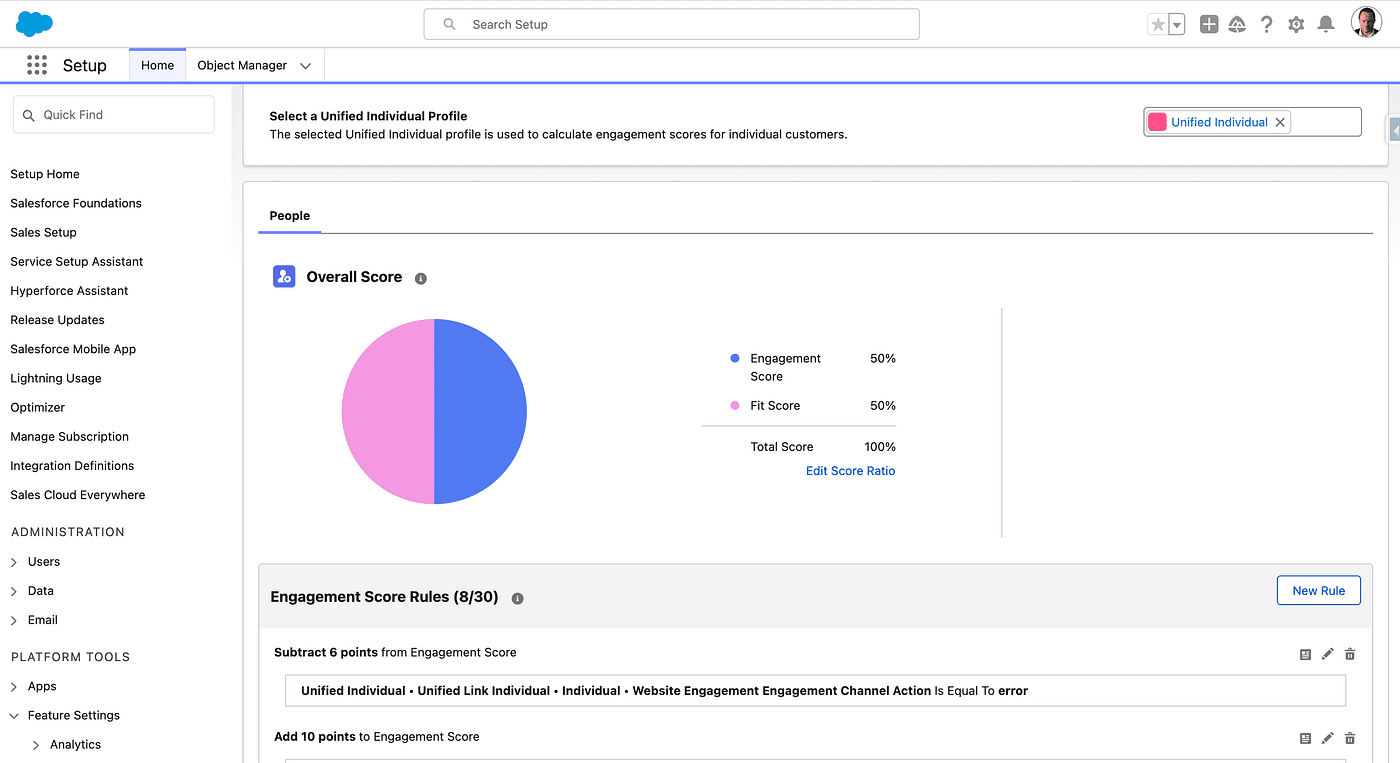
In Pardot you define an overall score for every interactions (email clicks, page views, etc.) and you may create category scoring aswell. Grading is a profile you assign to a Prospect and for each composing criteria you evaluate if the current Prospect is a good match or not. In Marketing Cloud Next (Growth & Advanced), you have the Engagement Score (see Scoring Model), under the form of a Calculated Insight (see Data Cloud survival guide for Marketers), and a Fit Score. They create an hybrid metric which can easily be displayed or used as a Segmentation criteria. Marketing Cloud Next has the Overall Score builtin feature, but it is much more flexible: you have access from Data Cloud to all the raw events (link clicks, email open, etc.) as DMOs, and so you can create you own metrics (example: Customer Life Time Value).
Email Builders
Pardot always had the Classic Builder. Then came the Current Email Experience (aka Lightning Builder, declared End of Support), then came the New Email Experience. That latter is actually the same Builder as the one used by Marketing Cloud Next (Growth & Advanced). When used in Pardot, the Marketing Cloud Next Builder has some limitations (Dynamic Content and Custom Fields, for instance are not supported). Also, even if you can clone Emails created from that Builder, you cannot create an actual Template. In Marketing Cloud Next, Emails cannot be sent using a Dynamic Sender (from the assigned Sales Rep for instance) and HTML cannot be imported / exported: these two features may come in future releases.
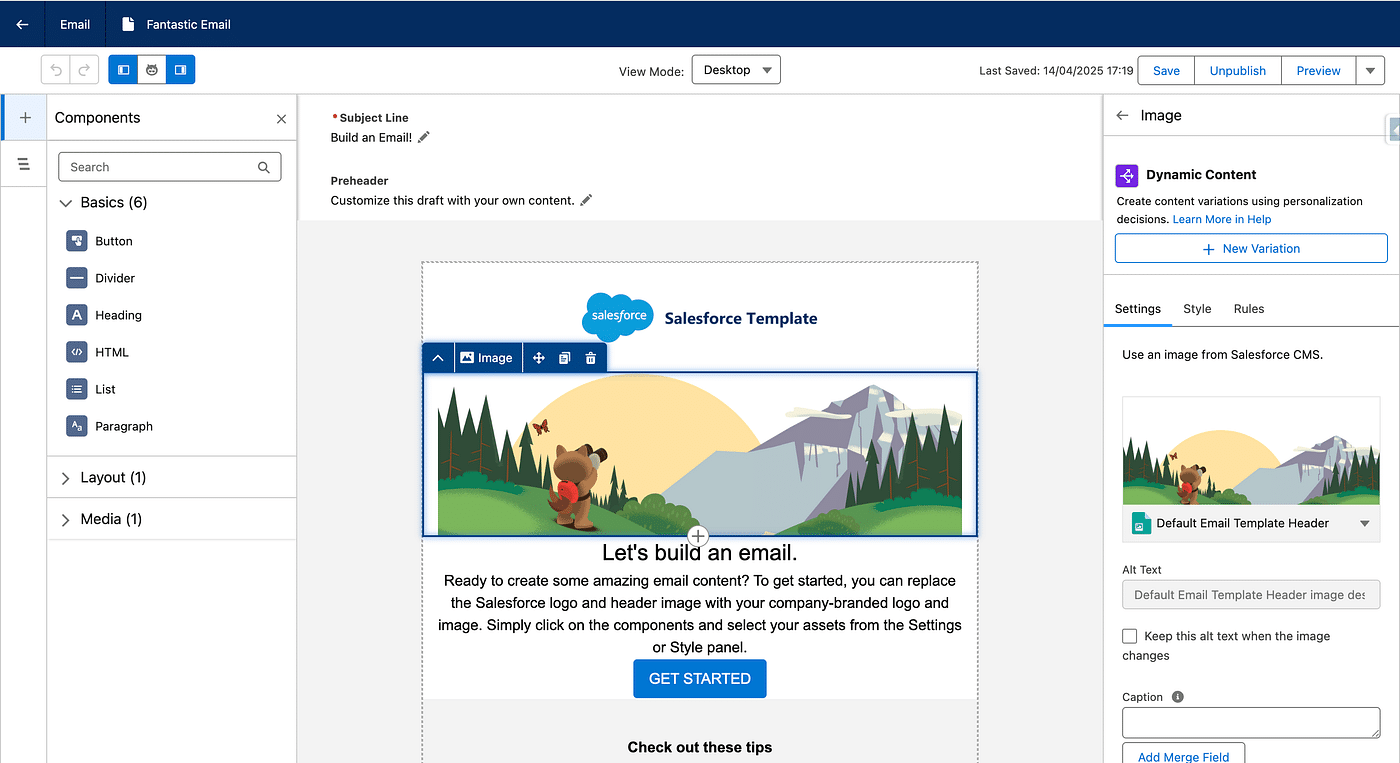
[EDIT], the Summer ’25 release notes states that you now can get more control over your email messages with the new HTML code view for emails.
Dynamic Content
In Pardot’s Email, you can create Field-based variations, and embed them in your Emails or Landing Pages. Marketing Cloud Next (Growth & Advanced) comes with a much more powerful personalization engine, you define Personalization Decisions (criteria-based that can be reused) and then create Variations out of it. This is available for both the Content and the Subject line.
Landing Pages
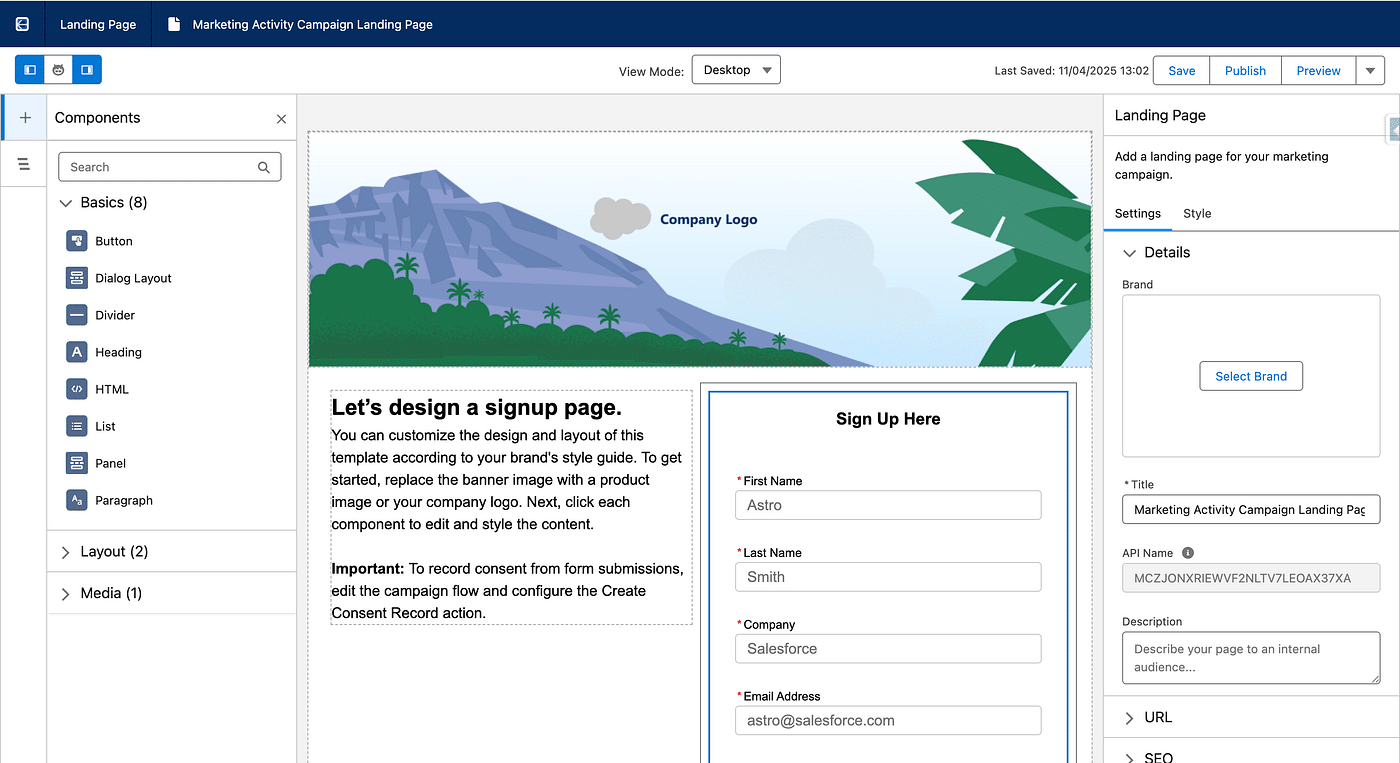
In Pardot you have Classic Landing Pages, and Lightning Landing Pages. In Marketing Cloud Next (Growth & Advanced), you use the standard Builder, identical to the one for editing Emails. There is no Layout Template concept in Marketing Cloud Next, but Landing Pages can be cloned. Also note that these Pages are actually Experience Cloud’s pages of an internal site.
Automations
This is a wide topic 😎, since Pardot has several automation features. Let’s state that Marketing Cloud Next (Growth & Advanced) Automations are Flow-based.
- Completion Actions: triggered when a prospect takes an action on an asset in Pardot. In Marketing Cloud Next, you have Form Triggered Flowsand Blank Event Flows to handle this. See handling Email link clicks.
- Automation Rules: There is no direct equivalent to Automation Rules in Marketing Cloud Next. But in Pardot you can do everything you do with an Automation Rule using Engagement Studio, so no worries there.
- Page Actions: those are basically Completions Actions of authenticated visitor triggered upon page view. As web interactions are stored in the Website DMO, you can leverage the Data Cloud Record Triggered Flow to reproduce this feature and craft whatever actions you want from there.
- Custom Redirect: There is no equivalent to Custom Redirect in Marketing Cloud Next as of today.
- Engagement Studio: well, Flows rule in Marketing Cloud Next. You can do pretty much everything you want there (send Emails, add Campaigns, wait for an event, etc.). The most similar type of Flow is the Segment Triggered Flow. See Campaign Management in Segment Triggered Flows for an example and best practices (“no pink in loops”). They also introduce an explicit Exit Criteria (whereas Engagement Program can be implicitely exited by leaving the List) and Decision Splits are a powerful way to evaluate a context with multiple outcomes (not just yes/no as in Pardot).
A/B Tests / Multi-variate Tests
Account Engagement Emails and Pardot Classic Landing Pages can be tested. Marketing Cloud Next (Growth & Advanced) introduces a new concept, Flow Experiment. You specify a sample size and the outcome to optimise. You then create experiences and Flow Experiment, once the sample has randomly gone through multiple branches, redirects the rest of the Segment to the winning Path. The is much more powerful as you can test entire paths, not just content variations and elect the best performing. Litmus, to test your Email rendering is not available in Marketing Cloud.
Attribution
Pardot is First Touch by default, but other models can be activated, like Even Distribution and Last Touch. The influence is based on Campaign. In Marketing Cloud Next (Growth & Advanced), First Touch and Last Touch models are available out of the box, and they are based on Engagement Signals. Meet Opportunity Influence.
Consent
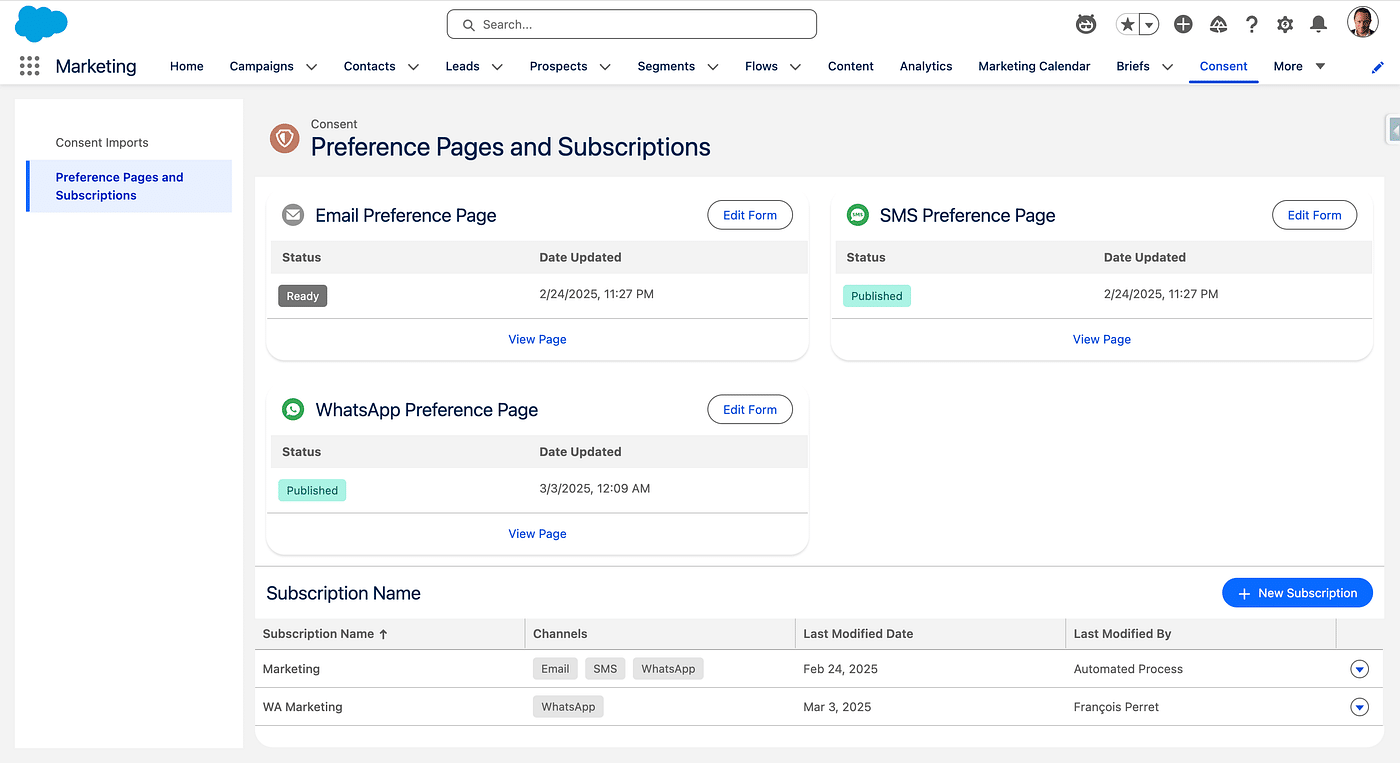
In Pardot, Do Not Email and Opted-Out are two Mailability Fields. Bounces are also taken into account when checking if a Prospect can be sent an Email, and of what type (Marketing or Transactional, which Marketing Cloud Next (Growth & Advanced) also handles). You also have Public Lists in Pardot, which is the only type of List that can handle opt-in or opt-out. Marketing Cloud Next has a very similar feature, called Subscription Consent. This is a unified way to handle consent in a multi-channel context.
Forms
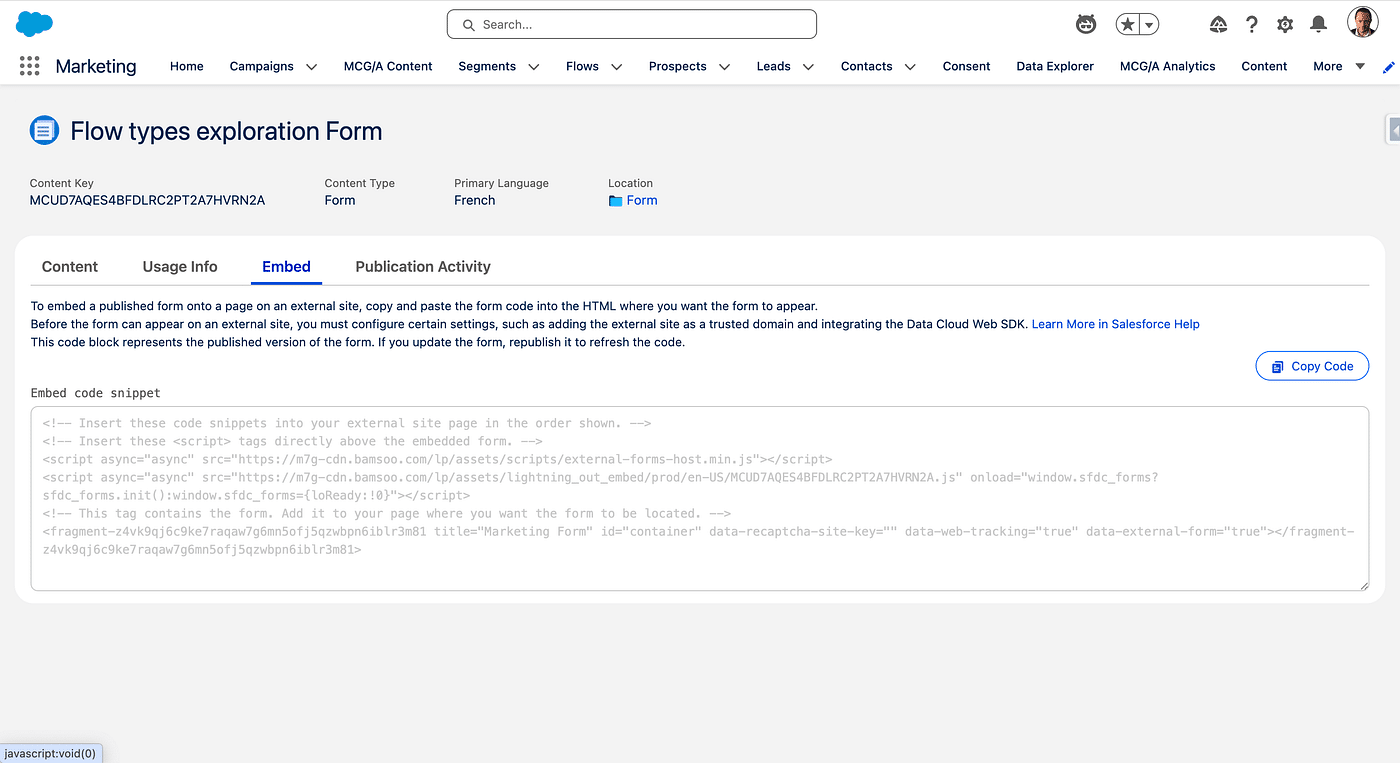
Pardot Forms can be natively embedded in Landing Pages, Pardot-built or on an External site via an iframe. There are also the From Handlers which are basically end-points receiving external Forms submission data. In Marketing Cloud Next (Growth & Advanced), there is no Form Handler as of today. Forms, both on internal and external (iframe) Landing Pages are supported, and stored in the enhanced CMS, with a Builder similar to the one used for Emails and Landing Pages. As of today, there is no pre-filling nor Progressive Profiling available.
Artificial Intelligence
Predictive AI
All Pardot Predictive AI, Einstein based: Send Time Optimisation, Engagement Frequency, Behavior Scoring, Campaign Insight, Key Account Identification and Einstein Attribution exist in their own flavour in Marketing Cloud Next (Growth & Advanced), except Einstein Attribution, since it is based on Campaign Influence which must be deactivated to activate Opportunity Influence.
Generative AI
There are limited features of Content Generation in Pardot, and Marketing Cloud Next (Growth & Advanced) relies on Agentforce for these features with two Topics and several Actions. By default, an entire Campaign can be generated from a single Prompt (using Agentforce’s in-org assistant). This schema can be extended to add you own Actions or Topics.
Licensing
Pardot pricing is based on the edition, the number of Mailable Contact (per 10k) and Add-Ons. Marketing Cloud Next comes in two flavours : Growth Edition and Advanced Edition. Advanced includes all Growth features, plus some specific features (like Conversational SMS, etc.). Both edition include a given amount of Data Cloud credits (number emails per year, etc.) and Add-Ons.
Final Notes
We’ve gone through all major features of Pardot, and tried to relate them to Marketing Cloud en Core. But, there are features in Marketing Cloud Next (Growth & Advanced), which are simply not available in Pardot. For example, SMS and WhatsApp messaging or Data Graph for personalization are only available in Marketing Cloud Next (Growth & Advanced) only, not to mention AI.