Marketing Cloud Growth & Advanced, as a Marketing Automation Platform (focused on B2B SMB) is a nice tool for your Lead Generation Campaigns. In this article, we will describe what happens inside the platform, by deep-diving into all the following lifecycle.
- A visitor lands in a Landing Page
- Completes the Form
- Visits another Landing Page and submits a Form with a new Email Address
- Is added to a Nurturing sequence
- Once its Score is higher than a threshold, a Lead is created out of it
Scoring model in Marketing Cloud Next
A visitor lands in a Landing Page
You created a Landing Page in Marketing Cloud Growth & Advanced, Published it and Activated its URL Aliases. Your Experience Cloud Connector is Connected to Data Cloud and the standard Cookie tracking Consent Banner is Activated.
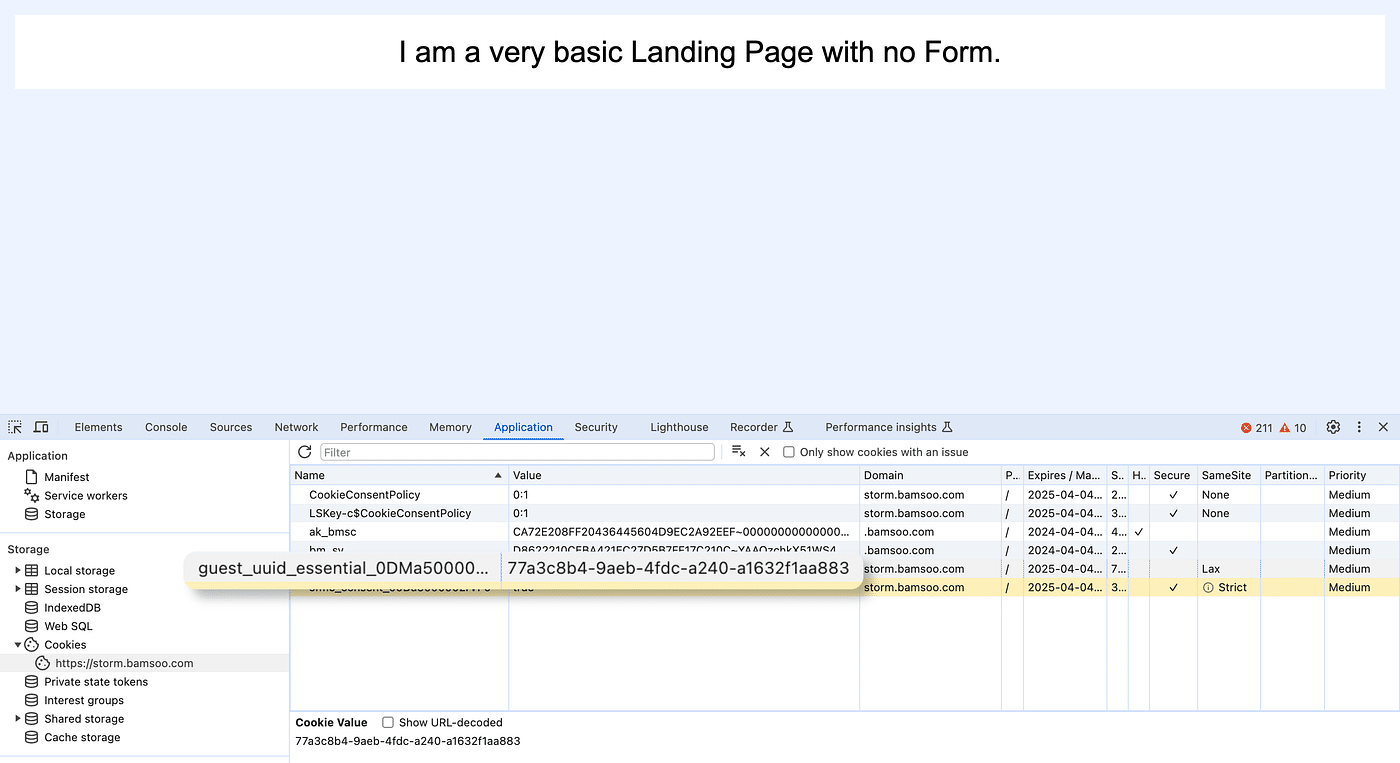
With the previous configuration, if a Visitor accepts to be tracked using the Banner, since the tracking code is automatically embedded in the Landing Page, a Cookie is created.
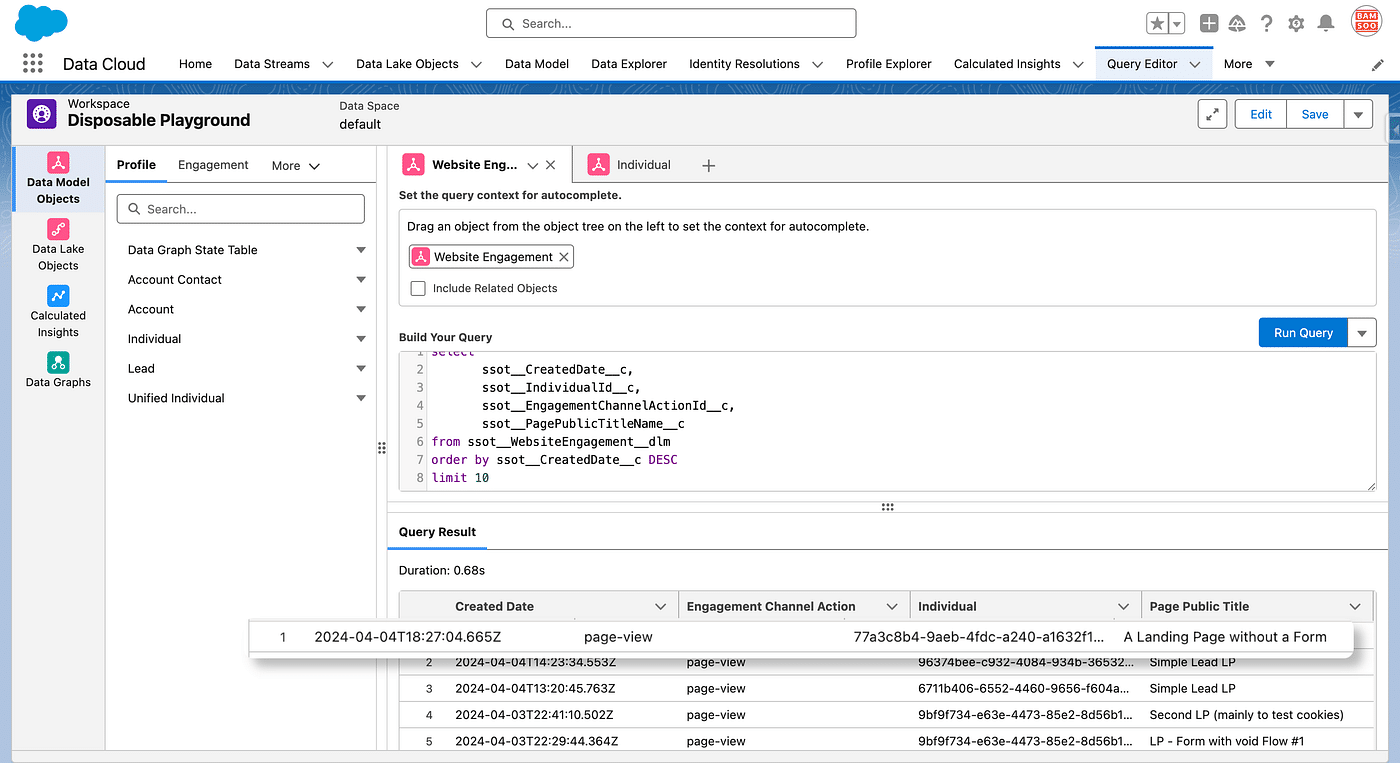
In Data Cloud, the Connector injects this information in the Experience Cloud Event Connector Behavioral Events Datastream, which is mapped to the Website Engagement DMO. Landing Pages in Marketing Cloud Growth & Advanced are hosted in a transparent Experience Cloud Site.
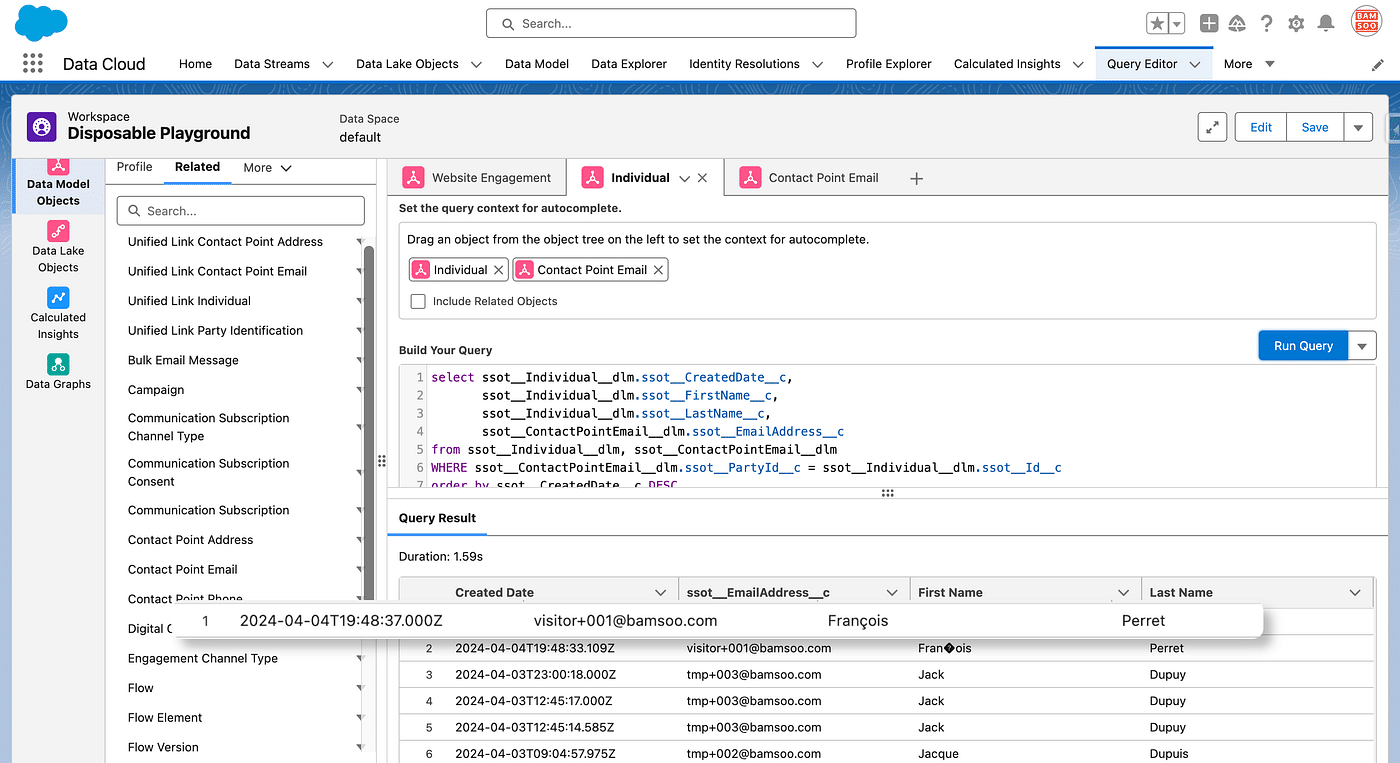
Notice we used Query Editor (and its completion capability which is a really cool), which is a really handy Data Cloud’s feature when it comes to reading DLO or DMO contents.
So far, no Individual is created, but the Id contained in the Cookie will be used to identify further interactions with other Landing Pages.
The Visitor Completes a Form
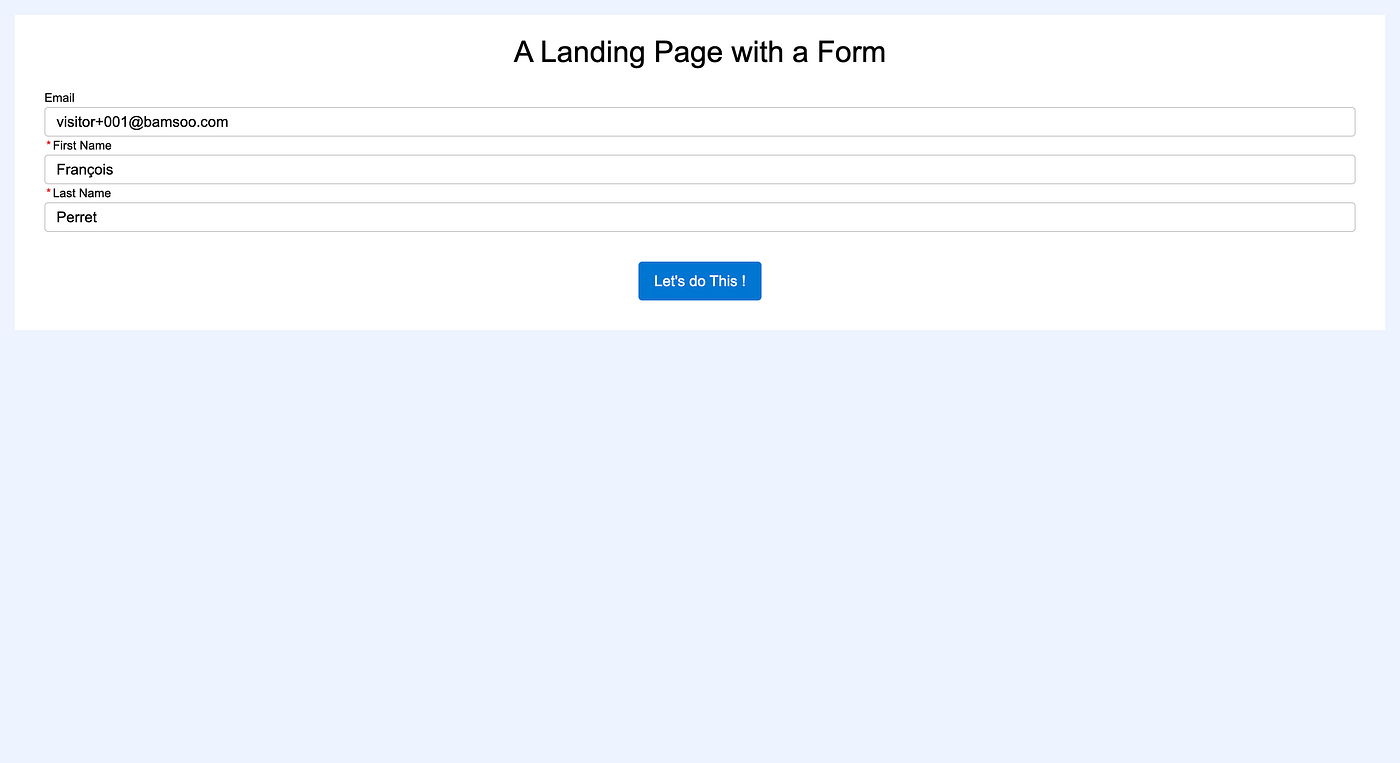
Later, the same Visitor visits another Landing Page, containing a Form, this time. By default, every Form comes with a Marketing Flow, which simply creates a Lead (or a Contact, or even an Account which is a cool feature) out of the box. That default Flow, a Form Triggered type Flow, can be edited, and here we do not want to create a Lead now, we will create it later once the Visitor’s Score is high enough. As a Flow must have at least one step connected, we simply write the Form Inputs in a Custom Object acting as a Log.
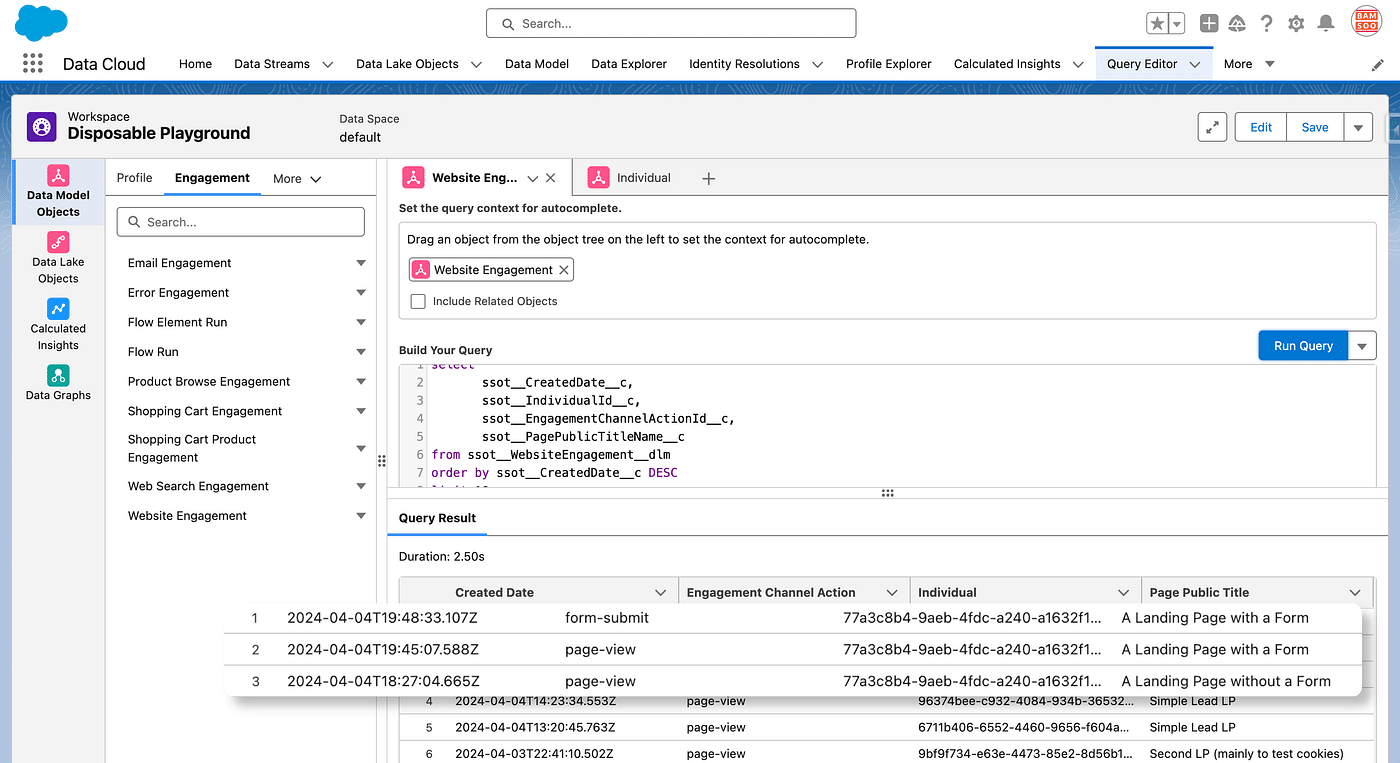
Once submitted, the Experience Cloud Connector add some more information in the Data Stream it is connected to, which updates the Website Engagement DMO thanks to the Mappings.
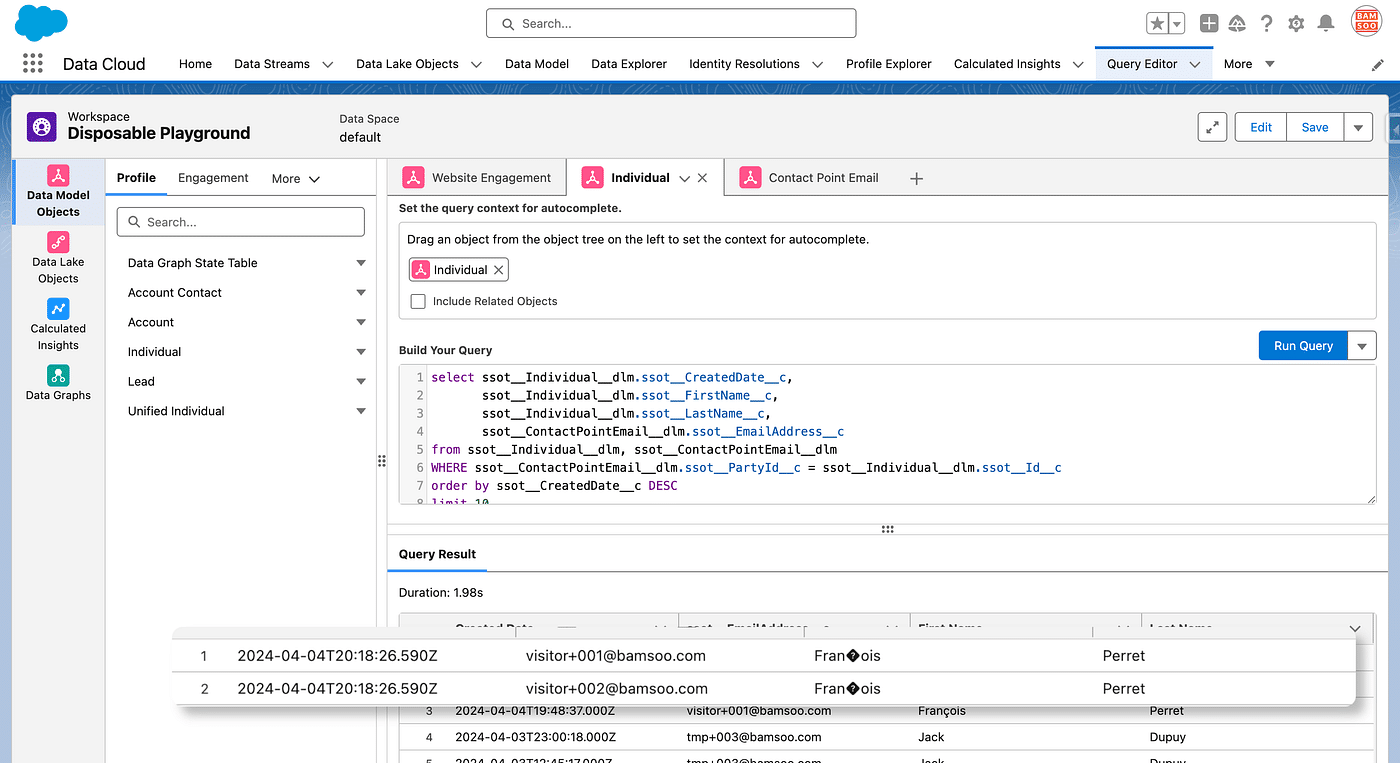
But this is not all. In case of a Form Submission, the Experience Cloud Connector also adds records in two other Datastreams: Experience Cloud Event Connector Identity and Experience Cloud Event Connector contactPointEmail. Their corresponding DLOs are mapped to Individual and Contact Point EmailDMOs respectively.
If we had kept the standard Form-Triggered Flow, then a new Lead would have been created, and an associated Individual and Contact Point Email records as well, by the Salesforce Connector this time, with the same informations. Of course, containing the same information, they would have been aggregated in a single Unified Individual linked to a single Unified Indv Contact Point Email. But it is important to note that Website Engagement is related to a different Individual.
Individuals created this way have an Anonymous status.
The Visitor visits another Page and submits a Form with a new Email Address
The Cookie did not change here, so, from an Experience Cloud perspective this is the same Individual, with another Email Address.
Page Views and Form submission, are still attributed to the original Individual(identified by the ID stored in the Cookie) but a new Contact Point Email record is created, associated with the Individual.
The Visitor is added in a Nurture Sequence
We now have a Visitor with two Email Addresses associated. Let’s pretend no other Individual matches the Match Rules in the Identity Resolution.
As no other Individual matches, a Unified Individual is created out of this Individual when the Indentity Resolution has run (can be manually launched using the Run Ruleset button).
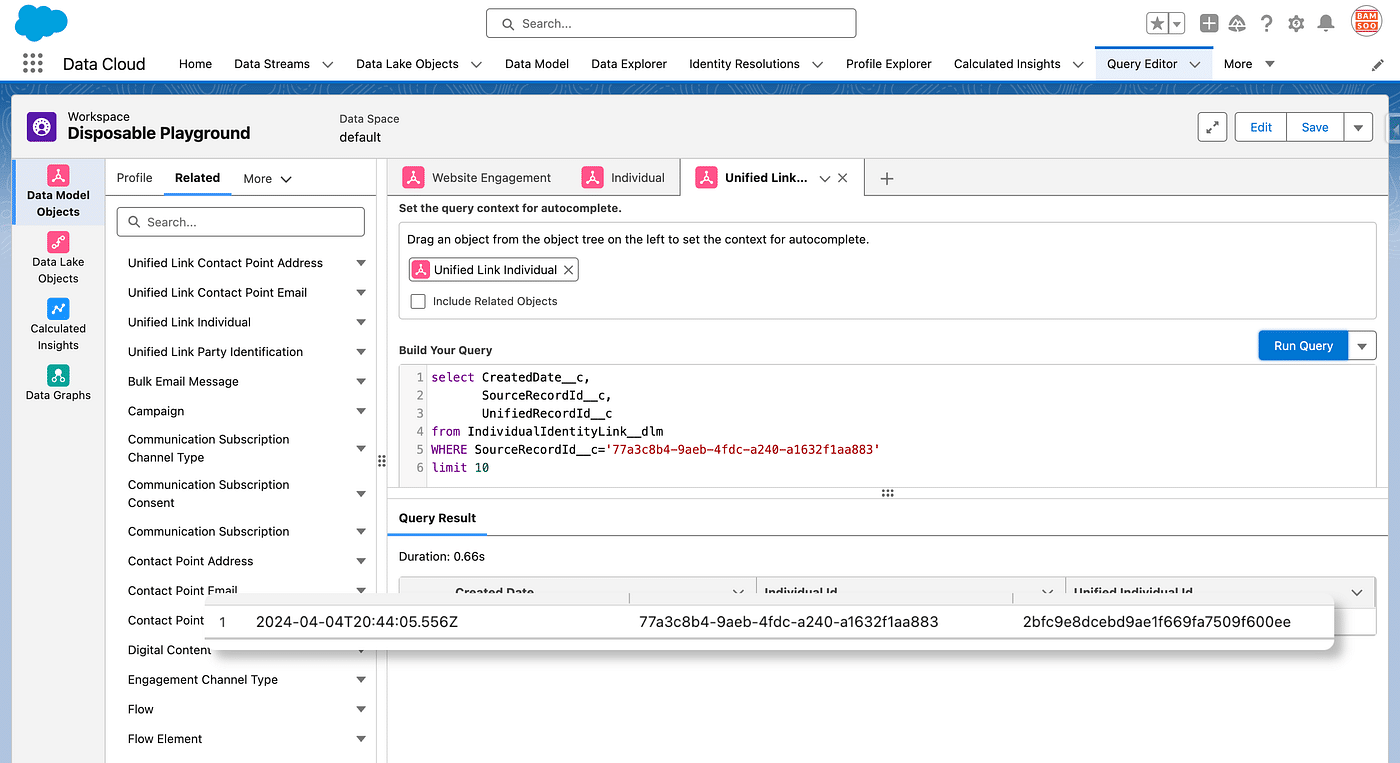
Unified Individuals are tied to their matching Individual, thanks to the Unified Link Individual (Bridge) DMO (which is Unmapped). Knowing the Individual ID(Cookie ID), we can use Query Editor again to get the created Unified Individual:
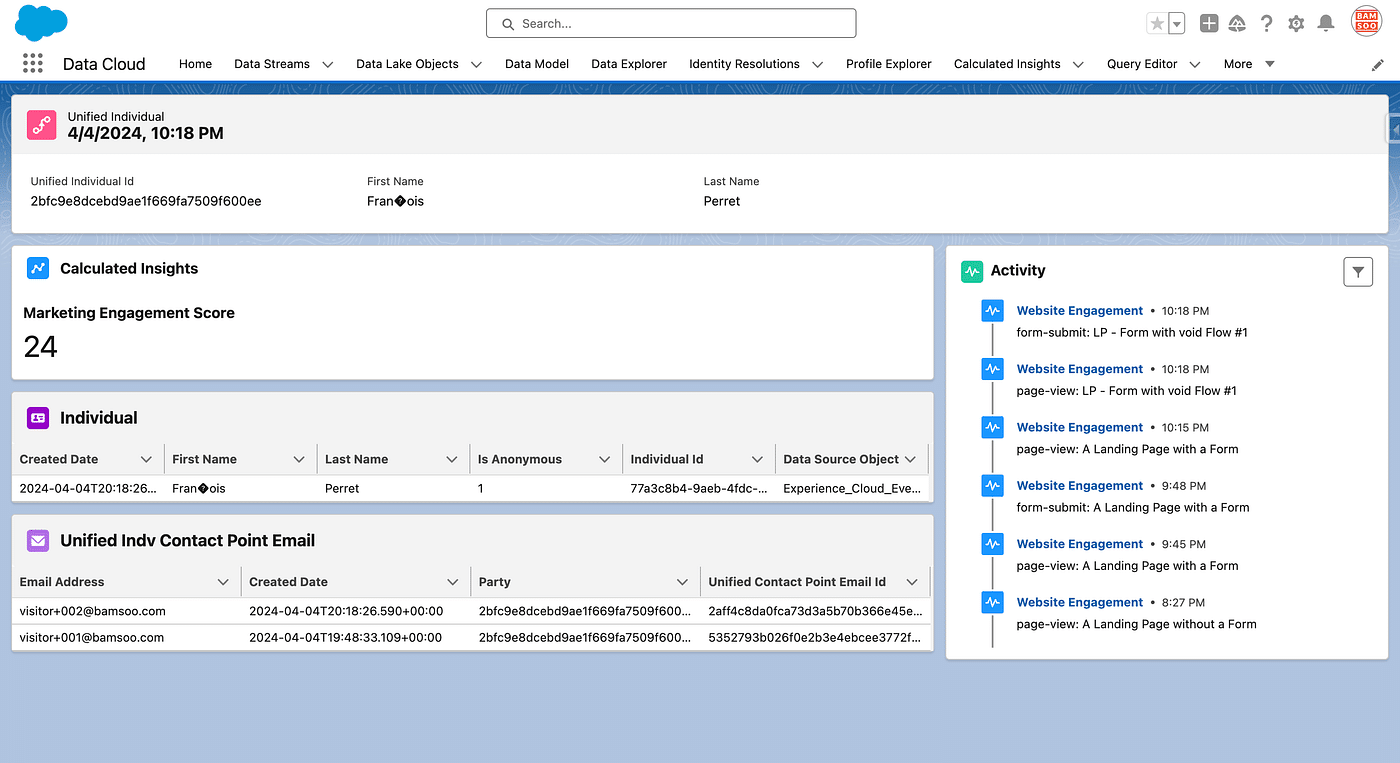
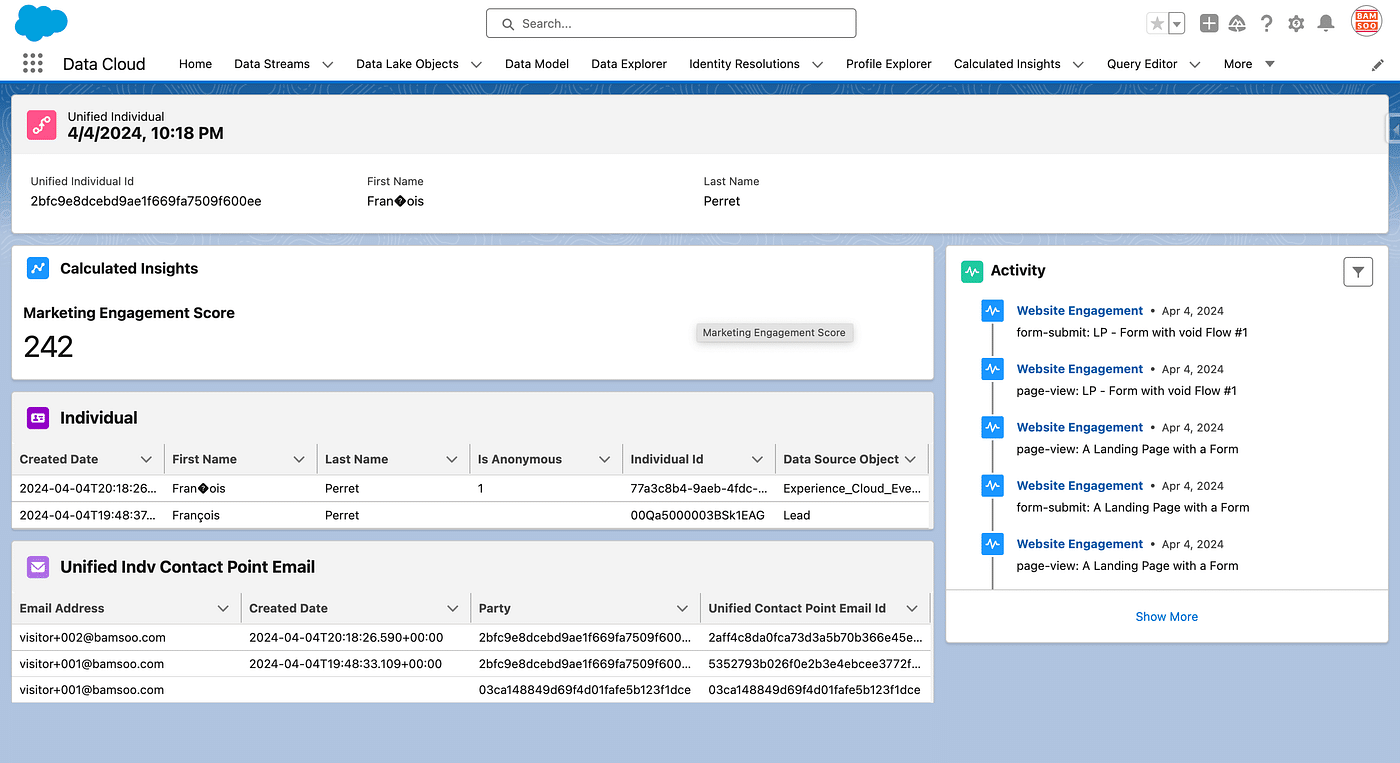
Then, using Profile Explorer, a handy Data Cloud’s search feature, we can open the Unified Profile in a Layout where we added some Data Cloud’s Component, which summarises all we have seen above 😎:
The visitor is added to a Nurturing sequence
Adding to a Nurturing Sequence in Marketing Cloud Growth & Advanced, is a two step process.
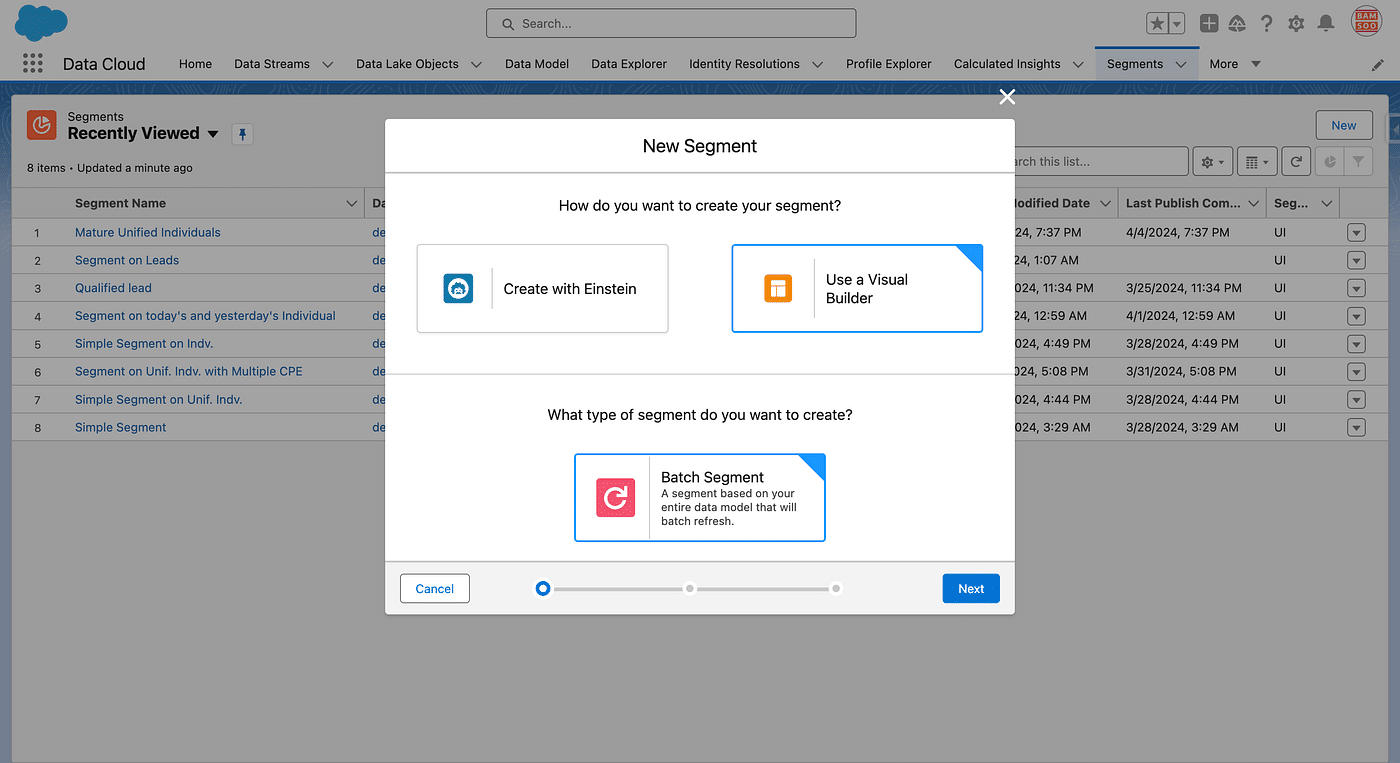
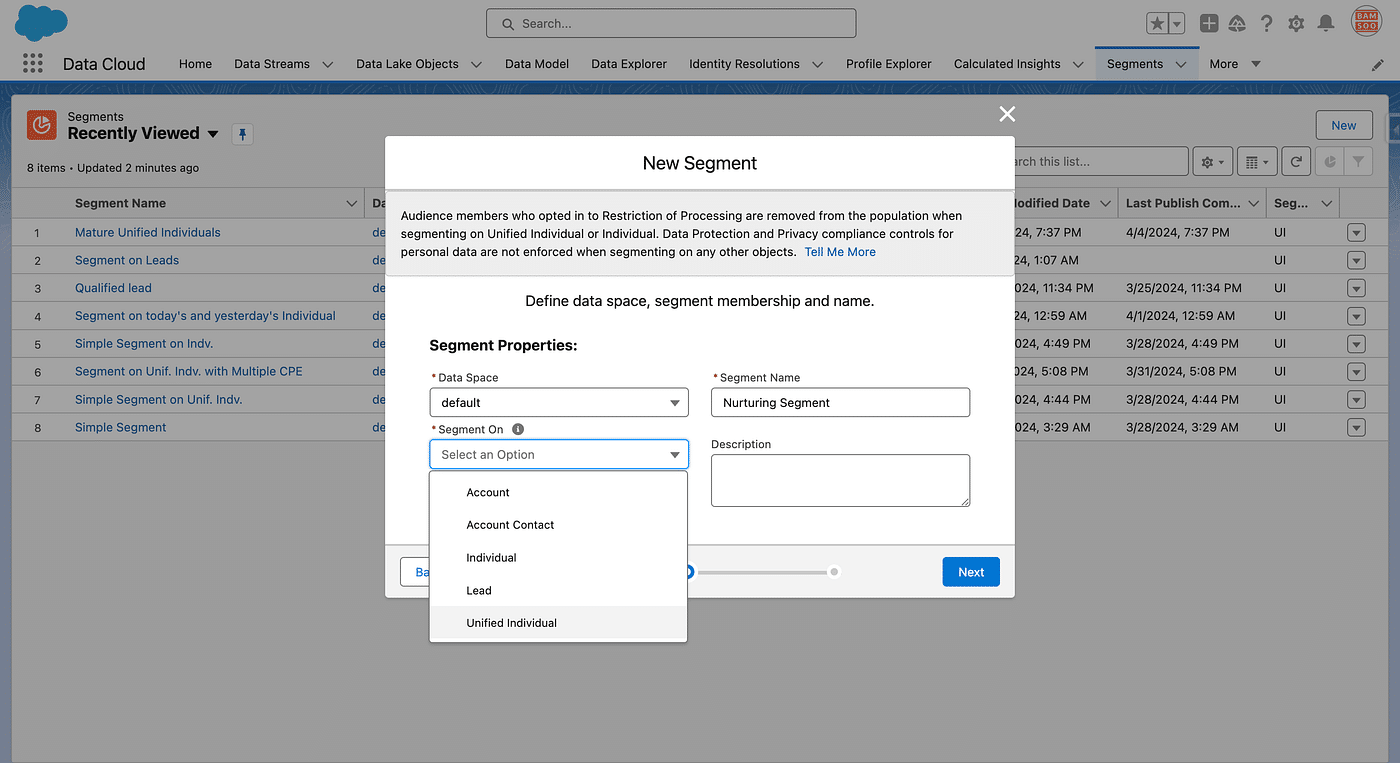
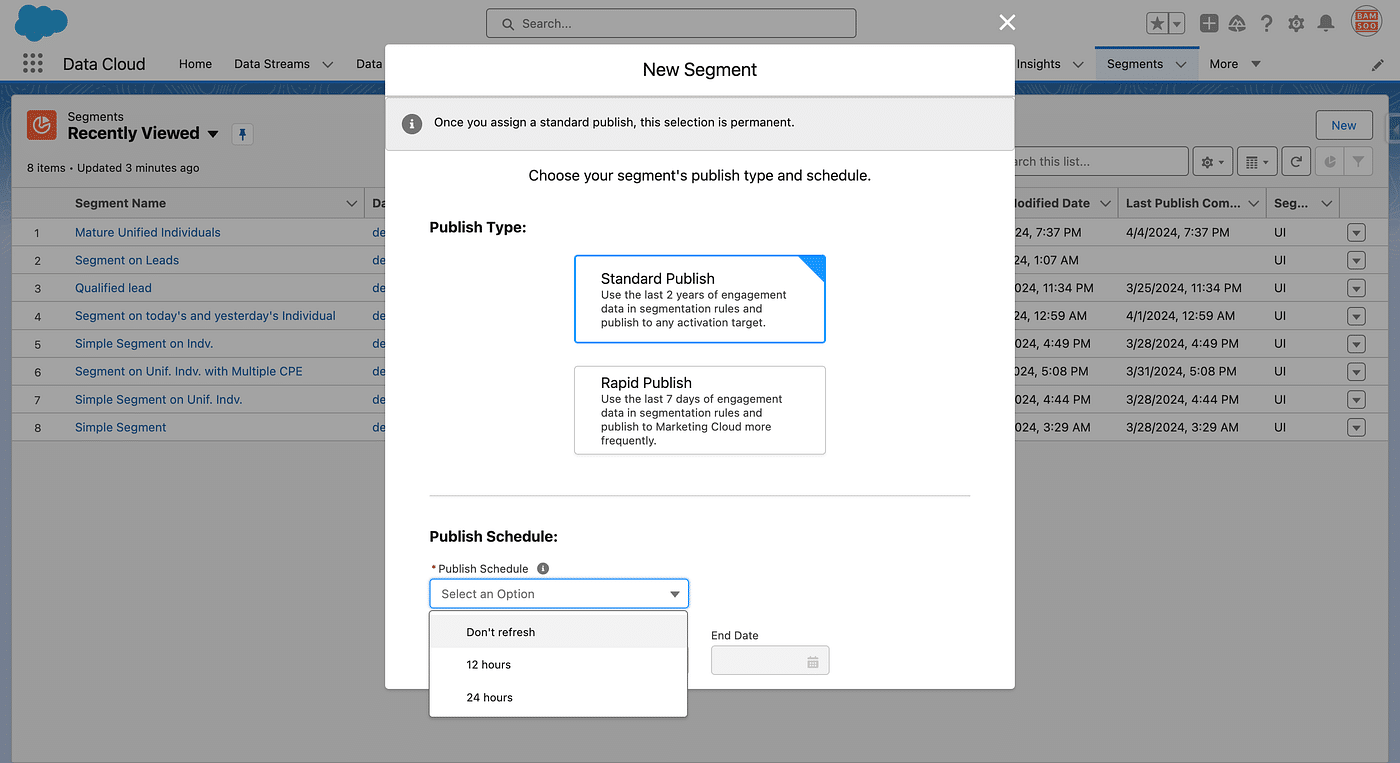
First, a Segment is created in Marketing Cloud Growth & Advanced
In Marketing Cloud Growth & Advanced, the only useful Segments are those made of Unified Individuals (aka Profiles). Even thought you could create other types of Segments (like Individuals for instance), the Marketing Flows only run on Unified Individuals Segments.
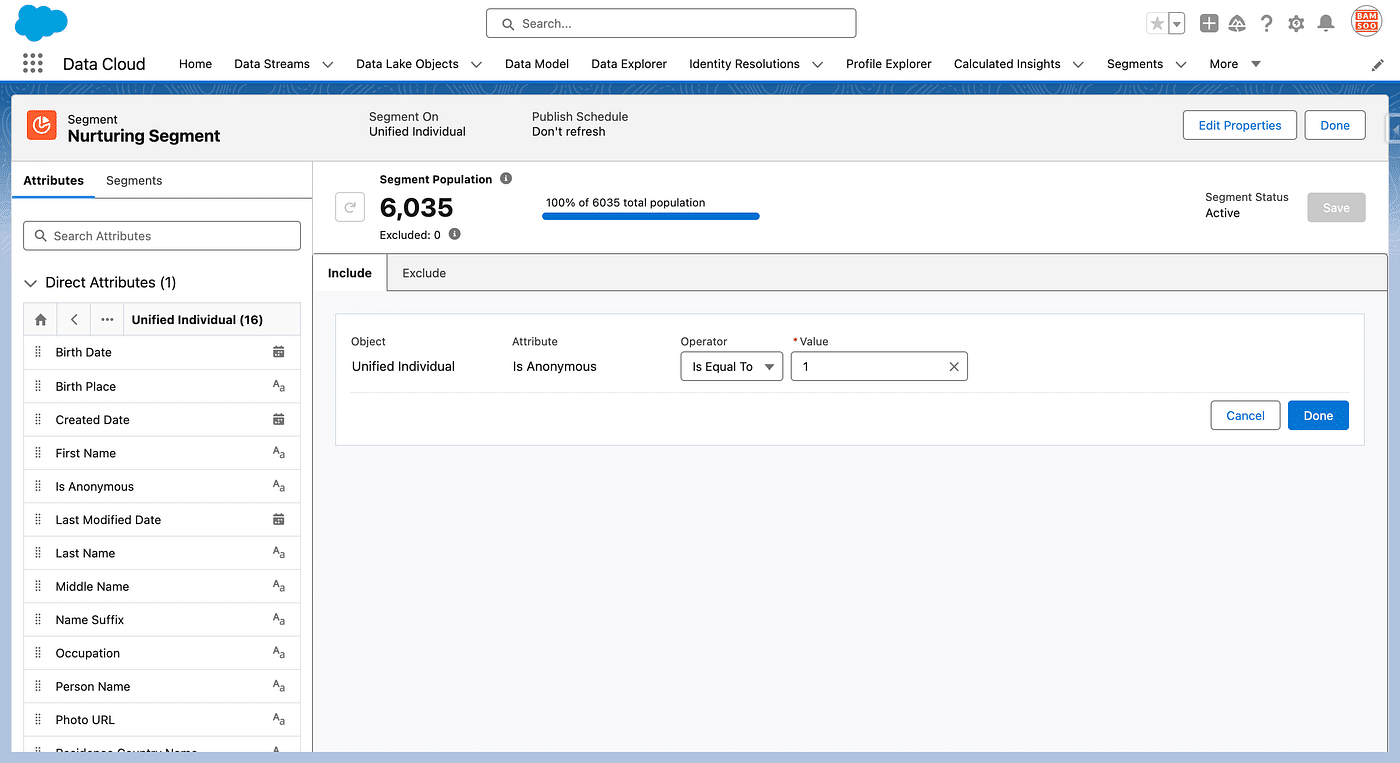
A Unified Individual can be Anonymous, if all its Individual are all Anonymous. So if we had run a Flow creating a Lead above, our Unified Individual would not be Anonymous as an Individual created by the Salesforce Connector as an Individual from a Lead is not.
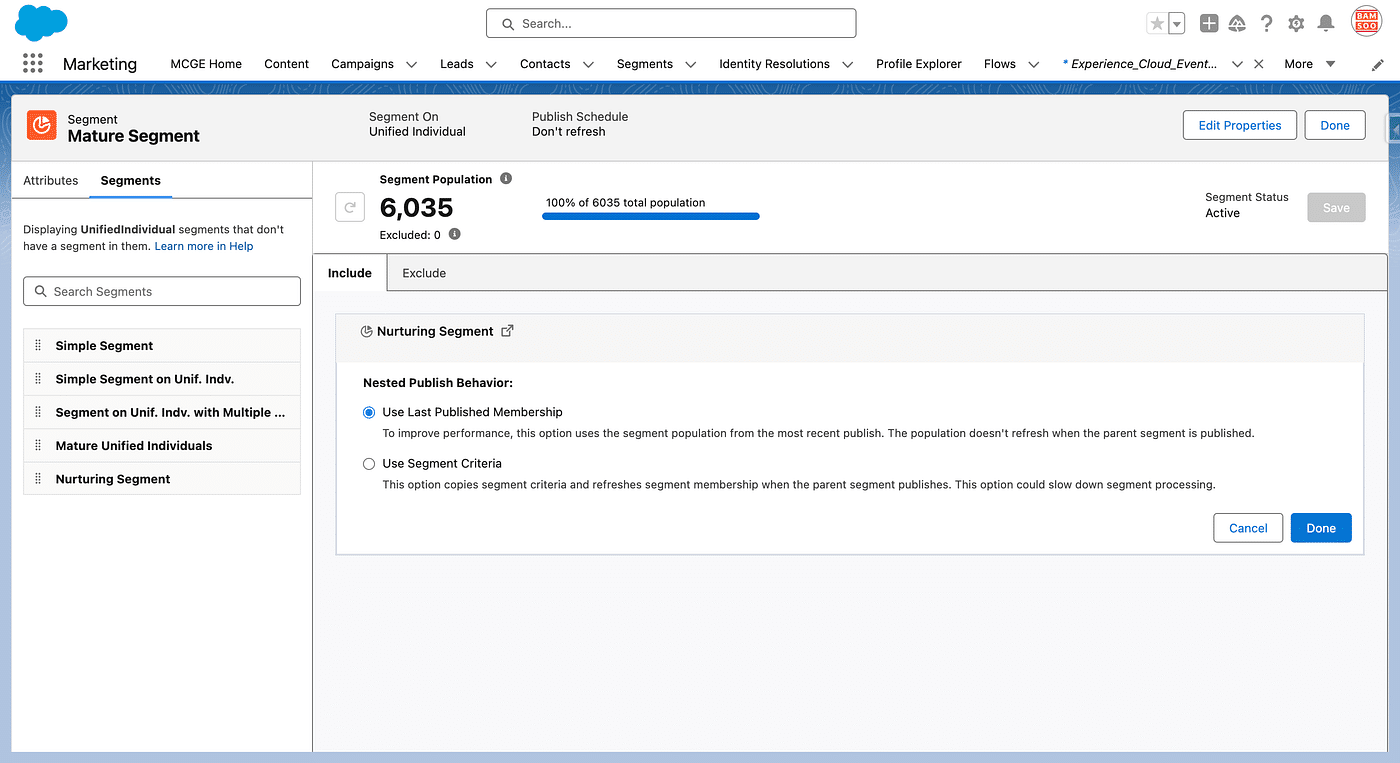
So, we’ll take advantage of this in our Nurturing Segment design, using the following steps:
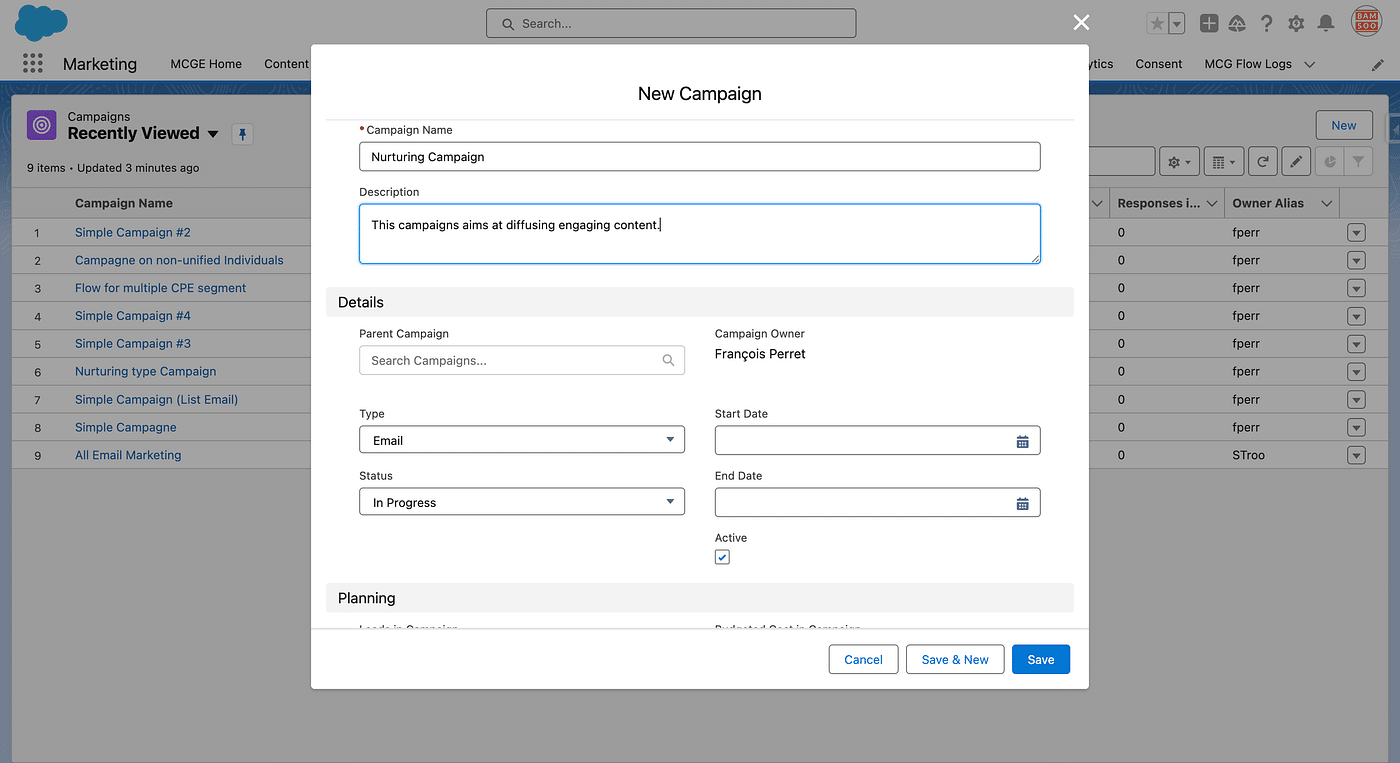
Then we create a Flow as a Campaign
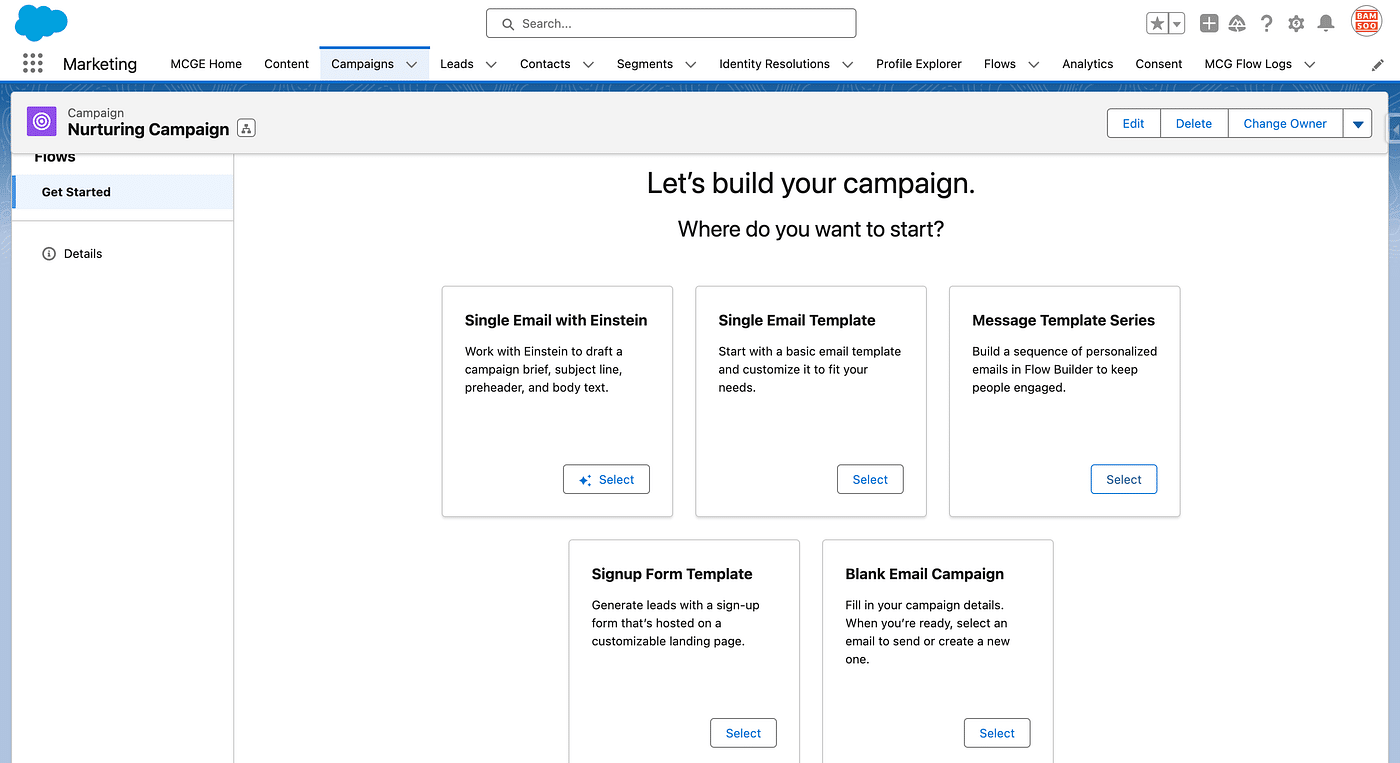
Our Segment will feed a Nurturing Flow, which we create by following the steps below. A Campaign in Marketing Cloud Growth & Advanced ties Together a Segment, a Flow and Email Contents.
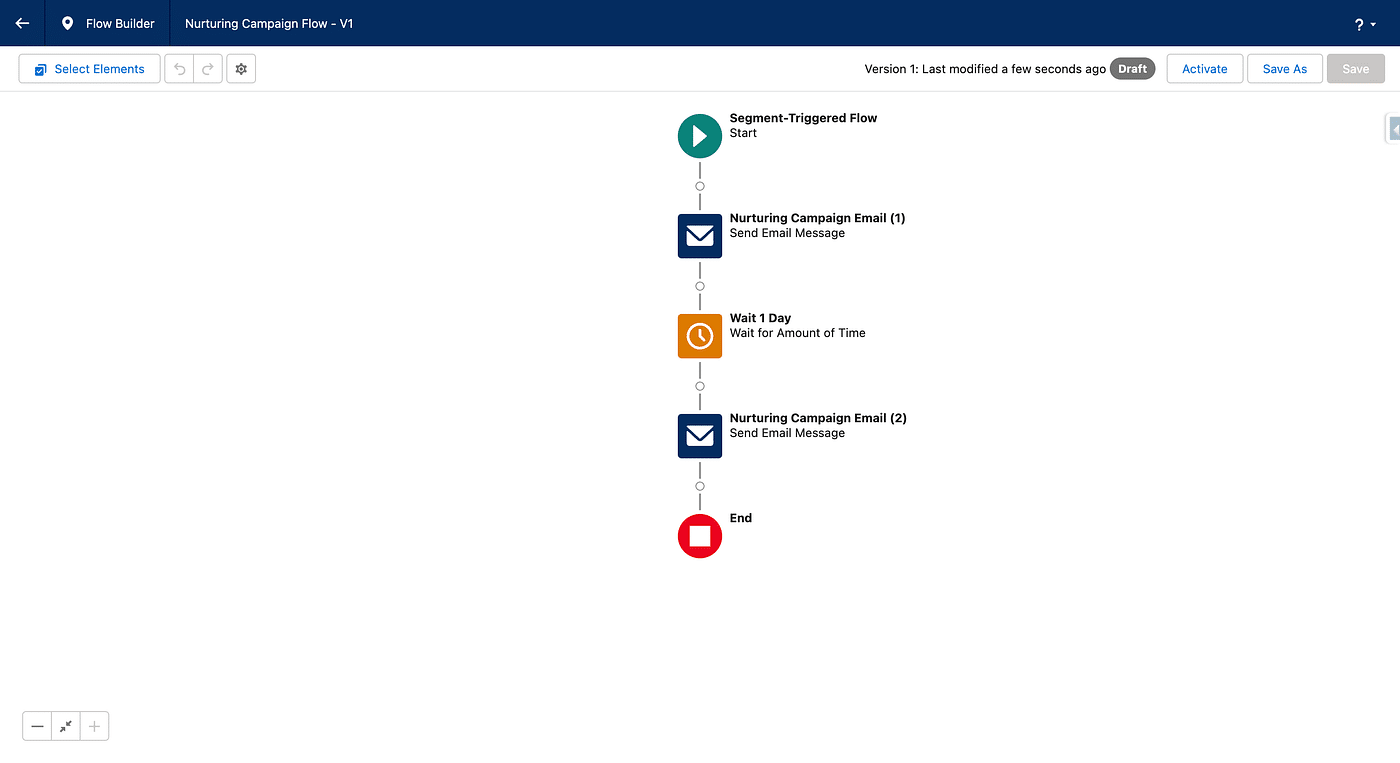
By default, the Campaign is created with two Emails, which can be edited or replaced and new Emails can be added. The default Flow Simply sends the First Email to any Unified Individual entering the Segment once activated (the schedule of the Flow will be set to Recurring).
This is a simplistic scaffold for a drip-based Nurturing Sequence, which must be seen as starting point. Email Contents, Number of Emails, need to be adjusted.
Once the Score is higher than a threshold, a Lead is created
The score is stored in a Calculated Insight, associated with a Unified Individual, website interactions, as well as email interactions are both taken into account by default.
So our previous Nurturing Sequence will hopefully trigger some interactions from our Visitors (Email Clicks, new Landing Page Visits with or without Form Submissions, etc.), so that the Engagement Score Calculated Insight Metric raises to be eventually greater than a predefined threshold, let’s say 50 points.
The process to create a Lead is the same as the one to create a Campaign, consisting of 2 steps.
Creating the Segment
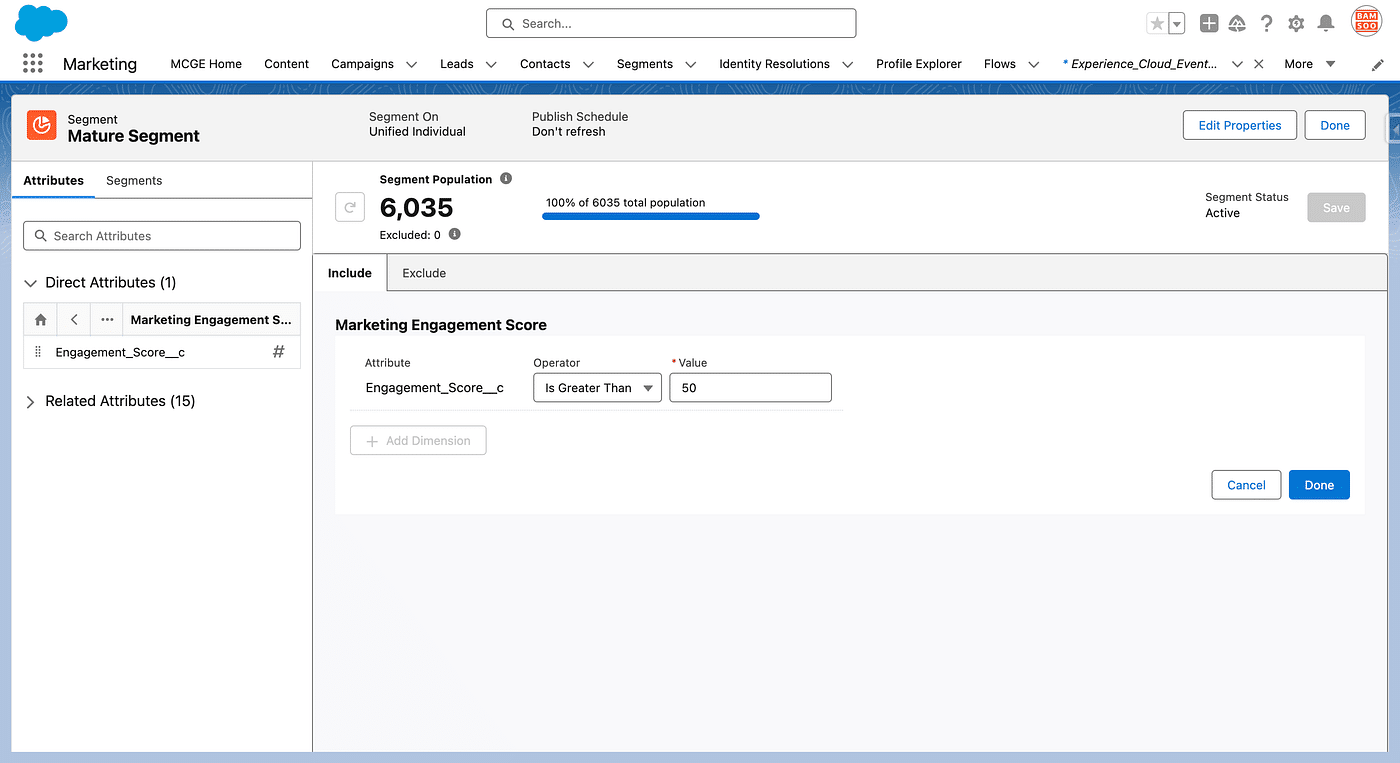
Our new Segment (of Unified Individuals), will be made with two criterias. The First one will simply be the membership to our previous Segment (hence dealing with Anonymous Unified Profiles only):
The other Criteria will simply be based on the Score CI:
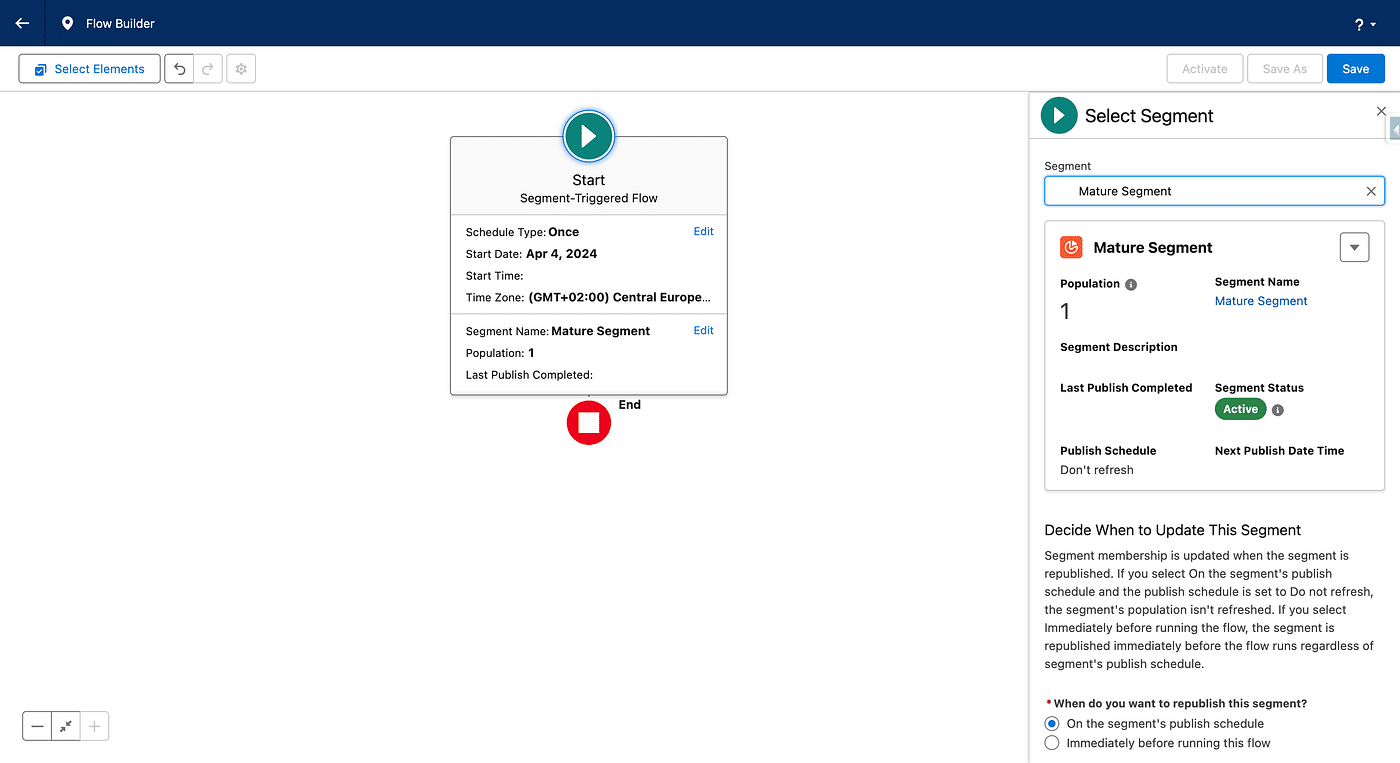
This Segment needs to be Published to start injecting its Unified Individuals into the Flow below. See 2 Methods to list your Segment members.
Writing the Flow
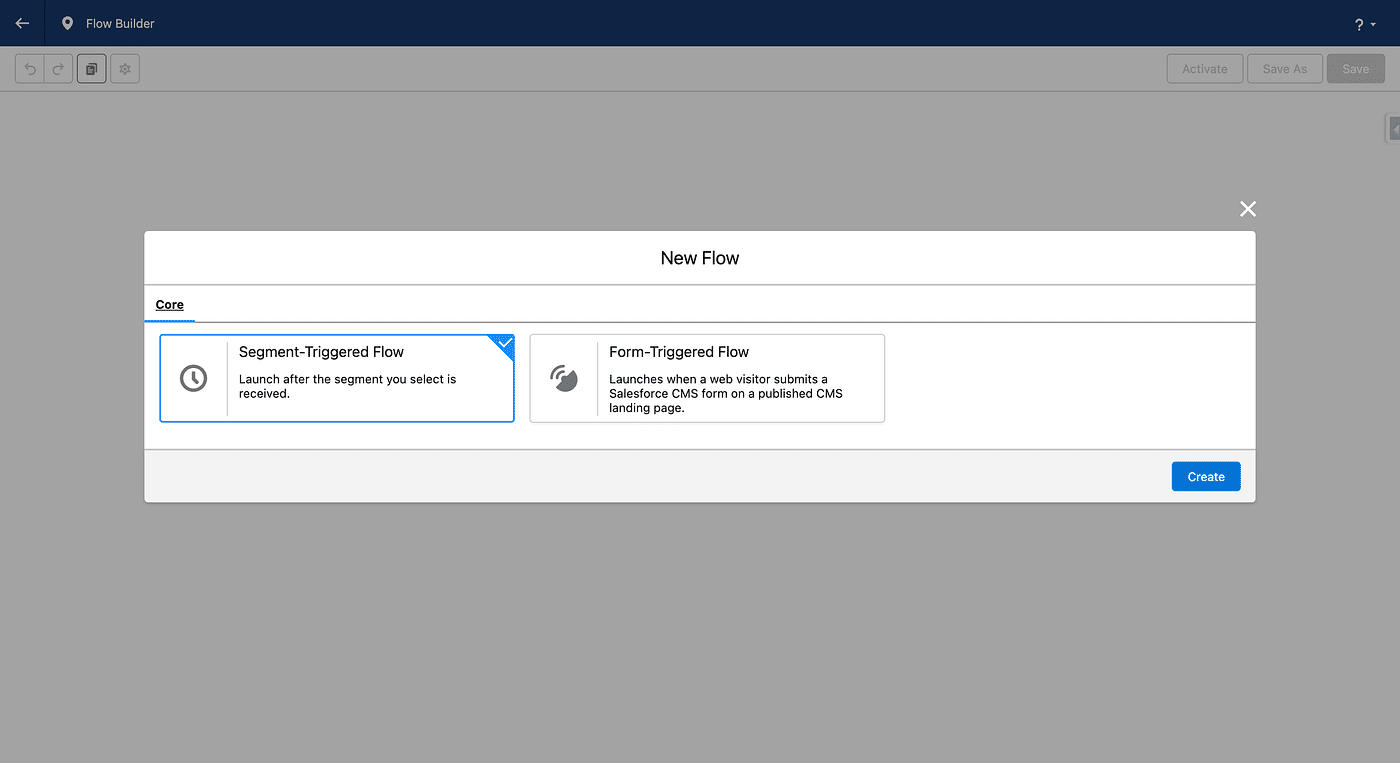
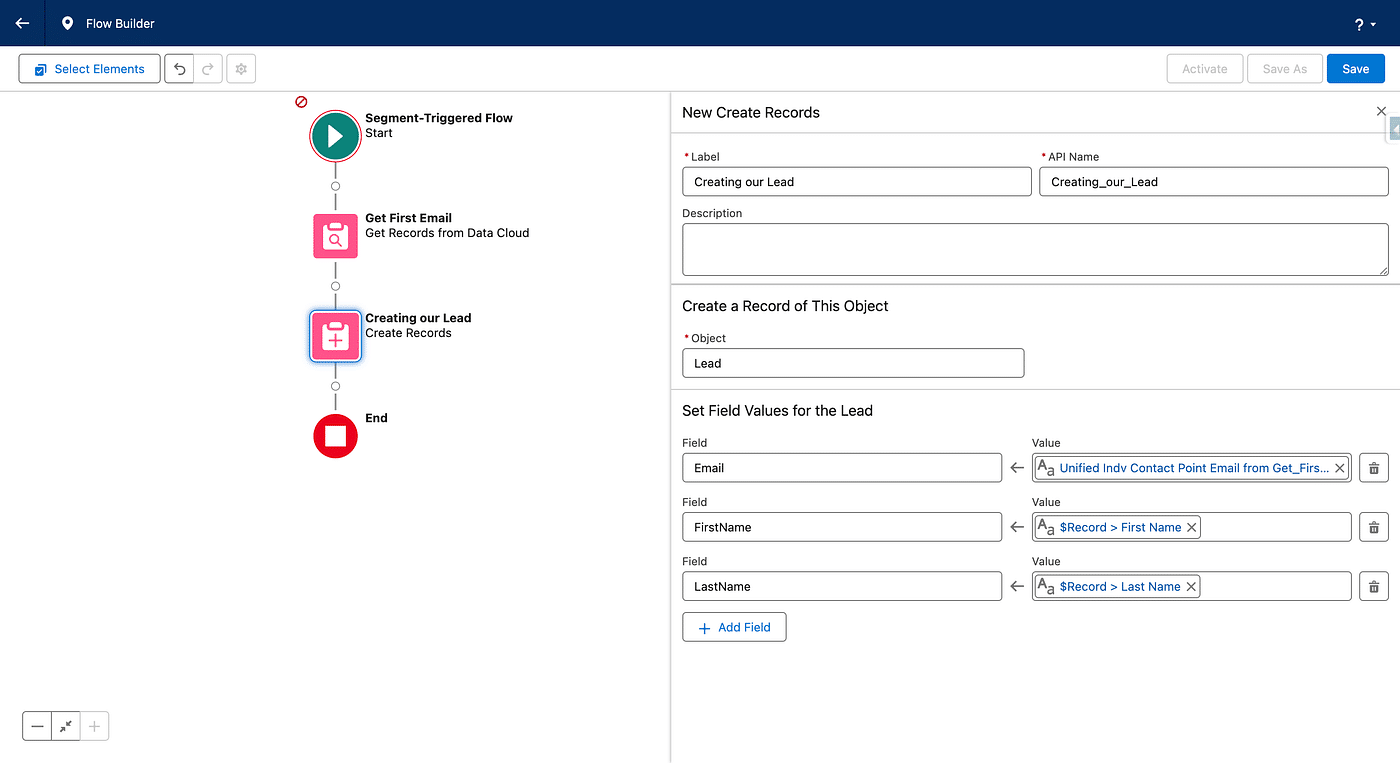
A new Segment-Triggered Flow is then created:
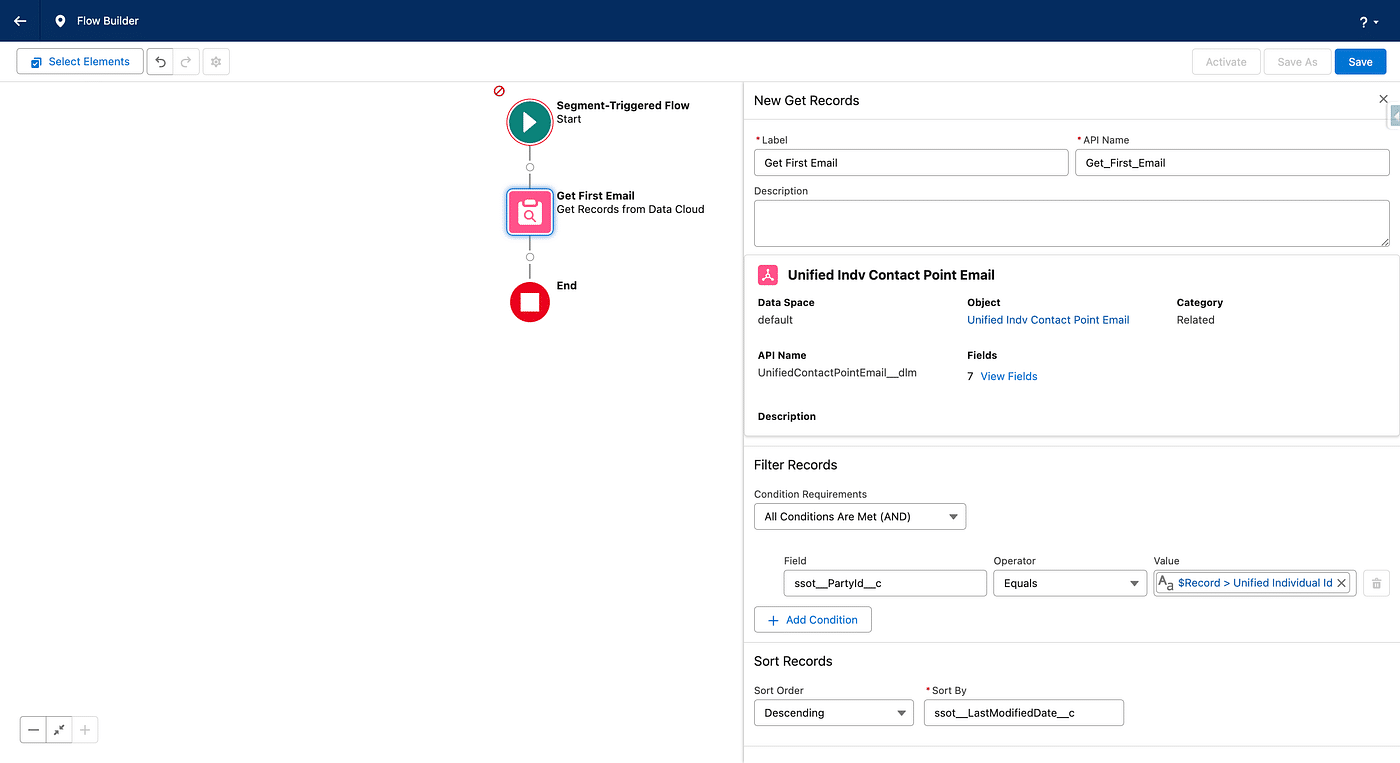
We will leverage the Data Cloud Data Model and our use case, to get the first Unified Indv Contact Point Email linked to our current Unified Individual in the Flow.
We have one Individual linked with two records in the Contact Point Email DMO. The Identity Resolution process created one Unified Individual and two linked Unified Indv Contact Point Email. Here we select the last modified Email Address as the one to create the Lead with, in a Get Record step. This choice can be based on other criteria (similar to the Reconciliation Rules in Identity Resolution).
Our final step in the Flow is the creation of the Lead itself. We use a Create Record step, the First Name and Last Name are the one of the Unified Individual (based on the Reconciliation Rules if multiple Individuals match together) and the Email is the one store from the previous step.
🎉 Let’s Celebrate, we’ve walk through all the steps involved to create a Lead from an unknown Visitor in Marketing Cloud Growth & Advanced. Here the Unified Individual we created:
As a conclusion, notice we now have two Individuals (one created from the Form, the other one from our latest Flow) and three associated Email Addresses (two from Form submission and a last one created from the Lead, chosen among the two latter). Our Nurturing sequence worked since the score is now 242, thanks to our content.