
There are several main areas where Agentforce and Einstein can be leveraged in Marketing Cloud Growth & Advanced.
Einstein Send Time Optimisation
When sending Emails to you Audience, their actual engagement with your content like Open or Clicks are a solid data fundation, which can be used to train an Einstein Model (data is anonymised and the 90 previous days of engagement are used).
It becomes then possible to Send an Email, not at a given predefined time, but at a time Einstein AI chooses for you, so the Engagement rate is maximized for each Individual.
Setup, is really easy, search for Marketing Cloud in Setup (the global one), then go to Custom Setting, Einstein AI and finally “Configure Einstein Settings” button.

Once Activated (at least 72 hours, but can be more depending on you engagement data), you can select to send an Email in the Flow associated with the Campaign at a the best time chosen by Einstein STO.

As of now, Einstein STO can be used in Email Sending, but not for SMS sending.
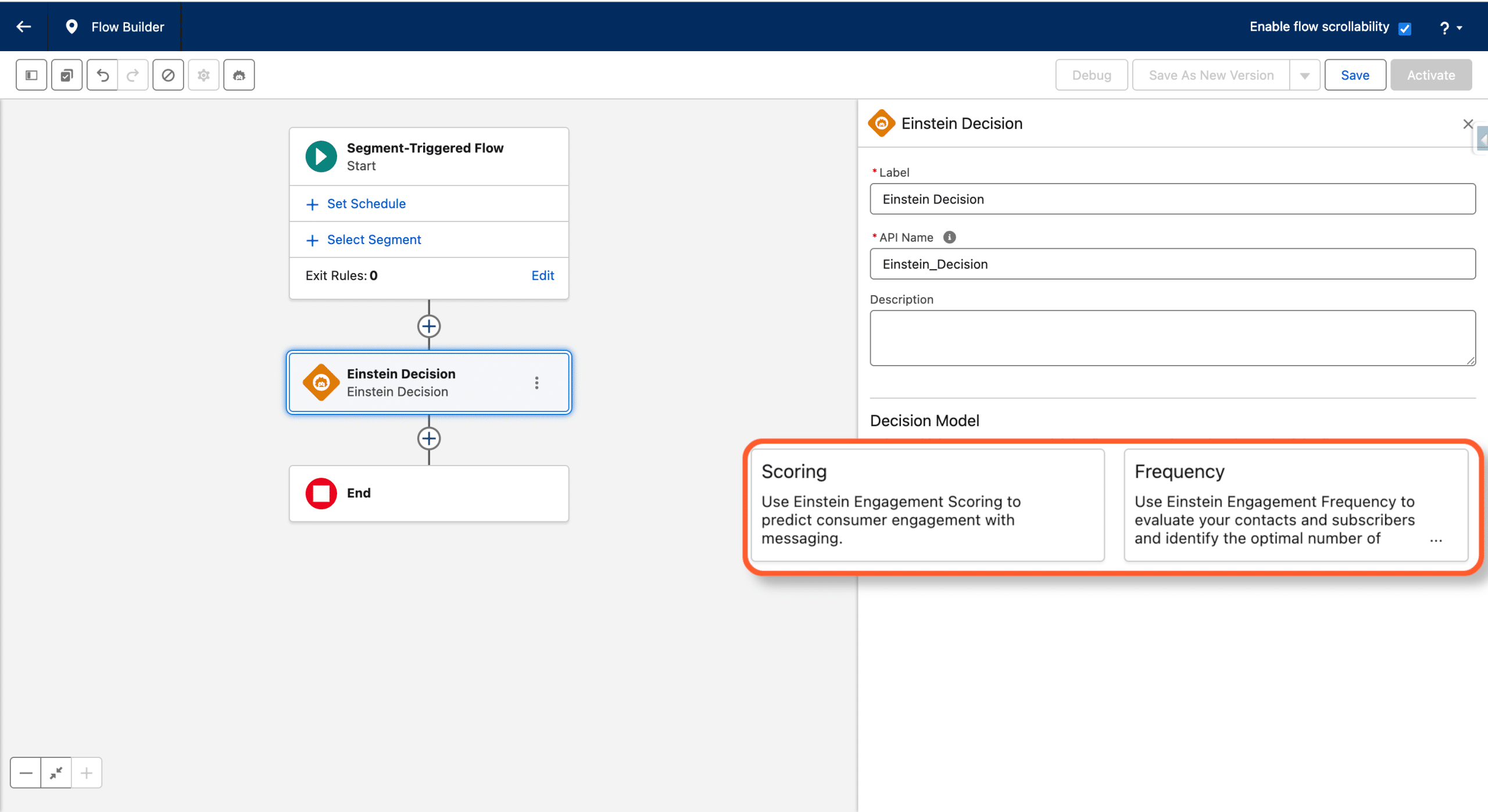
Einstein Decision
Use AI inside a Flow to check each recipient’s email fatigue and engagement score, take the right decision based on Eisntein Engagement Frequency and Einstein Scoring.
Content Co-Creation
When creating an Email by adding Email type Content from the linked Enhanced Workspace, you are offered the possibility to draft your Pre-header, your message Body or your Subject Line with Einstein AI.

One can ask for a longer or shorter, adjust the style, whatever you can think of, can be achieved by a Prompt. If satisfied by the generated content, copy it and paste it in your Email.
When Creating an Email Send, using a Marketing Cloud Growth & Advanced Campaign (Single Email with Einstein), the entire creation process is handled by AI. You simply specify in a Prompt what you want to achieve, and a Campaign brief, containing an Audience along with an Email asset is automatically generated for you. Of course, you can refine the proposittion by further prompting.

Clicking “Looks Good” once satisfied triggers the creation of all what’s need for you Email Campaign. As Einstein puts it:
I’ve created campaign assets for you based on the campaign brief details. Next, review the segment and finalize the email subject, preheader, and body.
This is really impressive, especially if you consider that the generated Contents are actually safely grounded in your own data, thanks to the Trust Layer and Data Cloud.
As of now, SMS or Landing Page can not be created by Einstein Co-create.
To activate this feature (and I can’t see any reason you wouldn’t 😎), search for “Generative AI” in the Quick find of the overall Setup, and click Einstein Setup, and finally “Turn on Einstein”:

Finally, don’t forget to Click Go To Einstein Data Collection and turn on Collect and Store Einstein Generative AI Audit Data, this is how your data will be used to train models, enhancing the Co-Creation process with knowledge on gained from your own data:

AI Segment Builder
We’ve seen a Campaign can create a Segment, from a single Prompt, but you can also use Einstein to create Segment for a Single Prompt. Then use this Segment in Marketing Cloud Growth & Advanced or send it to another Cloud by activating it in a Data Action Target.
To activate this feature, simply search for Feature Manager in global setup and Enable Einstein Segment Creation:

Et voilà, when creating a new Segment in Data Cloud, you can now choose a standard creation by selecting your criteria or let Einstein do this for you (note that only Unified Profiles can be segmented this way, which is convenient since Marketing cloud Growth & Advanced only take this type of audience as an input):

Then, once accepted the warning related to AI generated content (which applies also to content Co-Creation), you access a prompt to build your Audience:

The assisted Segment Co-Creation process proposes a set of Rules, which you can accept to actually create the Segment for use or refine to better suit you needs.
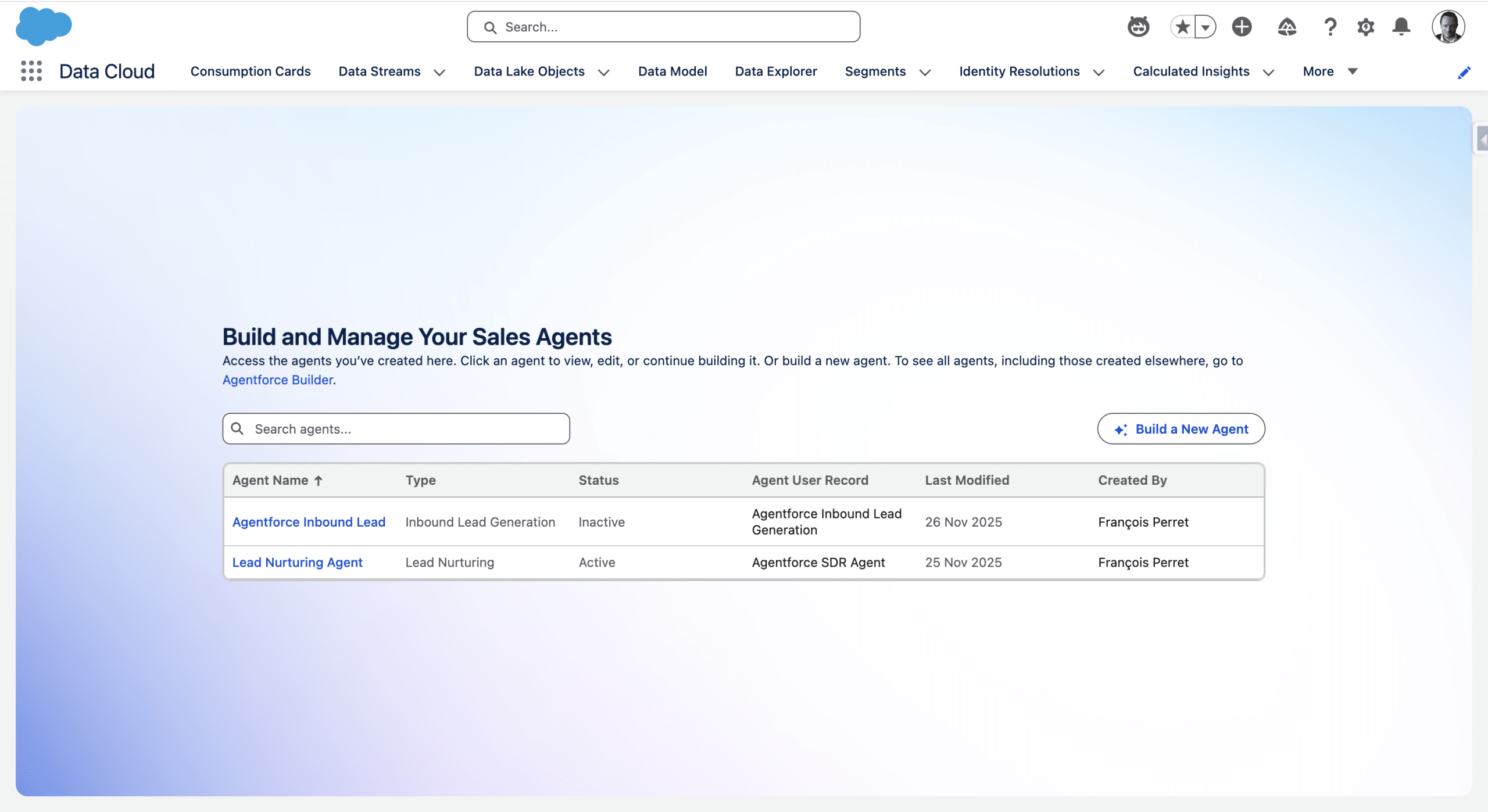
Agentforce Sales Agents
With Marketing Cloud Next, you can activate:
- The Inbound Lead Generation Agent from a template to qualify your inbound Leads and scedule meetings from yor website via a chat.
- The Lead Nurturing Agent (fka SDR Agent)to send a first outreach email and a sequence of nurturing contents and handle answers
Both Agent can take advantage of your company knowledge to ground and personalise their responses into knowledge files and descriptions (Value proposition and Key achievements).
Exciting times ahead!